5 Best VPNs for Android

Choosing a good VPN for Android isn’t always easy. A VPN that works well on Windows, macOS, or iOS may offer different features and protection on Android, so it’s important to assess its Android app separately. Connection stability, IP and DNS leak protection, and kill switch support deserve particular attention.
For this reason, Android-specific performance and privacy features are important considerations when comparing services from our Top 10 VPNs. This guide brings together 5 best VPN services for Android to help you compare their strengths and limitations and choose the right option for your needs.
Top 5 VPNs for Android
These five VPNs are compared on their Android features, usability, and performance. When choosing a service, consider how its app works on your smartphone or tablet, as well as recent user reviews on Google Play and on our website.
1. ExpressVPN – Most Reliable VPN for Android (from $2.99/month)
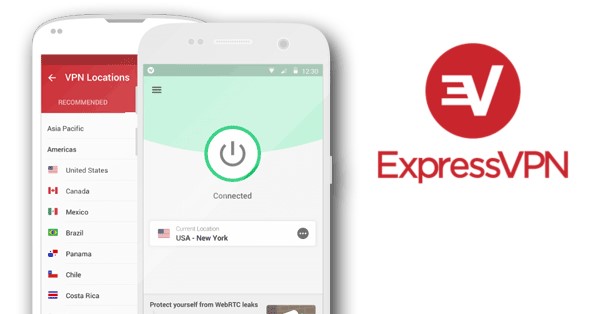
ExpressVPN offers a handy VPN app for Android with a straightforward interface and one-tap connections. It’s easy to set up and use. Its Lightway protocol is designed for fast connections, efficient battery use, and quick reconnection when you lose signal or switch between mobile data and Wi-Fi.
ExpressVPN is suitable for more private browsing, including on public Wi-Fi, and can also help bypass geographical restrictions and access Netflix.
Prices start at $2.99/month for the introductory Basic plan with a two-year subscription plus 4 extra months. The first 28 months cost $83.72 upfront, after which the plan automatically renews at $99.95 annually.
I have been using this VPN service for both work and personal use for a long time already. I recommend using it on Android as well as on other OSs.
More details on ExpressVPN:
2. NordVPN – Most Popular VPN for Android (from $3.49/month)
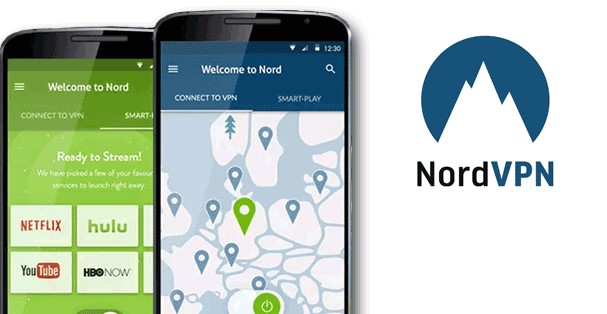
NordVPN is an established VPN service with thousands of servers across 225 locations worldwide. Its Android app offers automatic connections, split tunneling, and kill switch settings to help protect your traffic if the VPN disconnects. Setup is straightforward, but you need an account and subscription to use the service.
Like ExpressVPN, NordVPN is a multipurpose service suitable for everyday browsing, streaming, and protecting traffic on public Wi-Fi. It also offers Double VPN, which routes traffic through two VPN servers for an additional layer of encryption. This feature is available on Android, although it can reduce connection speeds.
NordVPN’s Basic plan currently starts at $3.49/month and includes 3 extra months for free, with a total of $94.23 over the first 27 months. It renews at $139.08 per year. NordVPN also offers a 3-day free trial for Android users.
NordVPN is worth considering if you want a general-purpose Android VPN with optional multihop protection. The service is tried and true, and its popularity speaks for itself. I recommend using it on Android as well as other OS.
More details on NordVPN:
3. CyberGhost – Affordable Long-Term Plans (from $2.19/month)
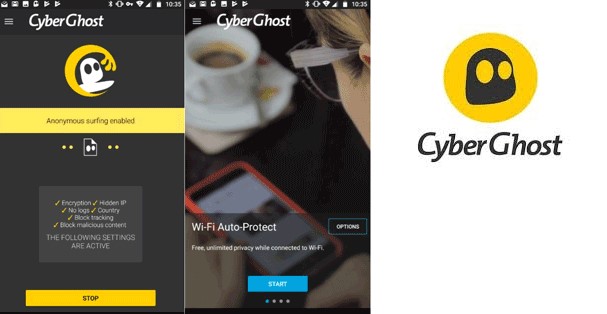
CyberGhost offers an Android app with one-tap connections and access to server locations in 100 countries. Its features include IP and DNS leak protection and an automatic kill switch. CyberGhost also offers streaming-optimized servers.
CyberGhost is an option for people who want to try a full-featured Android VPN without paying upfront. Its three-day trial through Google Play requires payment details; just cancel before the trial ends to avoid a subscription charge.
Eligible website purchases come with a generous 45-day money-back guarantee on six-month and two-year plans, or 14 days on monthly plans. Google Play purchases follow the platform’s refund terms.
A dedicated IP is available as a paid add-on, rather than being included automatically. It can be useful when you need a consistent IP address to access a service or an IP-allowlisted network while traveling.
Prices currently start at $2.19/month and come with 4 extra months on the 2-year subscription, with $61.32 billed for the first 28 months, then $61.32 annually, so it’s pricing doesn’t increase upon renewal.
More details on CyberGhost:
4. IPVanish – Android VPN with unlimited device connections (from $2.19/mo)
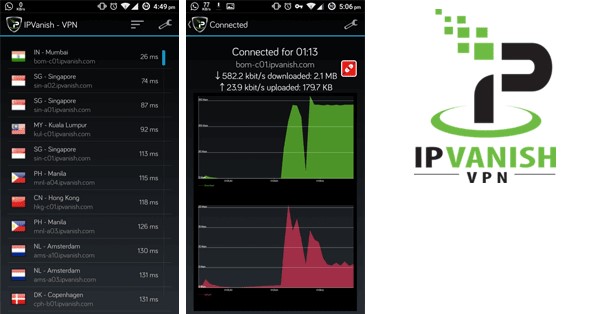
IPVanish is a multipurpose VPN service with an Android app and support for unlimited simultaneous device connections. Its Essential plan currently starts at $2.19/month, with a $52.56 total for the first two years.
The IPVanish Android app now supports a kill switch that, when enabled, blocks network traffic if the VPN connection is lost, helping prevent exposure of your real IP address.
IPVanish is based in the United States, which may be a consideration for privacy-focused users. Its current no-logs policy has been independently audited, although its history includes a logging controversy under previous ownership.
IPVanish is worth considering if you want to protect multiple devices with a single subscription. The service also offers a 30-day money-back guarantee for first-time customers who purchase an annual or longer subscription through its website.
More details on IPVanish:
5. VyprVPN – Android VPN for Restrictive Networks (from $3.00/month)
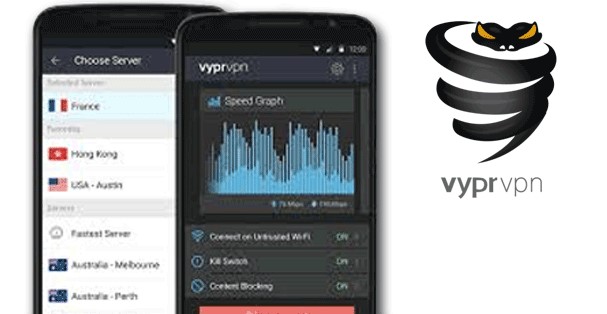
VyprVPN is particularly notable for its proprietary technology, Chameleon, designed to help bypass VPN blocks. The Chameleon protocol disguises OpenVPN packet metadata, making VPN traffic harder to identify through deep packet inspection on restrictive networks.
It’s available on Android and included in all VyprVPN accounts at no extra cost. The Android app also supports WireGuard, providing an alternative when disguising VPN traffic is not necessary.
VyprVPN offers a 30-day money-back guarantee for eligible purchases on its website, with prices starting at $3.00/month for long-term subscriptions.
VyprVPN is worth considering when standard VPN connections are blocked, and you want to try an alternative protocol.
More details on VyprVPN:
Top 5 VPNs comparison
Below is a table comparing the features of the best VPNs for Android to help you choose the most appropriate service.
| Provider | Servers/countries | Starting price | Money-back guarantee | Devices covered | Key Android features |
|---|---|---|---|---|---|
| ExpressVPN | Undisclosed number of servers in 113 countries | $2.99/month | 30 days | 10–14 | Lightway protocol, split tunneling, connection-drop protection, one-tap connections |
| NordVPN | Thousands of servers in 225 locations | $3.49/month | 30 days | 10 | NordLynx protocol, split tunneling, Android kill switch settings, Double VPN, obfuscated servers, 3-day free trial for Android devices |
| CyberGhost | Undisclosed number of servers in 100+ countries | $2.19/month | 45 days on eligible longer plans, 14 days on monthly plans | 7 | WireGuard and OpenVPN, automatic kill switch, streaming-optimized servers, 3-day Android trial |
| IPVanish | 3,650+ servers in 150+ locations | $2.19/month | 30 days | Unlimited | WireGuard and OpenVPN, kill switch, app-based split tunneling, 7-day mobile trial |
| VyprVPN | 700+ servers in 70+ locations | $3.00/month | 30 days | 10 | WireGuard, OpenVPN, and Chameleon protocols, Android kill switch, tools designed to help bypass VPN blocking |
For more information, read here.
4 simple steps to set up a VPN on Android
A VPN is usually easy to set up on an Android smartphone or tablet. Follow these four steps:
- Choose a service. Use our recommendations as a starting point, then visit the provider’s official website to check its Android features and subscription options.
- Choose a subscription or trial. Check the upfront cost, renewal price, and cancellation terms. A money-back guarantee is not the same as a free trial: you normally pay first and request a refund within the eligible period.
- Install the official Android app. Download it from Google Play using the link on the provider’s website, and check the developer’s name before installing.
- Sign in and connect. Open the app, sign in or complete the account setup, and approve Android’s VPN connection request. Choose a server or use the app’s recommended location, then tap Connect. Android also provides VPN controls in its network settings.
Done! You can usually turn the VPN on and off with one tap. For additional protection, check the provider’s instructions for enabling its kill switch or Android’s “Always-on VPN” and “Block connections without VPN” settings where supported. These settings can help prevent traffic from using an unprotected connection if the VPN disconnects.
When do you need a VPN for mobile devices?
Consider using a VPN on your mobile device if you:
- Travel abroad and want to connect through a server in your home country.
- Use public Wi-Fi and want an additional layer of protection, especially for unencrypted traffic.
- Want to reduce how much your internet provider or local network can learn about your browsing.
- Need to access websites or communication services unavailable in your location or blocked by the network you are using.
In fact, I recommend keeping a VPN enabled at all times for additional privacy while browsing the internet.
What does a mobile VPN protect?
Smartphones and tablets handle personal messages, banking activity, account credentials, and other sensitive information. A mobile VPN adds a layer of privacy by encrypting traffic between your device and the VPN server.
This encrypted connection is especially useful on shared networks, such as Wi-Fi in hotels, airports, and cafés. It helps prevent other people on the network from inspecting your traffic and reduces how much the network operator or your internet provider can learn about the websites and services you access.
A VPN also replaces your public IP address with the VPN server’s address. This helps conceal your IP-based location from websites and apps and lets you browse through a server in another region – useful when traveling or accessing services restricted in your region or by your current network.
For everyday use, these features give you greater control over your connection privacy, whether you’re browsing on Wi-Fi or using mobile data.
Free VPNs for Android: risks and alternatives from paid providers
Some providers use free plans to attract customers to paid subscriptions. These plans may limit server locations, data allowances, connection speeds, or the number of simultaneous devices.
Other services rely on advertising or data collection. A poorly chosen VPN can undermine the privacy you installed it to protect: the provider handles your traffic and may collect information about your activity. Security research has also identified privacy failures and malicious behavior in some Android VPN apps.
Before installing a free VPN, check:
- Who owns and operates the service.
- How the service makes money.
- What its privacy policy says about activity logs and data sharing.
- Whether credible independent security assessments are available.
- Whether its requested permissions make sense for a VPN.
- What restrictions apply to the free plan.
However, I always recommend opting for a free trial or a free version from a premium paid VPN service instead of relying on a completely free one.
Is a free trial a better option?
A trial can help you test the Android app before committing, but check whether it requires payment details and automatically becomes a paid subscription. A money-back guarantee is different: you normally pay upfront and must request a refund according to the provider’s terms.
Choose a reputable free plan if its limitations suit your needs, or use a trial to assess a paid service. Avoid unknown VPN apps that make unrealistic promises about unlimited protection or complete anonymity.
Using a VPN for internet calls: WhatsApp, Signal, Viber, and other services
A VPN can be useful for internet calls when a network blocks a calling app or when you want to reduce local network visibility into your connections. However, it should complement, not replace, the calling app’s own security features.
Where a service provides end-to-end encryption for calls, the call content is encrypted between participants. A VPN adds a separate encrypted connection between your device and the VPN server, but it does not turn an insecure calling service into an end-to-end encrypted one.
How to choose a VPN for calls
Look for a VPN provider with reliable connections, nearby servers, and low latency. Call quality depends not only on download speed but also on upload speed, delay, and connection stability.
Does VPN slow down the internet speed?
A VPN can reduce your internet speed, but performance depends on the VPN provider, protocol, server distance, server load, and your underlying connection.
This is because encryption adds processing overhead, while routing traffic through a VPN server can increase the distance it travels. A nearby server and an efficient protocol may keep the difference small, while a distant or overloaded server can have a much larger effect.
Will you notice the difference?
For everyday browsing, messaging, and video calls, a good VPN typically makes little noticeable difference when your connection has enough capacity. Besides, streaming performance also depends on video resolution and the service’s requirements.
Wi-Fi is not automatically faster than mobile data. Either can work well, depending on signal strength, congestion, and connection quality.
If your VPN feels slow:
- Connect to a nearby server.
- Try another server if the current one is busy.
- Try another protocol supported by the app, such as WireGuard or the provider’s recommended option.
- Compare performance with and without the VPN using the same network.
- Check whether the underlying Wi-Fi or mobile connection is the problem.
Conclusion and recommendations
Android VPN apps can be convenient tools for improving connection privacy, using a different public IP address, and accessing some services unavailable on your current network.
Choose a provider with clear privacy practices, suitable Android features, and transparent subscription terms. Test its connection stability, speed, and behavior when switching between Wi-Fi and mobile data. Enable kill switch protection where supported, and check how many devices your subscription covers.
Keep Android and your apps updated, use secure websites and end-to-end encrypted communication services, and check local VPN rules before traveling.
Comments