


Disclosure: To support the site, we may get commissions via our affiliate links. Learn more.

Best VPN Services for 2026 according to BestVPNRating.com

We’re glad to present the 10 best VPN services for 2026, according to BestVPNRating.com. All of them passed our experts’ tests and earned a place among our top picks. Our recommendations will help you choose the right service, understand how a virtual private network (VPN) works, and learn how to use it.

Introduction to VPN

A VPN masks your public IP address and encrypts traffic routed through its servers. However, providers differ in their privacy practices, performance, features, and device support.

We compared these features across dozens of VPN services and selected our top 10. David Balaban introduces each service below and explains what makes it stand out.

Finding a VPN that suits your needs doesn’t have to mean choosing between ease of use and affordability. But before paying for a subscription, you’ll want to know what the service offers and whether it’s worth the money.

That’s why our experts reviewed VPN services and their apps, assessing their technical capabilities before factoring pricing into the final ratings. Our top picks reflect both performance and value, not simply the lowest price. Let’s take a closer look at each service.

1. EXPRESSVPN – ease of use and versatility
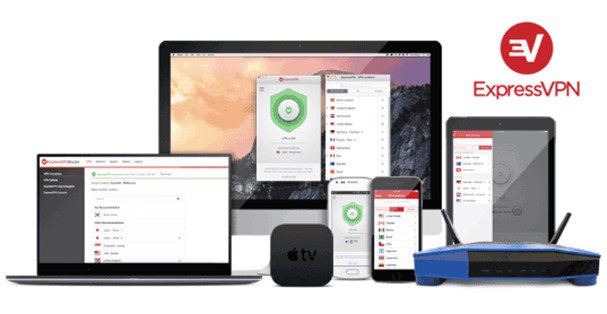
Founded in 2009, ExpressVPN is one of the first large-scale VPN services and now runs servers in 113 countries. A confirmed no-log policy, independent third-party audits, RAM-only servers, a simple app setup, and responsive customer support make ExpressVPN one of the leading providers in 2026.

ExpressVPN does not log browsing history or connection timestamps. Its privacy claims also faced a real-world test in a 2017 case in Turkey, when Turkish authorities seized a server but found no activity logs that could identify users.

Today, it’s also more than a VPN: the new Basic, Advanced, and Express Pro plans add a password manager, email masking, and identity protection.

ExpressVPN feature overview:

  • Plus: Audited no-logs policy
  • Plus: Server locations in 113 countries
  • Plus: Easy-to-use apps
  • Plus: Traffic encryption on public Wi-Fi
  • Plus: Apps on Google Play and the App Store
  • Plus: Support for major platforms
  • Plus: Lightway protocol designed for speed
  • Plus: Works with Netflix and other streaming services
  • Plus: Torrenting support
  • Plus: RAM-only servers
  • Plus: Strong AES-256 encryption
  • Plus: IP and DNS leak protection
  • Plus: Kill switch on supported platforms
  • Plus: Based in the British Virgin Islands, an offshore territory
  • Plus: 30-day money-back guarantee
  • Plus: Split tunneling on supported platforms
  • Minus: Device limits vary by plan
  • Minus: Undisclosed number of servers

Pricing

  • 1 month
    $14.99 /mo
  • 12 months
    $4.99 /mo
  • 2 years
    $2.99 /mo
    Best value

My colleagues at BestVPNRating and I have been using ExpressVPN for a long time already. I recommend this service for its versatility and safety.
— David Balaban, BestVPNRating
The official website is www.expressvpn.com.Read the full ExpressVPN review →

2. NORDVPN – reliable streaming and wide server selection

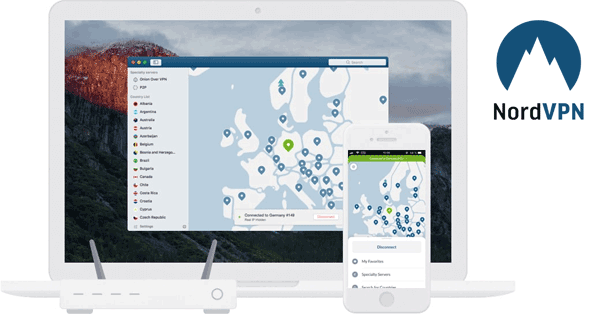
NordVPN has come a long way since its launch in 2012, expanding into a service with thousands of servers across 225 locations. Alongside its standard VPN connection, it offers Double VPN, which routes traffic through two servers for an extra layer of encryption. Its NordLynx protocol is designed to combine speed with security.

Additional tools include Dark Web Monitor for alerts about exposed credentials and next-gen antivirus for blocking malicious websites and scanning downloads for malware.

NordVPN feature overview:

  • Plus: Thousands of servers across 225 locations
  • Plus: Double VPN connections
  • Plus: Traffic encryption on public Wi-Fi
  • Plus: Apps for major desktop and mobile platforms
  • Plus: NordLynx protocol designed for speed
  • Plus: Streaming support
  • Plus: AES-256 with OpenVPN; ChaCha20 with NordLynx
  • Plus: Dark Web Monitor alerts
  • Plus: Next-gen antivirus
  • Plus: Split tunneling on supported platforms
  • Plus: 30-day money-back guarantee
  • Plus: Up to 10 simultaneous connections
  • Plus: Panama jurisdiction
  • Plus: NordWhisper obfuscation protocol
  • Plus: P2P traffic supported on all standard servers
  • Minus: Higher renewal prices
  • Minus: No split tunneling on macOS and iOS

Pricing

  • 1 month
    $14.99 /mo
  • 1 year
    $4.99 /mo
  • 2 years
    $3.49 /mo
    Best value

I like NordVPN very much. It has passed our in-house tests successfully and demonstrated high-level performance. I reckon the disadvantages are unessential if you’re looking for a top-performing VPN today.

— David Balaban, BestVPNRating
The official website is www.nordvpn.com.Read the full NordVPN review →

3. CYBERGHOST – specialty servers and affordable long-term plans

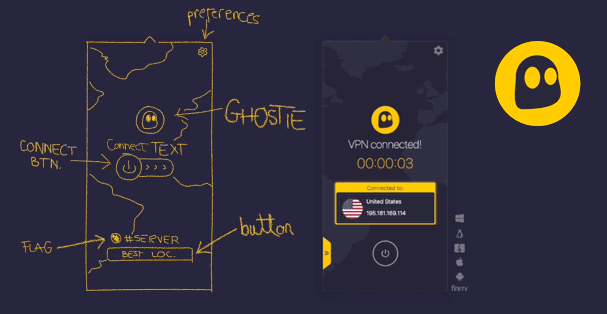
What I like about CyberGhost is that it keeps evolving. It now has servers in 100 countries, with specialized options for streaming, gaming, and torrenting, and has begun upgrading its network to 10Gbps for faster speeds. A single subscription covers up to 7 devices at once, and a dedicated IP is available as a paid add-on for users who want a fixed address.

Based in Romania, the service has been running since 2011 and remains one of the best-known names in the VPN market. Its NoSpy servers are owned and operated by CyberGhost itself rather than rented from third-party data centers, which is rare in the VPN market. Six-month and two-year plans include a 45-day money-back guarantee, while the monthly plan has a shorter 14-day refund period.

CyberGhost feature overview:

  • Plus: Server locations in 100 countries
  • Plus: Dedicated IP available as a paid add-on
  • Plus: Smart Rules for automatic VPN connections
  • Plus: Traffic encryption on public Wi-Fi
  • Plus: Android and iOS apps
  • Plus: Support for major desktop and mobile platforms
  • Plus: Servers optimized for streaming, torrenting, and gaming
  • Plus: Company-managed NoSpy servers
  • Plus: Strong AES-256 and ChaCha20 encryption
  • Plus: IP and DNS leak protection
  • Plus: Automatic kill switch
  • Plus: Up to 7 simultaneous connections
  • Plus: Based in Romania
  • Plus: 45-day refund period on six-month and two-year plans
  • Plus: Introductory pricing from $2.19/month
  • Minus: Monthly subscriptions have only a 14-day refund period
  • Minus: Slower than competitors in our speed tests

Pricing

  • 1 month
    $12.99 /mo
  • 6 months
    $6.99 /mo
  • 2 years
    $2.19 /mo
    Best value

CyberGhost is one of the most affordable VPN providers out there if you commit to a long-term plan. I recommend this service for users who are looking for reliable servers optimized for streaming, gaming, or torrenting.

— David Balaban, BestVPNRating
The official website is www.cyberghostvpn.com.Read the full CyberGhost review →

4. IPVANISH – unlimited connections and P2P support

IPVanish review

Introduced in 2012, IPVanish stands out from its rivals with unlimited simultaneous connections and fast speeds, especially on the WireGuard protocol. The provider takes a positive view of torrenting, with P2P allowed on all servers, and it also offers a SOCKS5 proxy. It owns its servers, and its no-logs policy has been independently audited.

The service is based in the US, which some privacy-minded users see as a downside, and it has a mixed past: in 2016, under previous ownership, it reportedly handed user logs to US authorities. The provider offers a 30-day money-back guarantee that covers its 1-year and 2-year plans. Compared with NordVPN, IPVanish offers fewer advanced features but is cheaper.

IPVanish feature overview:

  • Plus: More than 3,400 servers in 150+ locations
  • Plus: Fast WireGuard protocol
  • Plus: Unlimited simultaneous connections
  • Plus: SOCKS5 proxy for compatible apps
  • Plus: Traffic encryption on public Wi-Fi
  • Plus: Android and iOS apps
  • Plus: Streaming support, including Netflix
  • Plus: P2P traffic supported on all servers
  • Plus: Independently audited no-logs policy
  • Plus: AES-256 and ChaCha20 encryption
  • Plus: DNS leak protection
  • Plus: Kill switch on supported platforms
  • Plus: 30-day money-back guarantee
  • Minus: US jurisdiction may concern privacy-focused users
  • Minus: Monthly plans have no refund guarantee

Pricing

  • 1 month
    $14.99 /mo
  • Yearly plan
    $3.89 /mo
  • 2 years
    $2.19 /mo
    Best value

IPVanish supports torrenting across its network of servers, and its current no-logs policy has been independently audited. I would still weigh its US jurisdiction and past logging controversy under previous ownership when considering it for privacy-sensitive use. However, being based in the US does not automatically mean a VPN cannot operate a no-logs policy. Overall, its unlimited connections and P2P support make it a practical choice for everyday use.

— David Balaban, BestVPNRating
The official website is www.ipvanish.com.Read the full IPVanish review →

5. VYPRVPN – custom Chameleon protocol for restrictive networks

VYprVPN review

VyprVPN is owned by Certida, which took over the service from Golden Frog in 2023. It offers proprietary Chameleon technology, which disguises OpenVPN traffic to help bypass restrictions on networks where standard VPN connections are blocked. VyprVPN also allows torrenting and other peer-to-peer traffic.

VyprVPN adopted a no-logs policy in 2018, and the changes were verified by Leviathan Security Group. That audit predates the ownership change, and there’s no more recent independent no-logs audit. The company continues to advertise a no-logs policy.

It also offers a 3-day free trial when you subscribe through Google Play or Apple’s App Store. Subscriptions purchased directly through its website come with a 30-day money-back guarantee instead.

VyprVPN feature overview:

  • Plus: More than 700 servers in 70+ locations
  • Plus: WireGuard support
  • Plus: Custom Chameleon protocol included with every plan
  • Plus: 3-day trial available through mobile app stores
  • Plus: Traffic encryption on public Wi-Fi
  • Plus: Android and iOS apps
  • Plus: Apps for Windows, macOS, and supported TVs
  • Plus: Streaming support
  • Plus: Torrenting and P2P support
  • Plus: AES-256 encryption with OpenVPN
  • Plus: Kill switch on supported platforms
  • Plus: No-logs policy audited in 2018
  • Plus: 30-day refund guarantee for eligible website purchases
  • Plus: High-quality customer support service
  • Plus: Up to 10 device connections
  • Minus: Published no-logs audit dates back to 2018
  • Minus: Limited support for split tunneling

Pricing

  • 1 month
    $10.00 /mo
  • 1 year
    $4.00 /mo
  • 2 years
    $3.00 /mo
    Best value

Chameleon makes VyprVPN worth considering when standard VPN connections are blocked, although it cannot guarantee access on every restrictive network. Its no-logs policy is another positive, but I would like to see a fresh independent audit under the current ownership.

— David Balaban, BestVPNRating
The official website is www.vyprvpn.com.Read the full VyprVPN review →

6. PIA – unlimited connections and advanced features

PIA review

Founded in 2010, PIA (Private Internet Access) is one of the best-known and most time-tested names in the VPN market. It’s a large-scale, US-based service owned by Kape Technologies since 2019, with an extensive server network in 113 countries (including all 50 US states), consistently low prices, unlimited simultaneous connections, and P2P-friendly servers across its entire network.

Its advanced extras include port forwarding and a SOCKS5 proxy. The tricky parts I found are the more technical ones: the SOCKS5 proxy needs manual setup and isn’t encrypted by default. Streaming is hit-or-miss. PIA unblocks US Netflix on some of its servers, but not all, so be ready to switch servers. Customer support is available 24/7 via live chat and email, though some users report slow response times.

Private Internet Access feature overview:

  • Plus: Server locations in 113 countries
  • Plus: Unlimited simultaneous connections
  • Plus: WireGuard and OpenVPN support
  • Plus: SOCKS5 proxy included
  • Plus: Ad, tracker, and malicious-domain blocking on supported apps
  • Plus: Traffic encryption on public Wi-Fi
  • Plus: Apps for major desktop and mobile platforms
  • Plus: Streaming support
  • Plus: Torrenting supported on all servers
  • Plus: Port forwarding on selected servers
  • Plus: Customizable encryption settings
  • Plus: DNS leak protection and kill switch
  • Plus: Open-source apps and audited no-logs policy
  • Plus: 24/7 customer support
  • Plus: 30-day money-back guarantee
  • Minus: US jurisdiction may concern privacy-focused users
  • Minus: Streaming access can be inconsistent
  • Minus: Port forwarding unavailable on US servers
  • Minus: MACE unavailable on iOS and the Google Play Android app
  • Minus: App-store purchases excluded from PIA’s refund guarantee

Pricing

  • 1 month
    $11.95 /mo
  • 1 year
    $3.99 /mo
  • 3 years
    $2.03 /mo
    Best value

I recommend this service to users who want to browse the internet without ads on a desktop. However, note that PIA’s features are more limited on mobile apps.

— David Balaban, BestVPNRating
The official website is www.privateinternetaccess.com.Read the full Private Internet Access review →

7. PUREVPN – broad device support and optional extras

PureVPN review

Founded in 2007, PureVPN has grown into an established VPN provider with a global network of more than 6,000 servers across over 65 countries and 80 locations.

The service supports P2P traffic, offers dedicated IP addresses, and provides apps for major operating platforms. Its additional features include split tunneling, a kill switch, and port forwarding, with port forwarding available as a paid add-on.

PureVPN has improved its streaming capabilities, but note that performance can vary by server, protocol, and streaming service.

PureVPN feature overview:

  • Plus: More than 6,000 servers in 65+ countries
  • Plus: Multiple payment methods
  • Plus: Dedicated IP available as a paid extra
  • Plus: WireGuard and OpenVPN support
  • Plus: Traffic encryption on public Wi-Fi
  • Plus: Android and iOS apps
  • Plus: Streaming support
  • Plus: P2P-friendly servers in selected locations
  • Plus: Up to 10 simultaneous connections
  • Plus: Split tunneling and kill switch on supported platforms
  • Plus: Port forwarding available as a paid extra
  • Plus: 31-day money-back guarantee
  • Minus: Cryptocurrency and app-store payments excluded from its refund policy
  • Minus: Features vary by platform and may cost extra

Pricing

  • 1 month
    $12.95 /mo
  • 1 year
    $3.40 /mo
  • 2 years
    $2.15 /mo
  • 5 years
    $1.69 /mo
    Best value

I recommend PureVPN to users who want a broad choice of server locations, several payment options, and torrenting support on designated servers. For streaming, I suggest testing it with your preferred services rather than assuming every server will work.

— David Balaban, BestVPNRating
The official website is www.purevpn.com.Read the full PureVPN review →

8. TUNNELBEAR – simple apps and a free plan

TunnelBear review

Founded in 2011 and acquired by McAfee in 2018, TunnelBear is a VPN provider known for its straightforward apps. It also publishes independent security assessments, giving users more insight into its security practices than marketing claims alone.

Its free plan includes 2GB of data per month, making it suitable for testing the service or occasional browsing. Free users cannot choose their connection country or use SplitBear, its split tunneling feature. Paid plans include unlimited data, unlimited simultaneous connections, and country selection across 46 countries.

TunnelBear does not support router installation, and access to particular streaming services can vary. It now offers a 30-day refund guarantee for the first year of annual subscriptions purchased directly from its website, but monthly plans, Teams subscriptions, and app-store purchases are excluded.

TunnelBear feature overview:

  • Plus: Free plan with 2GB of monthly data
  • Plus: Straightforward desktop and mobile apps
  • Plus: Unlimited simultaneous connections
  • Plus: 8,000 servers in 46 countries
  • Plus: Traffic encryption on public Wi-Fi
  • Plus: Android and iOS apps
  • Plus: WireGuard, OpenVPN, and IKEv2 support, depending on platform
  • Plus: VigilantBear kill switch
  • Plus: GhostBear traffic obfuscation on supported platforms
  • Plus: SplitBear split tunneling on paid plans
  • Plus: Published independent security audits
  • Plus: 30-day refund guarantee on eligible annual purchases
  • Minus: Canadian jurisdiction (Five Eyes alliance)
  • Minus: Free plan limited to 2GB per month
  • Minus: No country selection or split tunneling on the free plan
  • Minus: No router installation support
  • Minus: Streaming access can be inconsistent
  • Minus: Monthly and app-store subscriptions excluded from the refund guarantee

Pricing

  • Free
    $0.00 /mo
  • 1 month
    $10.99 /mo
  • 1 year
    $3.33 /mo
    Best value
  • 3 years
    $3.33 /mo

I recommend TunnelBear to beginners who value simple apps and want to try a VPN without paying. Its 2GB monthly allowance is useful for testing or occasional browsing, but restrictive for streaming and large downloads. Published security audits are a positive, while the lack of router support and free-plan country selection make it less flexible for some users, which is why I only ranked it 8th in our rating.

— David Balaban, BestVPNRating
The official website is www.tunnelbear.com.Read the full TunnelBear review →

9. PROTON VPN – privacy-focused VPN with a free version

Proton VPN is a Swiss-based service that stands out for its open-source apps, independent security audits, and free plan with no ads or monthly data cap. Free users can protect one device at a time, while paid subscriptions support up to 10 simultaneous connections and provide a wider choice of servers.

Paid plans add streaming and torrenting support, NetShield for blocking ads, trackers, and malicious domains, and Secure Core, which routes traffic through multiple servers for additional protection. Proton VPN offers apps for major desktop and mobile platforms, although features vary by operating system. Eligible paid subscriptions come with a 30-day money-back guarantee.

Proton VPN feature overview:

  • Plus: Free plan with unlimited data and no ads
  • Plus: Open-source, independently audited apps
  • Plus: No-logs policy on free and paid plans
  • Plus: 21,700 servers in 149 countries
  • Plus: Based in Switzerland
  • Plus: Apps for Windows, macOS, Linux, Android, and iOS
  • Plus: Traffic encryption on public Wi-Fi
  • Plus: Kill switch and DNS leak protection
  • Plus: Streaming and torrenting support on paid plans
  • Plus: Secure Core multi-hop connections
  • Plus: NetShield ad and tracker blocking
  • Plus: Split tunneling on supported platforms
  • Plus: Up to 10 simultaneous connections on paid plans
  • Plus: 30-day money-back guarantee
  • Minus: Free plan limited to one connection at a time
  • Minus: No direct country selection on the free plan
  • Minus: Reliable streaming requires a paid plan
  • Minus: Feature availability varies by platform and may cost extra
  • Minus: No RAM-only servers

Pricing

  • 1 month
    $9.99 /mo
  • 12 months
    $3.99 /mo
  • 24 months
    $2.99 /mo
    Best value

I recommend Proton VPN to users who value transparency and want a free plan without a monthly data limit. Its open-source apps and independent audits are meaningful strengths. For streaming, torrenting, or choosing specific server locations, I would consider a paid plan instead – the free version is better suited to everyday private browsing than entertainment or file sharing.

— David Balaban, BestVPNRating
The official website is protonvpn.com.Read the full Proton VPN review →

10. SURFSHARK – affordable VPN with support for unlimited devices

SURFSHARK review

Launched in 2018, Surfshark has grown into an established VPN with apps for major platforms and unlimited simultaneous connections. Its strengths include competitive speeds, an independently audited no-logs policy, and Dynamic MultiHop, which routes your connection through two VPN servers for added privacy. It also works with Netflix and other major streaming platforms.

There are trade-offs: MultiHop can noticeably reduce speeds, and streaming access may occasionally require switching servers.

Surfshark feature overview:

  • Plus: More than 4,500 servers in 100 countries
  • Plus: Unlimited simultaneous connections
  • Plus: CleanWeb ad and tracker blocking
  • Plus: Bypasser split tunneling on supported platforms
  • Plus: NoBorders and Camouflage modes for restrictive networks
  • Plus: Traffic encryption on public Wi-Fi
  • Plus: Apps for major desktop, mobile, and TV platforms
  • Plus: Streaming support, including Netflix
  • Plus: RAM-only servers
  • Plus: Kill switch
  • Plus: Dynamic MultiHop connections
  • Plus: 30-day money-back guarantee
  • Plus: Low introductory pricing from $2.49/month
  • Minus: Split tunneling options vary by platform
  • Minus: Antivirus requires Surfshark One or One+ plan
  • Minus: Lowest advertised rate requires long-term prepayment

Pricing

  • 1 month
    $18.95 /mo
  • 12 months
    $2.99 /mo
  • 24 months
    $2.49 /mo
    Best value

I recommend Surfshark to households that want to protect many devices without a connection limit. CleanWeb, split tunneling, and MultiHop also make it a flexible option for everyday use.

— David Balaban, BestVPNRating
The official website is www.surfshark.com.Read the full Surfshark review →

Top 10 VPN comparison

The chart with the list of the main and additional features will be the easiest way of choosing a VPN.

VPNServersKill switchNo-logsNetflixTorrentsDevicesJurisdictionRefundFrom
1. ExpressVPNUndisclosed✓✓✓✓10–14British Virgin Islands30 days$2.99
2. NordVPN7,200✓✓✓✓10Panama30 days$3.49
3. CyberGhostUndisclosed✓✓✓✓7Romania45 days$2.19
4. IPVanish3,400✓✓✓✓UnlimitedUSA30 days$2.19
5. VyprVPN700✓✓✓✓10USA30 days$3.00
6. PIAUndisclosed✓✓✓✓UnlimitedUSA30 days$2.03
7. PureVPN6,000✓✓✕✓10British Virgin Islands31 days$1.69
8. TunnelBear8,000✓✓✕✓UnlimitedCanada30 days$3.33
9. Proton VPN21,700✓✓✓✓10Switzerland30 days$2.99
10. Surfshark4,500✓✓✓✓UnlimitedThe Netherlands30 days$2.49

Is using a VPN legal?

VPNs are legal in many countries and are widely used for personal privacy and business connections. However, some governments restrict VPN services, require authorization, or block access to providers. Using a VPN does not exempt you from laws governing your online activities.

Restrictions also differ in scope. A country may block particular VPN services without criminalizing ordinary VPN use, or allow authorized business connections while restricting other services. Technical availability and legal permission are separate questions. Here are a few examples:

  • United Arab Emirates: VPN technology is not prohibited outright. However, Article 10 of Federal Decree-Law No. 34 of 2021 penalizes disguising an IP address to commit a crime or prevent its detection, with imprisonment and/or fines of AED 500,000–2 million.
  • Iran: Authorities announced restrictions on unauthorized VPNs in 2024. Their widespread use does not remove the legal risks, and enforcement and availability can change.
  • Iraq: Authorities ordered VPN blocking during the 2014 conflict.
  • Egypt and Turkey: VPN services are blocked, even though ordinary VPN use is not generally subject to an outright ban. Laws governing prohibited content and other online activity still apply.
  • China: Unauthorized VPN services and cross-border connections are restricted, and penalties have been reported.
  • Russia: Authorities block VPN services and restrict tools that provide access to prohibited resources. Additional laws penalize intentional searches for designated extremist material and treat VPN use as an aggravating circumstance in some crimes.
  • Other countries: Belarus and Turkmenistan impose severe restrictions, while countries including Uganda and Venezuela have blocked VPN services or websites.

Before using a VPN in a restrictive jurisdiction, check current local rules and any requirements that apply to your intended activity. A provider’s claim that its service “works” in a country is not a legal assurance.

More about VPN

Real IP address masking

A VPN masks your public IP address, helping protect your privacy by keeping websites and other internet users from seeing your home IP address or estimating your location from it. This reduces the information you expose while browsing, streaming, or sharing files, although accounts, cookies, and other tracking methods can still identify you.

Server network and available locations

Choose a provider with servers in the countries you actually need, rather than judging it by server count alone. Nearby servers often provide better performance, while international locations offer more connection options. Check the provider’s current list – ExpressVPN, for example, identifies virtual locations where the server’s physical location differs from its IP address location.

Traffic encryption, including protection on public Wi-Fi

A VPN protects your privacy by encrypting traffic between your device and its server, helping keep your browsing activity and transmitted data hidden from your ISP and local Wi-Fi operator. This is especially useful on shared or public Wi-Fi networks.

Modern services use strong encryption such as AES-256 or ChaCha20, while HTTPS provides protection between your browser and the websites you visit.

Connection speed and stability

VPNs can reduce speed and increase latency, but there is no standard percentage slowdown. Results depend on multiple factors, including server distance, congestion, protocol, device, and your original connection. Test nearby servers and modern protocols such as WireGuard, NordLynx, or Lightway on the devices you use most.

Apps for Windows, macOS, Android, and iOS

Most major providers offer dedicated apps that simplify setup and server selection. However, features such as split tunneling, kill switches, and protocol choices can differ between operating systems. Check the specific app you need rather than assuming every version offers identical protection.

Kill switch

A kill switch blocks traffic when the VPN connection drops, helping prevent exposure of your real IP address. Some advanced modes also block internet access when the VPN disconnects. ExpressVPN and NordVPN offer different controls depending on the platform, so check how the feature behaves after manual disconnection and device restarts.

IP and DNS leak protection

Leaks occur when traffic or identifying information escapes the intended VPN protection. DNS leaks can expose domain lookups, IPv6 leaks can reveal an unprotected IPv6 address, and WebRTC can expose IP information under some configurations. A VPN can protect IPv6 by routing it through the tunnel or blocking it.

No-log policy and independent audits

Read what a provider actually records, including activity, connection metadata, and account information. Independent audits and documented legal cases can support privacy claims, but their scope and date matter: an audit is not a permanent guarantee. ExpressVPN, NordVPN, PIA, and Proton VPN all publish information about external assessments.

Streaming compatibility (Netflix, Hulu, and more)

Streaming access varies by provider, server, and platform, and can change as services update their blocking systems. Providers such as NordVPN, ExpressVPN, and CyberGhost offer streaming support and have servers optimized for streaming or even for specific streaming platforms.

Customer support

Look for clear setup guides, useful troubleshooting resources, and support hours that suit you. Some providers offer 24/7 live chat, while others rely on email or help centers. Avoid assuming that every provider offers equally responsive support – compare your own test results and recent user reviews.

Money-back guarantee and refund terms

A money-back guarantee requires an upfront payment and is not the same as a free trial. Eligibility can depend on subscription length, purchase method, and whether you are a first-time customer. ExpressVPN offers eligible direct purchasers 30 days, while CyberGhost provides 45 days on six-month and two-year subscriptions, but 14 days on monthly plans.

Torrenting and P2P support

BitTorrent is a file-sharing technology, and whether using it is lawful depends on the content, permissions, and applicable law. Check the provider’s P2P rules: IPVanish permits P2P across its network, while PureVPN uses designated locations. A VPN does not make unauthorized sharing lawful or guarantee anonymity.

Compatibility with game consoles, routers, smart TVs, and other devices

Some smart TVs and streaming devices have native VPN apps. However, consoles and other unsupported devices may need a compatible VPN router or a shared VPN connection. Check your exact model before subscribing. Note that Smart DNS, when offered, is not equivalent to an encrypted VPN connection.

Jurisdiction

A provider’s legal jurisdiction affects the obligations and legal requests it may face, but location alone does not establish privacy. Consider ownership, logging practices, technical safeguards, and audit history together. Being outside the Five Eyes or Fourteen Eyes alliances is a plus, but it does not make a provider immune to legal demands.

Browser extensions

Some VPN extensions protect only browser traffic, while others control a full-device VPN app. For example, Proton VPN’s extension operates separately from its desktop app. When picking a provider, check which traffic is covered.

Split tunneling

Split tunneling lets selected apps, websites, or IP addresses use – or bypass – the VPN. It can help when one service requires a direct connection, while others use the VPN. The feature’s availability varies widely by provider, as not all providers offer it on every platform. For example, NordVPN’s split tunneling is only available on Windows and Android, while Proton VPN also offers it on macOS, though in experimental mode.

Multihop connections

Multihop routes traffic through more than one VPN server. NordVPN’s Double VPN, Proton VPN’s Secure Core, and Surfshark’s Dynamic MultiHop are a few examples. This can add separation between your entry and exit points, but may reduce performance, and does not guarantee anonymity or compensate for an untrustworthy provider.

Free trial availability

Check whether an offer is a genuine free trial, a limited free plan, or a paid subscription with a refund guarantee. For example, CyberGhost offers very different options depending on the platform: a 24-hour desktop trial, three days on Android, and seven days on iOS, with mobile trials requiring payment details. In contrast, Proton VPN offers an ongoing free version with unlimited data, while TunnelBear only includes 2GB per month.

Check renewal terms, feature restrictions, and the provider’s privacy practices before signing up.

Why free VPNs aren’t included in our rating

Our experts recommend taking a close look at how VPN services fund their operations. As David Balaban explains:

“Have you ever thought about how much it costs to maintain hundreds of servers in dozens of countries, develop apps, provide customer support, and pay for bandwidth? Before choosing a free VPN, check how it makes money and what its privacy policy says about your data. Not every free service sells personal information: some reputable providers fund their free plans through paid subscriptions. Free plans can be useful for learning how a VPN works, but paid services such as ExpressVPN and NordVPN may offer better value if you need fewer restrictions and more advanced features.”

Furthermore, our rating focuses on paid plans so we can consistently compare their features, performance, and value.

If you want to try a VPN before committing, consider a free trial or a limited free plan from an established premium provider. Proton VPN, for example, offers a free plan with no data cap, supported by its paying customers. A money-back guarantee is another option, but it requires upfront payment and is subject to eligibility criteria.

Why use a VPN?

Modern computers and smartphones include stronger security features than their predecessors, but protecting your device is only part of staying safe online. Browsing, cloud storage, messaging, and online shopping all involve sending information over networks you may not control.

A VPN adds a layer of privacy by encrypting traffic between your device and its server. This limits what your ISP, local network operator, or someone monitoring the connection can see. HTTPS already protects the contents of most website connections, but a VPN helps conceal additional information, including the destinations of traffic routed through it.

A VPN also masks your public IP address, making it harder for websites and other internet users to infer your location from that address. VPNs can also help you access services while traveling or bypass certain network and geographical restrictions. Just note that results depend on the network, provider, and service, and local laws still apply.

Why not use a proxy or SOCKS5?

A VPN offers broader protection than a typical proxy. Instead of routing just one browser or app through another server, it encrypts traffic from your device to the VPN server, helping protect your privacy across multiple applications. A SOCKS5 proxy, by comparison, does not provide encryption on its own.

VPN apps also make protection easier to manage, with simple server selection and features such as kill switches and DNS leak protection. For everyday browsing, streaming, and public Wi-Fi use, a reputable VPN is generally a more convenient, comprehensive choice than manually configuring proxies.

What do you need to start using a VPN?

Getting started with a VPN only takes a few easy steps and a few minutes:

  1. Choose a service that fits your needs. Compare privacy practices, supported devices, server locations, and features. Our Top 10 is a good starting point.
  2. Choose a subscription or free plan. A longer subscription may reduce the monthly equivalent, but requires a larger upfront commitment. Check renewal prices and refund eligibility before paying.
  3. Create an account and complete any required payment. Payment options vary by provider, with some accepting cryptocurrency.
  4. Install the official app, sign in, and connect to a server. Most major providers offer apps for Windows, macOS, Android, and iOS. Review the kill switch and automatic connection settings, and test the services you plan to use.

We hope this guide helps you choose a VPN that suits your needs. Our reviews explain each provider’s features, testing results, pricing, and limitations so you can make a more informed decision.