The 5 Best VPNs for Mac According to Our Experts
Protect your online activity with the best VPN for Mac.
We have already discussed the necessity of a VPN service for iOS. And now it's Mac’s turn.
Macs aren’t immune to online privacy risks. A VPN encrypts your internet traffic and masks your public IP address, helping you browse more privately on your MacBook or iMac. However, it won’t fix macOS vulnerabilities or replace security updates and protection against malicious software.
The VPNs below offer dedicated Mac apps with different features, from additional privacy tools to protocols designed to work around VPN blocking:
- ExpressVPN – offers a native Apple Silicon app, the Lightway protocol, and DNS leak protection.
- NordVPN – includes Double VPN on macOS, which routes your traffic through two VPN servers for an additional layer of protection.
- CyberGhost – provides an automatic kill switch and a Mac leak-protection setting for IKEv2 connections.
- VyprVPN – offers the Chameleon protocol on Mac, designed to make VPN traffic harder to detect and help overcome VPN blocking.
- IPVanish – supports WireGuard connections on macOS and includes a kill switch that blocks internet traffic if the VPN connection drops.
macOS vulnerabilities
Macs include built-in security protections, but they are not immune to vulnerabilities or malware. Apple’s security updates show that flaws can affect macOS components, and Apple regularly issues fixes. For example, its macOS Tahoe security notes list issues involving permissions, memory handling, and access to protected data. For this reason, keeping your Mac and apps updated is essential.
macOS uses overlapping safeguards such as Gatekeeper, notarization, and XProtect to help block or detect malicious software. These protections reduce risk, but they cannot prevent every threat – especially attacks that trick someone into installing or running something harmful. Recent threats illustrate that point. In 2026, Microsoft reported a campaign that used fake macOS utilities and troubleshooting instructions to persuade users to run malicious commands that could install information-stealing malware.
How a VPN helps protect your privacy on a Mac
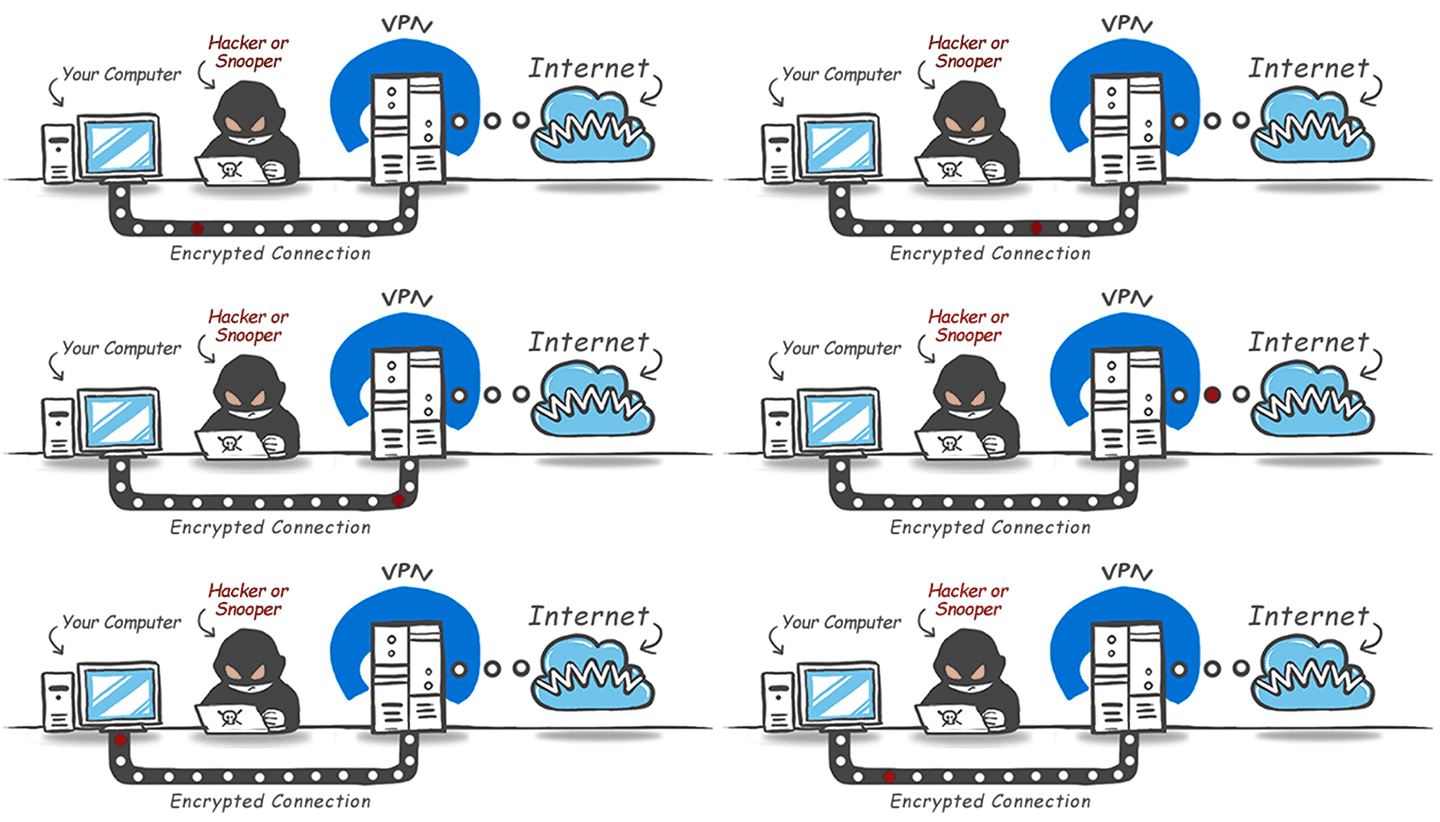
Apple’s built-in security tools help defend your Mac against malicious software, while a VPN addresses a different concern: the privacy of your internet connection. It encrypts traffic between your Mac and a VPN server and replaces your public IP address with the server’s address. Here’s how that can help in everyday use.
- Keep browsing destinations private from your ISP. A properly configured VPN prevents your internet provider from directly seeing which websites you connect to through the tunnel. Your ISP can still see that you’re using a VPN, and you’re shifting trust to the VPN provider rather than removing the need for trust altogether.
- Add privacy on shared Wi-Fi. When you connect your MacBook to a café, hotel, or airport network, a VPN limits what the network operator can observe about your internet activity. HTTPS already encrypts the content of most website connections, so a VPN adds network-level privacy rather than making otherwise secure websites safe for the first time.
- Hide your home IP address. Websites and online services see the VPN server’s IP address instead of yours. This reduces exposure of your home connection and limits IP-based tracking, although it does not make you anonymous or stop every form of online tracking.
- Access websites on restricted networks. A VPN can sometimes help you reach websites or services blocked by a local network or internet provider. Connecting through a server elsewhere may also help overcome some location-based restrictions, but access is not guaranteed.
- Improve privacy when sharing files. With a VPN that supports peer-to-peer traffic, other users in a BitTorrent swarm see the VPN server’s IP address rather than your home IP address. This helps keep your connection private; it does not change the rules governing what you download or share.
A VPN complements your Mac’s security protections – it does not replace them. Keep macOS and your apps updated, leave built-in safeguards enabled, and remain cautious about suspicious downloads or instructions to run commands. A VPN cannot patch a software vulnerability or prevent you from installing malware.
What VPN for Mac to choose?
There is no doubt that up-to-date virtual private network services can provide a high level of internet security and privacy. However, you must decide which VPN to trust. Having answered some questions, you will be absolutely sure about your choice.
Why do you need a Mac VPN?
- If you are a serious company with an outstanding background, you will definitely want to secure all your data, whether it is sensitive information, your customer database, or incoming or outgoing mail. In this case, you are to pay special attention to the encryption method. It is strongly recommended to use a VPN with a strong encryption protocol, such as WireGuard.
- If you use your Mac for streaming or gaming, look for a VPN with fast, stable connections and low latency. A VPN can help you access some geographically restricted content. WireGuard and OpenVPN are two protocols worth considering when comparing services.
Is it worth paying for a Mac VPN?
- Not necessarily. There are free VPNs for Mac as well. But the downside is that not all features of paid VPNs are available. Furthermore, some free VPN providers claim to have no logs, which doesn’t hold up in practice. They are to earn money somehow. And the easiest way to share your data with third parties.
- For sure, it is! Using a paid VPN for Mac allows you to enjoy a wide range of VPN features (privacy, censorship evasion, location masking, protection against crackers, safe P2P downloads). One may object to it because nothing on the internet is safe anymore. And while it’s true to some extent, reliable VPNs make you safer.
Can I find the best free VPN for Mac?
To achieve an appropriate level of security when using a Mac online, it is necessary to find the best VPN for Mac. But remember, this tool can’t be free if you want to surf the internet really securely. Free VPNs for Mac devices are usually slow and unreliable. You shouldn’t trust it 100%, as such VPNs often have unclear policies regarding the data they collect about their subscribers.
Having answered these questions, you should now realize that a really good and trustworthy VPN for Mac can’t be free.
How to pay for Mac VPN
Payment options vary by provider, but commonly include credit or debit cards and PayPal. Some VPNs also accept cryptocurrency, bank transfers, or cash. For example, Proton VPN and Mullvad both offer cash and Bitcoin payments alongside conventional options.
If privacy is a priority, check what billing information the provider collects. Cash payments can reduce the financial information linked to your account, but cryptocurrency is not automatically anonymous: Bitcoin transactions are public and can potentially be traced back to you.
Choose a payment method based on your privacy needs and the provider’s payment instructions.
Free VPN for Mac
A free VPN for Mac can be a practical option if you don’t need all the features of a paid subscription. Free does not automatically mean unsafe: established providers such as Proton VPN and Windscribe offer ongoing free plans with clear restrictions.
The main trade-offs depend on the service:
- Data allowances. Windscribe offers 2GB per month without an email address, or 10GB with a verified email address. Proton VPN’s free plan has no data limit.
- Server selection. Free plans generally offer fewer locations. Proton VPN automatically selects your initial free server, while Windscribe limits free users to servers in 10 countries.
- Device connections. Proton VPN’s free plan allows one connection at a time, while Windscribe allows unlimited simultaneous connections.
Before installing a free VPN, check its privacy policy, ownership, and independent security audits. Look for clear explanations of what information it collects and how the service is funded. Apply the same checks to paid VPNs – paying for a subscription does not, by itself, prove that a provider is trustworthy.
For occasional browsing, a reputable free plan may be enough. If you need more server locations, larger data allowances, or additional features, compare paid plans rather than assuming every free VPN puts your privacy at risk
VPN download for Mac: free vs paid
The main differences between free and paid Mac VPNs usually lie in data allowances, server access, and extra features. A reputable free plan can provide the same core security as its paid version, but with fewer options. Here’s a quick overview of the key differences.
| Feature | Free Mac VPN | Paid Mac VPN |
|---|---|---|
| Cost | No subscription fee for an ongoing free plan. | Requires payment; billing periods vary by provider. |
| VPN protocols | May offer the same protocols as the paid plan. | Paying does not necessarily unlock different protocols; check the provider’s macOS app features. |
| Encryption | Reputable free plans can use the same encryption as paid plans. | Not automatically stronger simply because you pay. For example, Proton VPN provides the same core encryption across its free and paid plans. |
| Speed | Not always deliberately restricted. | Access to more servers gives you more connection options, but does not guarantee a faster connection in every case. |
| Data allowance | May have a monthly cap, although some plans offer unlimited data. | Full subscriptions commonly remove the free plan’s data cap; custom plans may differ. |
| Server locations | Usually a smaller selection. | Typically provides access to the provider’s wider server network. |
| Privacy policy | A free plan can have a no-logs policy. | Payment alone does not establish better privacy; compare the provider’s policy and supporting evidence. |
| Device connections | Depends on the provider. | May offer more connections, but some providers apply the same allowance to both tiers. |
Choose based on the limits that affect your use. A reputable free plan may cover occasional browsing, while a paid subscription can make sense if you need more locations, more data, or features unavailable on the free tier.
How to set up a VPN on Mac
First study this article devoted to the best VPN for Mac.
If you have finally chosen a VPN service, which meets all your requirements, you need to install it correctly on your Mac. First of all, subscribe for a suitable service by clicking a proper link to be redirected to the official website.
Account procedure is the next step.
Then, create a VPN account by entering logging details and select a plan, which is compatible with macOS.
Plan and payment procedure that meet your demands.
Once you have selected the plan, choose the most convenient payment method. As practice shows, paying with cryptocurrency is a secure and preferred method among many netizens, but you can also just use your card.
Downloading and installing the best VPN on a Mac.
After your payment is confirmed, download the desired VPN app and follow the installation prompts. While your app is running, pay attention to the encryption protocols. The most recommended is WireGUard.
Use the best VPN service for private and secure Internet surfing.
Now all you need for secure, anonymous, and boundless internet browsing is to choose a proper server location and wait a few seconds for connecting to it. As a result, your actual IP address will be replaced with the VPN server’s IP address, hiding it from the internet service provider.
Contact customer support if you have any questions, issues, or whatnot.
If you have any issues while configuring VPN, feel free to contact technical support for advice. Customer support representatives are ready to assist at any time, around the clock. What is more, you can choose the most suitable communication method, such as email or live chat.
The best VPN for Mac in 2026: 5 Top Providers
The right VPN for your Mac depends on your budget, preferred locations, and the features you’ll actually use. These five providers offer dedicated macOS apps, with options ranging from ExpressVPN’s Lightway protocol to CyberGhost’s automatic Wi-Fi protection and VyprVPN’s tools for restrictive networks. Here’s how they compare.
| Provider | Starting price | Server network | Standout features for Mac |
|---|---|---|---|
| ExpressVPN | $2.99/month | 214 locations across 113 countries | Lightway protocol, internet kill switch, private DNS, and split tunneling. Supports macOS 11 Big Sur and later |
| NordVPN | $3.49/month | Thousands of servers across 225 locations | NordLynx protocol and Double VPN connections. 10 simultaneous connections let you cover your Mac and other devices |
| CyberGhost | $2.19/month | 100 countries and 125 city locations | Streaming-optimized servers, automatic Wi-Fi protection, and a 24-hour Mac trial. Supports Intel and Apple silicon Macs running macOS 10.13 or later |
| VyprVPN | $3.00/month | 700+ servers across 70+ locations | Chameleon protocol on macOS disguises VPN traffic to help overcome VPN blocking on restrictive networks |
| IPVanish | $2.19/month | 3,400+ servers across 150+ locations | WireGuard support, a Mac kill switch, and unlimited simultaneous connections for households with multiple devices |
Features of a good Mac VPN
It is crucial that you choose the best VPN for Mac with a comprehensive set of features.

A worthwhile VPN service for Mac devices will supply with a set of benefits for its users:
- You should choose a VPN for Mac service that guarantees you no lagging when streaming content online. In this regard, pay attention to the VPN service with good speed retention rates.
- Best VPN service for Mac device must be having a wide variety of servers located all over the globe so that you get to access your favorite content from anywhere without any restrictions or blocks. This way, you will be able to make use of any IP address located in any part of the world to access geo-restricted content right from your home or office.
- The VPN must be able to encrypt your online data foolproof and also provide you with a fast internet connection.
- To choose the best VPN for torrenting via your Mac device, it is necessary to have a look at those with unlimited bandwidth. As this is the feature that allows unrestricted torrenting and streaming. Unlimited bandwidth means that your protection will not be stopped unexpectedly. Thus, you may download torrent files and stream video as much as you want.
- If you have several devices that you use to access online websites and streaming services, then you need to opt for VPNs that offer you multiple device connectivity through a single account. You need to have the option to run at least 5 devices simultaneously at any time to enjoy different websites on different devices.
Zero-logging VPNs for Mac
A VPN’s logging policy explains what information it collects and retains. Activity logs can include browsing destinations or DNS requests, while connection logs may include your IP address, connection times, or session duration. A privacy-focused VPN should clearly explain whether it stores any of this information.
Look for a no-logs policy backed by independent audits – not just a claim on the homepage. Read what the audit examined, when it took place, and whether the report is publicly available. An infrastructure audit can provide evidence that a provider’s systems align with its stated logging policy, but it covers only the systems and period examined and does not guarantee future behavior.
No-logs does not necessarily mean the provider stores nothing about you. It may still retain account details or information needed to process payments. Check the privacy policy for these distinctions before subscribing.
How to connect a Mac to a VPN
For most users, the provider’s macOS app is the simplest starting point:
- Download the Mac app from the provider’s official website or its verified App Store listing.
- Install it and sign in to your account.
- Approve the required VPN configuration or system permissions.
- Choose a server location and connect.
The exact installation and sign-in steps vary by provider, so follow its current Mac setup guide.
How to switch VPN providers on Mac
Before switching, check your current subscription’s renewal date, cancellation procedure, and refund eligibility. Canceling future billing and requesting a refund are separate actions, so follow the provider’s instructions for each.
If you subscribed through Apple’s App Store, check the store’s rules rather than assuming the provider’s website guarantee applies. ExpressVPN, for instance, excludes App Store purchases from its direct money-back guarantee and directs those refund requests to Apple.
Disconnect your old VPN before connecting through the replacement app. Test the new service with your usual websites and activities, and verify that the features you need are available on macOS before committing to a longer subscription.
Best VPNs for Mac: Conclusion
A VPN can enhance your Mac's network privacy by hiding your home IP address and encrypting traffic between your device and the VPN server. It can also help you reach some restricted websites, although access depends on the network, service, and location.
When comparing providers, focus on the macOS app’s features, connection performance, server locations, logging policy, and total subscription cost. A reputable free plan can cover basic browsing needs, but paying for a VPN usually offers more locations, larger data allowances, or additional features.
Well, let’s review the benefits of the best VPN for Mac:
✦ secure messaging;
✦ access to geo-restricted content;
✦ IP address masking;
✦ lack of censorship while browsing web pages;
✦ 24/7 customer support;
✦ no annoying ads;
✦ protection while using free Wi-Fi hotspots;
✦ private web surfing and torrenting.
But one should still exercise discretion when choosing good VPNs for Mac. Browse the available VPNs for Mac and make the right choice. We strongly recommend that you not choose the free option. As the saying goes, if you don’t pay for the product, you become the product.
Comments