Best VPNs for Windows
Explore our list of the best VPNs for Windows.
If you want to:
- learn about the functionalities of the best VPN;
- choose the best subscription plan;
- set up a VPN on your computer or laptop;
You need to take advantage of the information and tips from our article below.
Introduction
Finding the best VPN for Windows shouldn’t mean dealing with complicated settings or configuration files. A good VPN app should make it easy to connect while giving you control over your privacy and security.
For this comparison, we selected five providers: ExpressVPN, NordVPN, CyberGhost, IPVanish, and VyprVPN. We compared their Windows apps, server networks, protocols, speeds, and security features, including IP leak test results.
Our assessment focuses on three areas:
- Ease of use: how straightforward the Windows app is to install, navigate, and configure.
- Performance: how the VPN affects connection speeds during testing.
- Privacy and security: which protections the app offers, and whether our tests detected IP leaks.
1. Top 5 VPNs For Windows
1. ExpressVPN
2. NordVPN
3. CyberGhost
4. IPVanish
5. VyprVPN
Below, we explain how each provider performed in our tests, highlight its strengths and limitations, and help you choose the right option for your Windows PC.
1.1 ExpressVPN – Easy-to-use VPN for Windows (from $2.99/mo)
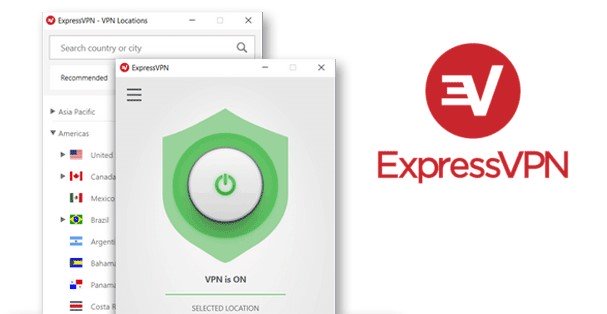
ExpressVPN stands out for its easy-to-use Windows app, reliable performance, and helpful customer support. Its independently audited no-logs policy is another reason we recommend it.
My colleagues at BestVPNRating and I have used ExpressVPN across several devices. In our Windows 10 tests, the app ran reliably, and we detected no IP leaks. Its straightforward interface makes it a good fit for anyone who wants to connect without having to navigate complicated settings.
ExpressVPN also supports torrenting and is worth considering for watching Netflix. If you need protection beyond your PC, you can also read our guide to the best VPNs for Android.
ExpressVPN is an undisputed leader among VPN services. It came to market in 2009 and today provides a high-standard service. Unmatched software stability for PC, best-in-class Netflix support, incredible user-friendliness, attentive support team, and independently audited no-log policy – these are only some advantages of this VPN. My colleagues at BestVPNRating and I use ExpressVPN and think it is the best choice for a Windows PC and other devices (have a look at our review of the best VPNs for Android, for example).
With ExpressVPN, you can get a refund if you decline the service within 30 days.
1.2 NordVPN – Most Popular VPN for Windows (from $3.49/mo)
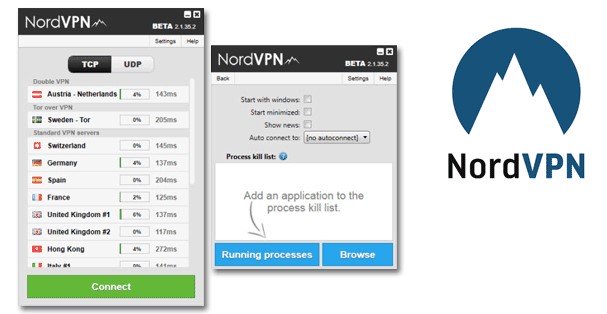
It is the most popular VPN provider for Windows. NordVPN has thousands of servers in 225 locations worldwide at a low price.
In our tests, NordVPN showed no IP leaks, and its Windows app was straightforward to navigate. It’s a good option if you want an easy-to-use VPN with additional security features.
The current app supports Windows 10 (64-bit) and Windows 11. Although a legacy version remains available for Windows 7, Windows 8.1, and Windows 10 (32-bit), it no longer receives updates, and NordVPN advises against using it.
NordVPN offers P2P servers for torrenting and a Double VPN option that routes your connection through two VPN servers rather than one. Both are available through the Windows app’s specialty server options.
One subscription supports up to 10 simultaneous connections, so you can use NordVPN on your Windows PC, smartphone, and other compatible devices without purchasing separate subscriptions.
1.3 CyberGhost – affordable VPN for streaming (from $2.19/mo)
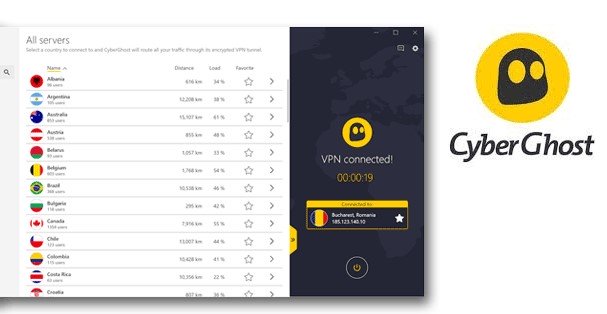
CyberGhost has a well-organized Windows app with servers optimized for specific activities, including streaming. Its Netflix servers are labeled by country, making it easier to choose a suitable connection without having to work through the general server list, which is convenient.
In our tests, CyberGhost generally performed well, although we occasionally noticed buffering when watching HD video. Its straightforward interface makes it a practical option if streaming is your main priority.
CyberGhost's Windows features are of a high standard. It also offers a dedicated IP as a paid add-on for $2.50/month. Unlike a shared VPN address, this IP is reserved for you and stays the same each time you connect. It can be useful for accessing work systems or other services that require an approved IP address, including while traveling.
1.4 IPVanish – Popular Service for PC in the USA (from $2.19/mo)
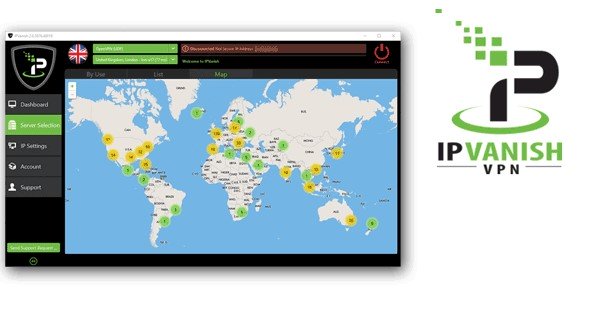
IPVanish is worth considering if you like to monitor your VPN connection. Its Windows app displays traffic statistics, making it easy to see how much data you’re sending and receiving.
IPVanish offers a kill switch on both Windows and Android. This feature blocks internet traffic if the VPN connection drops unexpectedly. For privacy, IPVanish has an independently audited no-logs policy. That provides a more useful basis for assessing its privacy practices than dismissing the service solely because it is based in the US, although it should not be treated as a guarantee of anonymity.
IPVanish now offers a 30-day money-back guarantee on yearly and two-year subscriptions. However, note that monthly subscriptions are not included in that guarantee.
1.5 VyprVPN – Great VPN for Restrictive Networks (from $3.00/mo)
VyprVPN stands out for its Chameleon protocol, which is designed to help bypass VPN blocking. Available in the Windows app, it disguises VPN traffic, making it harder for deep packet inspection systems to identify a VPN connection. This makes it worth considering on restrictive networks.
VyprVPN offers a 30-day money-back guarantee on monthly and annual subscriptions. You need to pay upfront and request a refund within 30 days of your first payment if the service doesn’t meet your needs.
VyprVPN also now allows torrenting across its server network and has an independently audited no-logs policy. We recommend considering VyprVPN if you need a Windows VPN that can bypass VPN blocks. Chameleon is included with all subscriptions, so you don’t need to pay extra to use it.
2. Top 5 VPNs comparison
This table will help you to compare the features and choose the best VPN for Windows.
| Feature | ExpressVPN | NordVPN | CyberGhost | IPVanish | VyprVPN |
|---|---|---|---|---|---|
| Starting price | $2.99/month | $3.49/month | $2.19/month | $2.19/month | $3.00/month |
| Server network | Servers in 105 countries | Servers in 225 locations | Servers in 100+ countries | 3,400+ servers across 150+ locations | 700+ servers across 70+ locations |
| Money-back guarantee | 30 days | 30 days | 45 days on longer plans, 14 days on the monthly plan | 30 days on yearly and 2-year plans, excludes monthly plans | 30 days |
| Simultaneous connections | Up to 14 | 10 | 7 | Unlimited | 10 |
| Standout Windows features | Network Lock kill switch, split tunneling, Lightway protocol | Kill switch, split tunneling, Double VPN, P2P servers | Automatic kill switch, servers optimized for streaming, gaming, and torrenting | Kill switch, app- and domain-based split tunneling, traffic statistics | Kill switch, automatic protection on unknown Wi-Fi networks, fastest-server selection |
3. 4 simple steps to set up VPN on Windows
It’s very simple to use a VPN on Windows. Here are the 4 steps to set it up:
- Choose a VPN. Pick a provider from our recommendations and visit its official website.
- Create an account. Select a subscription plan or a free trial, if available, and complete the signup process.
- Install the Windows app. Download the installer from the provider’s official website, run it, and follow the on-screen instructions.
- Sign in and connect. Open the app, sign in to your account, and select a server location or use the quick-connect option.
Once the app confirms that you’re connected, you’re ready to browse with the VPN.
4. When is a VPN necessary for Windows?
A VPN adds a layer of privacy by encrypting traffic between your Windows PC and a VPN server. This can help prevent your internet provider or anyone monitoring your local network from seeing which websites you visit. However, it shifts that visibility to the VPN provider, so choosing a trustworthy service matters.
When we recommend installing a VPN on Windows:
- when you take your laptop abroad (be sure you set up a VPN in advance);
- if you have a laptop and you connect it to Wi-Fi;
- if you do shopping online;
- for unblocking geo-restricted websites;
- for using Facebook, WhatsApp, Telegram, and other messengers that support calls.
- for watching Netflix in other regions.
Public Wi-Fi and sensitive information:
Public Wi-Fi isn’t automatically unsafe. Most websites now use HTTPS, which encrypts information exchanged between your browser and the website – even on an unsecured network. That means someone using the same hotel or café Wi-Fi generally can’t simply read your passwords or banking details from an HTTPS connection.
A VPN can provide additional protection by obscuring more of your browsing activity from the network operator. For example, if you connect from a hotel while traveling, a VPN encrypts the traffic between your laptop and the VPN server. HTTPS then continues to protect your browser’s communications with the website itself. These protections complement each other rather than replace one another.
Using a VPN while traveling:
A VPN can be useful on unfamiliar networks, but don’t assume it is permitted everywhere. Check your destination’s current rules before using one, particularly where VPN services or internet access are restricted. A VPN should never be treated as a guarantee that your activity is untraceable or that local restrictions carry no consequences. Use a VPN as one part of your Windows privacy setup, not as a substitute for HTTPS, software updates, and careful browsing.
What a VPN doesn’t protect against:
A VPN isn’t a complete security solution. It doesn’t guarantee anonymity, make a fraudulent website trustworthy, or fix vulnerabilities in Windows and your installed software. You still need to keep your system updated and take care when opening links, downloading files, or entering personal information.
Keeping Windows supported is particularly important. Standard Windows 10 support ended on October 14, 2025. If you still use it, check your eligibility for Extended Security Updates or move to a supported operating system. A VPN cannot replace missing security updates.
5. Don’t use free VPNs. Use free plans of premium VPNs instead
When we hear about a free VPN for Windows devices at BestVPNRating, we always offer a good alternative – the free versions from paid services.
Why?
Paid services make money from subscriptions and offer free plans for customers to try the VPN and attract them, whereas free VPNs make money from ads, which are often inserted into your traffic, adware distribution, and sometimes even malware distribution. It often takes place and can do much harm, up to the loss of the functionality of the Windows OS.
Besides, it was reported that free services were selling users' personal data to third parties (ranging from their email addresses and lists of visited sites to their payment credentials). Paid services won’t do that, as it’s negative advertising for them. They will lose their subscribers.
What’s the way out?
Free version offered by premium VPN providers. They allow you to use a VPN without problems, but with some restrictions. Some providers restrict internet speeds, while others restrict the monthly volume of traffic consumption.
Don’t endanger yourself by using completely free VPNs. Even if you use the most famous ones. There are decent alternatives to them.
6. How VPN affects the internet speed
A VPN may slow down the internet speed by 20% or more. It depends on the tunneling protocol and the VPN server's speed. As a rule, the fastest protocol is set by default by many VPNs. For this reason, in most cases, a reduction in connection speed shouldn’t affect your overall internet use. But sometimes you should pay attention to how fast your VPN is.
When do you need high speeds for using a VPN on Windows?
- Torrenting
- Watching 4K video
- Online gaming
- Video calls with high-resolution images
If you use VPN for one of the purposes mentioned above, pay special attention to connection speeds when choosing a provider. VPN partially slows down the Internet, but generally, you won’t notice it, especially if you use the fastest VPN services.
Conclusion. Recommendations
VPN apps for Windows have been available on the market long enough, earlier than for other platforms. Most VPN apps compatible with Windows work well, but that doesn’t mean all VPN providers are a great fit for Windows.
To choose the best VPN providers, you need to consider both the services' functionality and their performance from multiple perspectives. Follow the steps below to choose from the leaders of the industry:
- Read users' and experts’ reviews.
- Study the company's history and its involvement in research projects that help improve the service's performance.
- Check the VPN’s server network: its total number, speeds, reliability, and whether it's optimized for specific use cases, such as gaming, torrenting, or streaming.
- Test the customer support.
- Read the Terms of Service.
As you can see, setting up and testing a VPN app is not enough for choosing a good VPN. We have conducted a comprehensive study and considered all relevant factors when selecting our top recommendation. That’s why it doesn’t surprise that the best VPNs for PC are the same as the best VPNs for other platforms. We hope that our work helped you choose a VPN provider.
Comments