Best VPNs for BBC iPlayer
People are increasingly turning to streaming services to unwind at home, and BBC iPlayer is a popular choice for watching TV shows, films, and live broadcasts. If you’re traveling outside the UK, a VPN with UK servers can help you access the service.
Below, we compare five VPNs for BBC iPlayer and highlight their key features:
- Express VPN – military-grade encryption, fast servers, and modern protocols
- NordVPN –robust VPN with servers in 225 locations and fastest connection speeds
- CyberGhost – cheap and secure VPN with 11,000 servers worldwide
- VyprVPN – a modern VPN with 700 VPN servers and advanced encryption
- IPVanish – fast VPN service with 3,2000+ servers, 256-bit encryption, and reliable protocols
What is BBC iPlayer?
BBC iPlayer is the BBC’s streaming service for watching TV programmes online. It offers live streams of BBC channels and on-demand shows, including dramas, documentaries, news, and children’s programmes. You can watch through the BBC iPlayer website or its app on supported computers, phones, tablets, smart TVs, streaming devices, and games consoles.
The service is primarily intended for viewers in the UK, so its video content may be unavailable when you’re abroad. A VPN with servers in the UK can route your connection through a UK location and may help you access BBC iPlayer while traveling.
If you’re looking for a VPN for streaming, connection speed and reliable UK servers are useful features to compare. Below, we review five VPNs for BBC iPlayer and their key features.
How to watch BBC iPlayer abroad?
Due to licensing and broadcasting agreements, BBC iPlayer is available only in the UK. And, if you try to stream content on BBC iPlayer from abroad, you will see this error message:
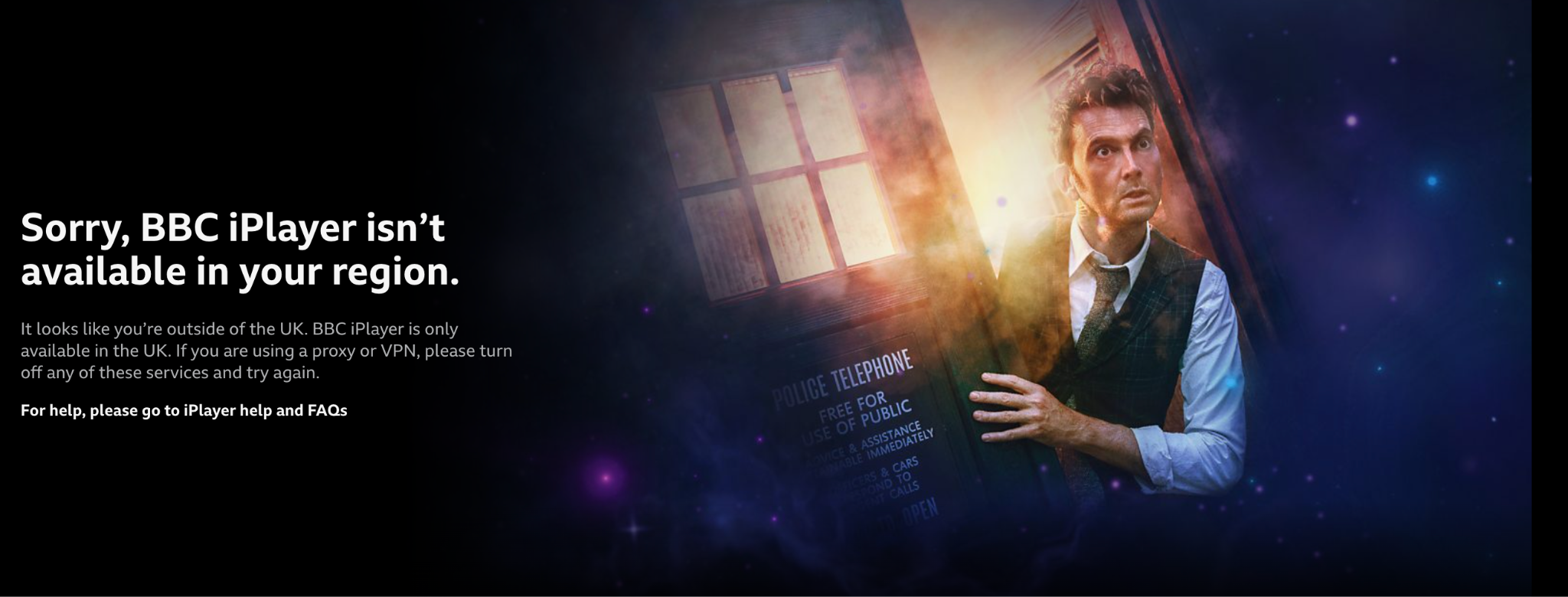
If you are in the UK and cannot access BBC iPlayer either, one of these may be the reason
- A VPN, proxy, Tor, or work network is routing your connection through an IP address that appears to be outside the UK. Try disconnecting from it and reloading iPlayer.
- Your internet provider’s IP address may be new or incorrectly listed as being outside the UK. Check your IP’s location; if it’s misidentified, contact your provider. reddit.com
- You’re using a mobile or Wi-Fi network whose IP address is being misidentified. Try switching to another UK connection to see if iPlayer recognizes it.
- The iPlayer app or your browser may need troubleshooting. Try updating it, clearing its cache, or opening iPlayer in another browser.
If you want to bypass these issues or watch BBC iPlayer from abroad, using a VPN is the simplest solution. Look for a streaming-compatible VPN, subscribe, install the app, connect to a UK server, and access BBC iPlayer. Remember, if you don’t already have a BBC iPlayer account, you will need to create a new one using a UK postcode.
How to Watch BBC iPlayer Abroad with a VPN
If you’re a British expat or traveling outside the UK, you may find that BBC iPlayer content isn’t available where you are. A VPN for Android, iPhone, or iPad can route your connection through a server in the UK, giving you a UK IP address and helping you access the service.
A VPN also encrypts the connection between your device and the VPN server, adding privacy while you stream. When choosing one, look for an easy-to-use app for your device, reliable speeds, and several UK server locations. You can learn more about how a VPN hides your IP address.
Connect to a UK server, open BBC iPlayer, and find something to watch. Below, we compare VPN services for streaming BBC iPlayer on phones, tablets, and other devices.
How does a VPN work with BBC iPlayer?
A VPN routes your internet connection through a server you choose. Connecting to a UK server gives you a UK IP address, which can help you access BBC iPlayer while traveling abroad. The VPN also encrypts the connection between your device and its server and masks your IP address from the websites you visit.
For streaming, look for a VPN with UK servers, reliable speeds, and apps for your devices. Some providers offer a free trial, while free VPN plans may have limits on speed, data, or server selection.
A VPN does not replace a TV License; you still need to be covered by one to watch or download programs on BBC iPlayer, even when using a VPN.
The VPNs in our guide are compared by their UK server options, streaming performance, device support, and key privacy features.
How to choose the best VPN for BBC iPlayer?
There are hundreds of VPN service providers nowadays. Unfortunately, not all of them are compatible with BBC iPlayer. In this connection, it is necessary to pay attention to some VPN characteristics:
⇒ UK-based servers
As the BBC iPlayer service is only available in the United Kingdom, one should opt for a VPN with servers in the country. Their number is also significant.
⇒ No limits for speed and bandwidth
To enjoy BBC iPlayer channels without prejudice to quality, a VPN provider should offer its service without speed or bandwidth restrictions. Otherwise, buffering and lag occur while BBC iPlayer streaming is possible.
⇒ OS compatibility
One should take into account VPN compatibility with various operating systems. The thing is, some VPN providers are designed for a specific operating system. After downloading such a VPN client, a user will not be able to access BBC iPlayer outside the UK.
⇒ Internet kill switch
This function helps to prevent unprotected access to the Internet. When a VPN connection is interrupted, the system does not allow the user to browse web pages, so the user remains protected.
⇒ Simultaneous connections
If you want to access BBC iPlayer on multiple devices, you need to choose a VPN that supports multiple simultaneous connections per account. The number of allowed devices may be limited, but some providers offer unlimited device connections.
⇒ Zero logs
Some VPN providers keep logs of users’ activity. It may influence their security negatively. That is why it is strongly recommended to read the “Terms and Service” and “Privacy Policy” documents thoroughly and ignore such providers.
These tips will help you make the right choice. Just spend some time studying the official website of a service, and be sure you will find the best VPN for BBC iPlayer.
Can a VPN Improve BBC iPlayer Streaming Quality?
A VPN doesn’t automatically make your internet faster or prevent buffering. Streaming quality depends on your internet connection, the VPN server’s speed and distance, and how busy the server is. If your ISP slows specific streaming traffic, routing it through a VPN may help; otherwise, a VPN may have little effect on playback speed.
Choose a VPN with fast, reliable UK servers for BBC iPlayer. If a stream buffers, try another UK server.
Some VPNs also offer split tunneling, which lets you choose which apps use the VPN connection. You could route BBC iPlayer through the VPN while other apps use your regular connection.
Accessing BBC iPlayer in the USA
If you want to use the BBC iPlayer, your IP address needs to be changed to a UK one. The BBC iPlayer will see you as just one user accessing the service from the UK, as your real IP address will be masked by the VPN service with a UK IP address. To do this, launch your VPN and connect to a UK server. This simple action will give a UK-based IP address, allowing access to BBC iPlayer in the US.
In this way, all content that is blocked or geo-restricted in the US by BBC iPlayer will be accessible to you on your devices.
What if your VPN service does not unblock the BBC iPlayer library content?
If BBC iPlayer remains unavailable after you connect to a UK VPN server, try these steps:
- Disconnect and reconnect, or choose another UK server.
- Close and reopen the BBC iPlayer. If you’re using a browser, clear its cache or try another browser.
- Check that the VPN app shows an active UK connection.
- Contact your provider’s support team and ask which UK server and setup they recommend for BBC iPlayer. You can usually reach support through live chat, email, or the provider’s help center.
If the problem continues, check the VPN’s refund terms. If you decide to cancel, do so through the provider or app store where you subscribed; deleting the app may not cancel your subscription. A free trial may also have limits or end on a specific date, so check its terms before signing up.
Comments