The 10 Best Free VPNs for Safe Browsing
Last updated: 27/10/2026

David Balaban
He is a cybersecurity researcher with over 15 years of experience in malware analysis and antivirus software evaluation. He has published his articles on such online media as Hackernoon, Tripwire, Infosecinstitute, and Cybrary.
Looking for a VPN but don’t want to pay for a subscription? A free VPN could be worth considering, though it’s important to understand its limitations. This guide will help you compare free VPNs for Windows, Mac, Android, and other platforms to find an option that suits your needs.
Best 10 Free VPN Services 2026
- ExpressVPN — 5.0/5
- VyprVPN — 4.8/5
- TunnelBear — 4.7/5
- hide.me — 4.5/5
- WindscribeVPN — 4.5/5
- Proton VPN — 4.3/5
- Avast Premium VPN — 4.2/5
- Avira Phantom VPN — 4.1/5
- VPN Gate — 4.0/5
- Betternet — 3.9/5
“There’s always free cheese in a mousetrap.” It’s a familiar warning, and one worth remembering when choosing a free VPN. But does downloading one mean you’ve fallen into a trap? Not necessarily. The real question is how the provider funds its service – and what you give up in return.

Running a VPN costs money. Some providers cover those costs through paid subscriptions that also support a limited free plan. Others may rely on advertising or collect and sell user data, undermining the privacy you wanted in the first place. That’s why a free VPN deserves the same scrutiny as a paid one.
There are legitimate options. Proton VPN, for example, offers a free plan funded by paying subscribers, with no ads or data limits. However, it restricts server choice and simultaneous connections, and its free servers do not support torrenting. Free doesn’t automatically mean unsafe, but it usually comes with compromises.
Before installing a free VPN, check its privacy policy, ownership, security audits, and usage limits. A trustworthy provider should explain how it makes money and what its service can (and cannot) protect. A vague promise of “complete anonymity” is no substitute for that transparency.
It’s also important to keep expectations realistic. A VPN can mask your public IP address and route your traffic through an encrypted connection to its server, but it doesn’t make you anonymous or stop every form of tracking. It can help you access geo-restricted content, but streaming platforms can block VPN connections. Neither free nor paid services can guarantee access to every site, nor can they make torrenting completely anonymous.
How do free VPNs keep running if you don’t pay?
Paid VPNs make money from subscriptions, but how do free services cover their costs? Are they simply a volunteer effort? Not necessarily.
Some providers use paid subscriptions to fund their free plans. Others rely on advertising or collect and sell user data. The catch isn’t always obvious, so it’s worth checking what you’re agreeing to before installing an app.
Whether you need a free VPN for Mac, Android, or Windows, the question is the same: what’s the trade-off? Let’s look at how free VPNs make money – and what that could mean for your privacy.

How do free secure VPN services earn money?
Here are four facts about different ways of monetizing the business:

• Pop-ups/Redirections/
General Advertisements
show up when
you use the service

• Pre-sell for a paid
VPN service

• It is an uphill struggle to
find a really free VPN service,
as more often they are free
only for a month.

• They may store
and sell your data.
As such, free VPNs can be a lifeline when a paid subscription doesn’t fit your budget. But saving money shouldn’t mean giving up your privacy. If a provider collects and sells your data, its “free” service may come with a cost you didn’t expect.
Who could be affected if a VPN sells user data?
Anyone using that service could be affected. The risk depends on what the provider collects, who receives it, and whether that information can be linked to an individual. Here’s why it matters.
- Your activity could be linked to your identity. A VPN doesn’t provide absolute anonymity. If a provider records your original IP address, connection times, or browsing-related information, those records may help connect online activity to you. Selling or sharing that information undermines the privacy you expected.
- Your data could support advertising profiles. A provider that shares browsing-related information with advertisers may help them build a picture of your interests. The concern isn’t simply seeing more ads – it’s losing control over how information about you is collected and used. However, ads alone don’t prove that a VPN sells browsing data.
The issue is trust, not just price. A paid subscription doesn’t guarantee responsible data handling, and a free plan doesn’t automatically mean a provider sells your information. For this reason, it’s crucial to check the business model, privacy policy, and published independent audits before choosing a service. Audits offer useful evidence, but they aren’t a permanent guarantee.
You don’t have to rule out every free VPN, though. The options we cover in this article are a starting point for comparing what you can use without paying – and understanding the limitations before you connect.
What is the difference between a paid VPN and a free VPN?
The main difference is usually limitations, not whether the VPN can protect your connection. Reputable providers may offer the same encryption and no-logs policy on both plans, while reserving more server locations, extra features, and priority support for paying customers.
Customer support is one area worth checking. If you run into trouble installing an app or connecting to a server, access to help matters. However, a free plan doesn’t automatically mean there’s no support. Compare the available support channels and whether live chat or priority assistance requires a subscription. Proton VPN, for example, lists priority support and live chat among its paid-plan benefits.
Paid VPN
+ May include priority assistance and live chat.
Free VPN
- May offer fewer support options or no assistance at all.
Price is the most obvious difference. A free plan lets you use the service without a subscription, while a paid plan unlocks additional benefits. Some providers offer both, allowing you to try their apps before deciding whether the extras are worth paying for.
Paid VPN
- Requires payment. Compare the total upfront cost and renewal price, not just the advertised monthly rate.
Free VPN
+ Costs $0, provided you choose an ongoing free plan rather than a temporary trial.
Usage restrictions are another important consideration. Free plans may limit your monthly data, available locations, or simultaneous connections. But ads and speed caps aren’t inevitable: Proton VPN’s free plan has no ads or data limits, while Windscribe says it doesn’t throttle free accounts but does limit their data allowance and server selection.
Paid VPN
+ Generally offers more locations, higher usage allowances, and additional security features.
Free VPN
- May restrict data, server choice, connected devices, or access to certain features.
Security and privacy deserve a closer look than a simple “paid is safe, free is unsafe” comparison. Proton VPN states that its free and paid plans use the same strong VPN protocols and no-logs policy. Windscribe likewise says its free and paid apps share the same security features. However, paying for a plan can unlock more functionality without changing the core protection.
Paid VPN
+ May include additional privacy tools, such as multi-hop connections and tracker blocking.
Free VPN
- May leave advanced tools behind a paywall, even when its core encryption and privacy protections match the paid plan.
As such, before choosing a free VPN, check for restrictions such as:
- Monthly data caps
- Limited server locations or automatic server selection
- Fewer simultaneous connections
- No torrenting or P2P support
- No dedicated streaming support
- Paid-only tools, such as multi-hop connections or ad and tracker blocking
These restrictions don’t automatically make a free VPN a poor choice. The key is knowing what the plan includes – and whether those limits fit how you intend to use it.
How to choose the best free VPN for your needs
Start by deciding what you need a VPN for and which devices you want to protect. Then compare each provider’s privacy policy, funding model, and free-plan restrictions. Pay particular attention to:
- Data allowance: Will it cover your expected usage?
- Server locations: Can you connect to the countries you need?
- Device compatibility: Does the service support your operating system?
- Features: Does the free plan include the tools and supported activities you need?
- Transparency: Does the provider clearly explain its logging practices, ownership, and funding?
Also, check whether you’re signing up for an ongoing free plan or a time-limited trial, and whether payment details are required.
10 Best Free VPNs
Our provider reviews below explain what each free VPN offers, where its limitations lie, and who it’s best suited to – so you can choose without relying on advertising promises.

1 ExpressVPN – 1 winner
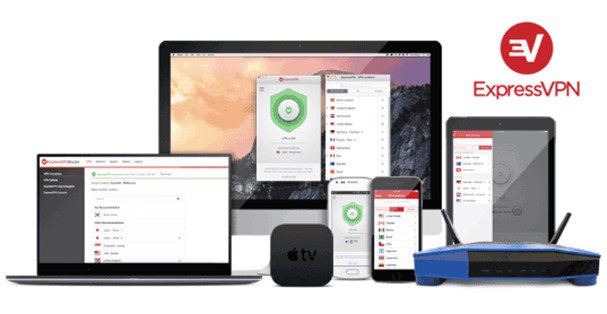
ExpressVPN doesn’t offer a permanent free plan, but you can try it through a 3-day free trial on iOS and Android. You’ll need a valid payment method linked to your app store account. Once activated, the trial also lets you sign in on other supported devices, including Windows, Mac, and Linux.
Alternatively, first-time customers who subscribe through the ExpressVPN website receive a 30-day money-back guarantee. This is not a free trial: you pay upfront and must request a refund within 30 days if you don’t want to keep the service. Subscriptions purchased through the Apple App Store or Google Play Store aren’t covered by this guarantee.
Some of the key features available during the trial are:
- Unlimited data and bandwidth.
- Servers in 113 countries.
- Lightway protocol, a kill switch, and leak protection.
- An independently audited no-logs policy.
- Apps for major desktop, mobile, and TV platforms.
- 24/7 live chat support.
ExpressVPN is worth considering if you want to test a paid VPN before committing, rather than use a free service indefinitely. Check the subscription price and billing date before activating the mobile trial, and cancel through your app store before the charge is due if you don’t want to continue. ExpressVPN states that billing occurs on the last day of the free trial.
- Servers: 2,000+
- Devices: 5
- Refund: 30 days
- Base: British Virgin Islands
2 VyprVPN – 2 place
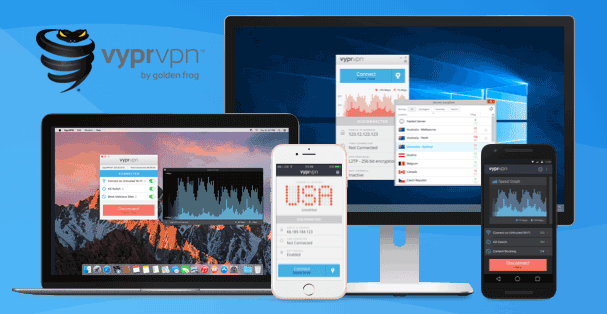
VyprVPN offers a 3-day free trial when you subscribe through the Apple App Store or Google Play. It doesn’t have a permanent free plan, so check the renewal price and cancel through your app store before the trial ends if you don’t want to pay. App-store subscriptions aren’t covered by VyprVPN’s 30-day money-back guarantee.
Alternatively, new customers who sign up through the VyprVPN website receive a 30-day money-back guarantee. This requires an upfront payment: you must contact support within the first 30 days to request a refund.
Key features include:
- Unlimited speed and server switching.
- Apps for Windows, Mac, Android, and iOS.
- Support for compatible TVs and routers.
- 24/7 customer support.
VyprVPN is an option for a short test of a paid service, rather than ongoing free VPN access.
- Servers: 700+
- Devices: 5
3 TunnelBear – 3 place
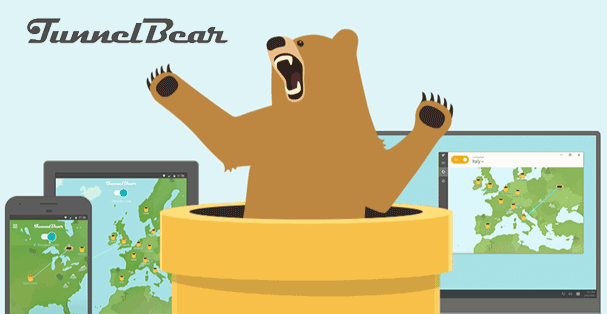
TunnelBear offers an ongoing free plan with 2GB of data per month. Unlike a time-limited trial, it lets you keep using the service without upgrading, provided you stay within the monthly allowance. Your data resets on the anniversary of your account creation, and unused data doesn’t roll over.
Key features and limitations include:
- No limit on the number of devices you can use with your account.
- Automatic server selection; choosing a country requires a paid plan.
- Paid-only extras, including split tunneling, premium servers, and priority support.
- An optional upgrade to unlimited data.
TunnelBear’s free plan is best suited to occasional browsing. The 2GB monthly allowance makes it less practical for regular streaming or large downloads.
- Devices: 5
- Base: Canada
4 hide.me – 4 place
hide.me offers an ongoing free plan with unlimited data, no credit card requirement, and no mandatory account registration. There’s no trial deadline forcing you to upgrade.
Key features and limitations include:
- Access to eight server locations.
- One connected device at a time.
- The same encryption and privacy protections as the paid plan, including a no-logs policy.
- Restricted speeds compared with the Premium plan.
hide.me is worth considering if you want a free VPN without a monthly data allowance and prefer to choose your server location. However, its speed restrictions and single-device limit may make the free plan less suitable for heavier use. Upgrading unlocks unrestricted speeds, more locations, and up to 10 simultaneous connections.
5 WindscribeVPN – 5 place
Windscribe offers an ongoing free plan with 10GB of monthly data when you add and confirm your email address, or 2GB if you prefer not to provide one. No payment details are required, and the plan doesn’t expire.
Key features and limitations include:
- Free servers in 10 countries.
- Unlimited simultaneous connections for your personal devices.
- The same core encryption and protocol options as the paid plan.
- A desktop Firewall feature that blocks traffic outside the VPN tunnel.
- Basic ad, tracker, and malware blocking through R.O.B.E.R.T.
- No deliberate speed throttling, although the monthly data allowance still applies.
Windscribe is worth considering if you want to protect several devices and choose your server location. However, all your devices share the same monthly data allowance, so frequent streaming or large downloads may require an upgrade.
Paid plans don’t include a 30-day money-back guarantee. Refund requests must be submitted within seven days of the initial purchase, with less than 10GB used on the paid plan; renewals aren’t eligible under this policy.
6 ProtonVPN – 6 place
Proton VPN offers an ongoing free plan with unlimited data, no ads, and no credit card requirement. It follows the same no-logs policy as its paid service, making it an option for everyday browsing without a monthly data allowance.
Key features and limitations include:
- One connected device at a time.
- Automatic connections to servers in 10 countries, rather than unrestricted country selection.
- No bandwidth cap, although busy free servers can affect speeds.
- Streaming support, additional server locations, and advanced tools are reserved for paid subscribers.
Proton VPN is worth considering if avoiding data limits matters more to you than choosing a particular server location.
7 Avast SecureLine VPN – 7 place
Avast offers a 60-day free trial of its Premium VPN through the Avast One app. This lets you test the paid VPN without paying upfront, but you must provide payment details. Your subscription starts automatically when the trial ends unless you cancel beforehand.
The trial includes:
- VPN protection for up to 10 devices, including Windows, Mac, Android, and iOS.
- Unlimited VPN data.
- Server locations in more than 60 countries.
- Encrypted connections and IP address masking.
- A kill switch to help prevent exposure if the VPN connection drops.
- Automatic selection of an optimal server location.
This is a trial of the VPN available within Avast One and not a permanent free VPN plan or a 60-day trial of every paid Avast One feature. Check the renewal price and billing date before activating it.
8 Avira Phantom VPN – 8 place
Avira Phantom VPN offers 500MB of free data per month without registration. Creating a My Avira account increases the allowance to 1GB per month. This is an ongoing free plan rather than a time-limited trial.
Key features include:
- Encrypted VPN connections.
- Unlimited simultaneous devices.
- Free apps for Windows, Android, and iOS.
- An optional paid upgrade that removes the data cap.
Avira’s small monthly allowance makes it better suited to occasional browsing or testing the service than streaming or large downloads.
9 VPN Gate – 9 place
VPN Gate is a free academic VPN project associated with the University of Tsukuba in Japan. It uses volunteer-operated relay servers rather than a conventional subscription-based network. Available locations and connection quality depend on which servers are online.
Important points to know:
- There’s no subscription fee.
- Available connection methods include SoftEther VPN, OpenVPN, L2TP/IPsec, and SSTP.
- Server operators publish their logging policies in the public server list.
- The project retains connection logs, including users’ source IP addresses, for at least three months and may disclose them in response to authorized legal requests.
VPN Gate may help with access restrictions, but it should not be treated as a no-logs privacy service. Its logging practices are a significant consideration for anyone trying to keep their activity from being linked to their identity.
10 Betternet – 10 place
Betternet offers an ad-supported free service alongside its paid subscription. However, we noticed that its official pages give conflicting information about data allowances, so check the limits displayed in your app before relying on it.
Key limitations to consider:
- Restricted server locations.
- Ads in the free version.
- A 500MB daily allowance listed in support documentation, while the main features page advertises unlimited free data and notes an iOS ad-watching exception.
- Additional locations and an ad-free experience available with Premium.
Betternet may suit occasional use, but the inconsistent published limits make it harder to compare confidently with free VPNs that clearly explain their allowances.

Is your connection protected by free browser VPN extensions?
A trustworthy browser VPN extension can encrypt your browser traffic and mask the IP address websites see. However, its protection is usually browser-only: other apps, system updates, and browsers without the extension continue using your regular connection. We recommend using a full VPN app if you want protection beyond your browser.
However, extensions can be convenient because some work independently, without requiring a separate desktop app.
Opera’s built-in VPN
Opera includes a free VPN directly in its browser, so there’s no extension to install. It requires no account and has no data cap, but it protects activity within Opera, not your entire device.
Its main features include:
- Three locations: the United States, the Netherlands, and Singapore.
- An Optimal Location option that automatically selects a fast connection.
- Encrypted browser traffic and IP address masking.
- A no-logs policy independently audited by Deloitte.
To enable it, open Opera’s Settings, search for VPN, and switch it on. You can then use the VPN badge beside the address bar to connect, disconnect, or change locations. Opera also includes separate ad and tracker blockers; these are browser features, not functions of the VPN itself.
Free VPN extensions for Firefox
Firefox users can install VPN extensions through Mozilla’s Firefox Add-ons website. Proton VPN, for example, offers a standalone extension that works with its free plan and protects traffic within Firefox without changing the connection used by your other apps.
Before installing an extension, check:
- Who publishes it and whether the provider’s official website links to the listing.
- What its privacy policy says about data collection.
- Which browser permissions it requests.
- Whether the free plan limits data, server choice, or features.
Don’t assume an extension provides device-wide protection simply because it uses “VPN” in its name. Check the provider’s explanation of exactly which traffic it covers.
Free VPN extensions for Chrome
Chrome users can also use standalone VPN extensions, including Proton VPN’s free extension from the Chrome Web Store. It encrypts the browser’s connection to the provider’s servers without routing other applications through the VPN.
The main advantage is convenience: you can protect browsing activity without installing a full VPN app. The limitation is coverage. A torrent client, standalone messaging app, or another browser won’t receive that protection unless you also use a device-wide VPN connection.
Choose a browser extension for browser-only use, or a full VPN app when you need broader coverage. Neither should be described as guaranteeing access to every website or providing complete anonymity.
What is the best free VPN?

• Availability in the Chrome Web Store.

Compatibility with the Chrome browser.

Free of payment.
Where can you download a free VPN?
Start with the provider’s official website and follow its download links for your device. On mobile, these will usually take you to the provider’s listing in the Apple App Store or Google Play. Proton VPN, for example, provides separate downloads and setup instructions for its supported platforms.
Before signing up, check whether you’re choosing an ongoing free plan, a time-limited trial, or a paid subscription with a money-back guarantee. These aren’t interchangeable: a refund offer requires payment upfront, while a trial may start charging automatically unless you cancel.
How to get a set up a free VPN
The exact process varies by provider, but it generally involves these steps:
- Choose your plan. Check its data allowance, server locations, device compatibility, and any payment requirements.
- Create an account if required. Some services need an email address and password before you can connect.
- Download and install the app. Use the version intended for your operating system.
- Sign in and connect. Choose an available server or use the app’s automatic connection option.
- Confirm the connection. Wait until the app shows that the VPN is connected before you start browsing.
If you’re using a trial, check the billing date and cancellation instructions before activating it.
What can (and can’t) you do with a free VPN?
A free VPN can encrypt your connection to its server and mask your public IP address. However, it doesn’t make you completely anonymous or protect you against every online threat. The provider’s privacy practices still matter.
Your plan also determines what you can use it for:
- Everyday browsing: A free plan may be sufficient if its data allowance and available locations meet your needs.
- Streaming: Access isn’t guaranteed. Proton VPN, for example, doesn’t block streaming on its free servers but reserves supported streaming access for paid plans.
- Torrenting: Check whether P2P traffic is permitted, as some providers reserve it for paid subscribers.
- Multiple devices: Check both the simultaneous-connection limit and whether your devices share one data allowance.
Don’t assume changing your IP address will fix an app that won’t open or a broken Kodi add-on. Those problems need troubleshooting rather than a blanket recommendation to install a VPN.

Can websites block free VPNs?
Yes, websites and streaming platforms can identify and block VPN connections. This affects paid services too, so no provider should promise reliable access to every website.
Free plans may give you fewer alternatives when a server is blocked because their location choices are restricted. A paid subscription can provide more servers to try, but it still doesn’t guarantee access.
Conclusion
A free VPN can be useful, but the right choice depends on its limitations and the provider behind it. Look at the privacy policy, data allowance, server choice, and device support – not just the promise of free access.
For ongoing use without a monthly data cap, Proton VPN and hide.me offer free plans with unlimited data. Windscribe provides up to 10GB per month, while TunnelBear offers 2GB. Each VPN provider takes a different approach to server access and other restrictions on their free plans, so compare the details in the reviews above.
If you want to test a paid service instead, distinguish a genuine free trial from a money-back guarantee. Check whether payment is required, when billing begins, and how to cancel or request a refund before signing up.
Comments