PPTP vs. L2TP/IPsec vs. OpenVPN vs. SSTP vs. IKEv2/IPsec vs. WireGuard
VPN providers may offer several connection protocols in their apps. The available options depend on the provider, device, and app version. Each protocol has different strengths, so the best choice depends on what you need: speed, compatibility, or a connection that works on restrictive networks.
We’ll explain what VPN protocols do, compare six common options, and help you choose one for your device and network.
- What is a VPN protocol?
- What are the differences between PPTP, L2TP/IPsec, OpenVPN, SSTP, IKEv2/IPsec, and WireGuard?
- Which protocol should you use?
What is a VPN protocol?
When you connect to a VPN, your device establishes an encrypted connection to a VPN server. A VPN protocol defines how that connection is set up and how data travels through it. It also determines how the connection is authenticated and protected.
A protocol does not, by itself, make you anonymous. Your VPN provider can still see some information about your connection, and the sites and apps you use may identify you in other ways. A VPN mainly protects traffic between your device and the VPN server.
A note about encryption key length
Key length is one part of encryption, but it does not tell you everything about a VPN’s security. The protocol, the cryptographic algorithms it uses, and the quality of its implementation all matter.
AES-128 and AES-256 are both considered strong when used correctly. A 256-bit key has a much larger key space than a 128-bit key, but that does not mean a VPN using AES-256 is automatically twice as secure, nor does key length alone make a service secure. In practice, look for a modern, well-maintained protocol and a trustworthy implementation rather than choosing a VPN based only on a “military-grade” encryption claim.

What is PPTP?
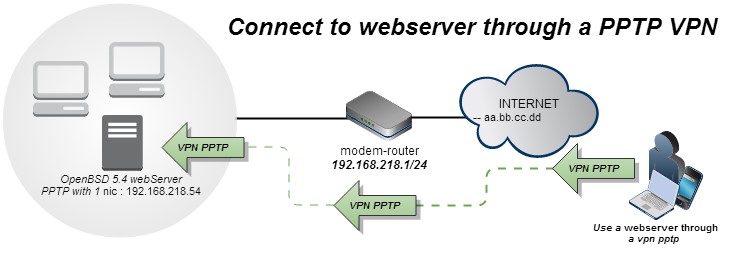
Point-to-Point Tunneling Protocol (PPTP) is an older VPN protocol developed by Microsoft. It was once popular because it was built into many operating systems and was relatively easy to set up.
PPTP is now considered insecure. Its commonly used authentication and encryption methods have known weaknesses, so it should not be used to protect sensitive traffic. Microsoft no longer recommends PPTP for new VPN server setups.
| Pros: | Cons: |
|---|---|
| Easy to set up on some older systems | Outdated and insecure |
| Can be fast because it uses little overhead | Not suitable for protecting sensitive information |
L2TP and L2TP/IPSec
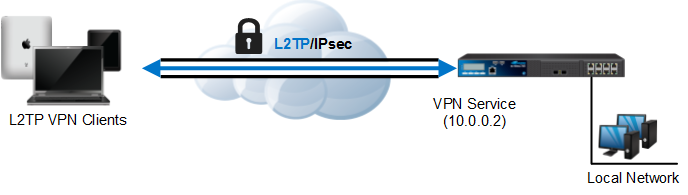
Layer 2 Tunneling Protocol (L2TP) creates a tunnel, but does not encrypt the traffic on its own. It is commonly paired with IPsec, which provides encryption and authentication. When you see “L2TP” in a VPN app, check whether the service means L2TP/IPsec.
L2TP/IPsec is supported by some operating systems, but it is a legacy option. It can require additional configuration and may have trouble connecting through some firewalls or routers. Microsoft advises against using L2TP for new RRAS VPN setups due to its security limitations compared with more modern options.
| Pros: | Cons: |
|---|---|
| Supported by some operating systems without a separate app | L2TP alone does not encrypt traffic |
| IPsec adds encryption and authentication | Older option that can be harder to configure and may be blocked on some networks |
What is OpenVPN?
OpenVPN is an open-source VPN protocol that uses TLS for authentication and key negotiation. It can carry VPN traffic over UDP or TCP, and its flexible configuration makes it a common choice for consumer and business VPN services. The exact encryption and authentication settings depend on how the provider configures it.
OpenVPN has been around for a long time and is supported by many VPN providers and platforms. It may need a provider’s app or a separate OpenVPN client, depending on your device.
| Pros: | Cons: |
|---|---|
| Mature, widely supported, and configurable | Setup can be less straightforward without a provider app |
| Can use UDP or TCP, which helps with compatibility | May use more device resources than leaner protocols |
| Can be configured with strong, modern cryptography | Speed depends on the configuration, device, and network |
Is OpenVPN safe?
OpenVPN can provide strong protection when it is configured with modern cryptographic settings and kept up to date. Its open-source code and long history of use make it a well-established option, but no protocol is secure simply because of its name. The configuration and implementation matter.
Two practical reasons people choose OpenVPN are:
- Flexibility. It supports different configurations and can use UDP or TCP.
- Broad support. Many VPN providers offer it across desktop and mobile platforms.
TCP may help a connection work on some restrictive networks, but no protocol is guaranteed to pass every firewall.
What is SSTP
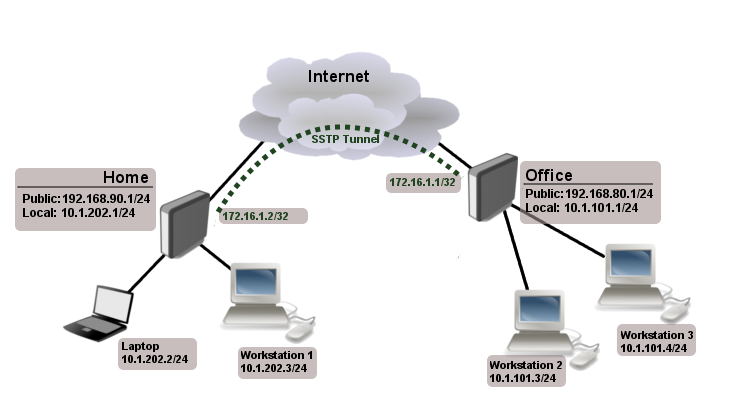
Secure Socket Tunneling Protocol (SSTP) is a Microsoft-developed protocol that carries PPP traffic through a TLS-protected connection. It is closely associated with Windows, where it has built-in support. Other platforms may require a third-party client, and support varies.
SSTP can work on some networks that restrict other VPN traffic because it uses TLS, but this is not guaranteed. Its availability and suitability depend on the VPN provider and your device.
| Pros: | Cons: |
|---|---|
| Built into Windows VPN support | Less widely available across platforms and VPN providers |
| TLS-based connection may work on some restrictive networks | Not guaranteed to bypass network blocks |
What is IKEv2/IPsec?
Internet Key Exchange version 2 (IKEv2) works with IPsec: IKEv2 negotiates and maintains the connection, while IPsec protects the IP traffic. IKEv2 is supported by many operating systems, though the setup and availability of VPN-provider apps vary.
IKEv2/IPsec is often useful on mobile devices. With support for the MOBIKE extension, a connection can adapt when the device changes networks, for example, moving from Wi-Fi to mobile data, without needing to rebuild the whole VPN connection. Whether this works smoothly depends on the client and server implementation.
| Pros: | Cons: |
|---|---|
| Can reconnect smoothly when switching networks, if MOBIKE is supported | Availability and setup vary across devices and providers |
| Supported by many operating systems | May be blocked by some networks |
| Good option for mobile use | Security depends on its IPsec configuration |
What is WireGuard?
WireGuard is a modern VPN protocol designed to be relatively simple and efficient. It uses a defined set of cryptographic algorithms and sends packets over UDP. Many VPN providers now offer it in their apps, although support can vary by platform and plan.
WireGuard is often a good choice when you want a straightforward, high-performance connection. Its use of UDP can be a limitation on networks that block or restrict UDP traffic. Some VPN providers add features such as obfuscation to help users connect on restrictive networks; those features are provider-specific, rather than part of WireGuard itself.
| Pros: | Cons: |
|---|---|
| Modern design and efficient performance | Uses UDP, which some networks may block |
| Available in many VPN apps | Provider-specific features and setup can vary |
| Uses a defined set of cryptographic choices | Not as configurable as OpenVPN |
What is the difference between IKEv1 and IKEv2?
IKEv1 is the older version of the Internet Key Exchange protocol. IKEv2 replaced it and is used with IPsec to authenticate the parties and establish and maintain security associations. IKEv2 also supports extensions such as MOBIKE, which can help a VPN connection adapt when a device changes networks.
For most people choosing a VPN app, the practical question is whether the provider supports IKEv2/IPsec on their device and whether it works reliably on the networks they use.
Which VPN protocol is the best?
There is no single best protocol for every device and network. WireGuard is a useful default when your VPN provider supports it, and it connects reliably. OpenVPN is a flexible alternative, particularly when you need UDP/TCP options or broader compatibility. IKEv2/IPsec can be a good fit for mobile devices when the client supports network roaming.
PPTP is outdated and should not be used for security. L2TP/IPsec and SSTP may still be available for compatibility or specific network requirements, but they are generally legacy choices.
Compare the VPN protocols
| Protocol | Security | Performance | Compatibility and network behavior | Best suited to |
|---|---|---|---|---|
| PPTP | Insecure by modern standards | Can be fast | Available on some older systems | Avoid for security |
| L2TP/IPsec | Depends on IPsec configuration; legacy option | Can have more overhead | Built into some systems; may be blocked or need extra setup | Compatibility with older systems |
| OpenVPN | Strong when configured with modern settings | Good; depends on configuration and device | Broad support; UDP and TCP options | Flexibility and compatibility |
| SSTP | TLS-based; implementation matters | Varies | Strongest association with Windows; may work on some restrictive networks | Windows setups or specific networks |
| IKEv2/IPsec | Strong when properly configured | Good; varies by implementation | Supports network changes when MOBIKE is available | Mobile connections |
| WireGuard | Modern cryptography and design | Often efficient | UDP only; provider support varies | A simple, modern default |
Conclusion
For most users, WireGuard, OpenVPN, and IKEv2/IPsec are the main options to consider. Start with WireGuard if your provider offers it, and it works well on your network. Choose OpenVPN when you need more configuration flexibility or a TCP option. IKEv2/IPsec may suit a mobile device that frequently switches between Wi-Fi and mobile data.
PPTP is not a safe choice for protecting your traffic. L2TP/IPsec and SSTP may still be useful in specific compatibility situations, but check that your provider supports them and that they meet your needs. Whatever protocol you choose, use the VPN provider’s current app and recommended settings.
Comments