If you are tired of surfing the net in search of decent VPN services, you are on the right website. Today’s Speedify review will answer all your possible questions on this service: ‘’What is Speedify?’’; ‘’Does Speedify work with Mac or Android?’’; ‘’Is Speedify safe?’’; ‘’Is Speedify free?’’ and others.
Tariffs and prices of Speedify
Speedify offers subscription plans for individual users and businesses. Individual users can choose between monthly, yearly, and three-year subscriptions, while teams can select monthly or annual billing depending on their needs.
Individual plans:
- Free plan: Speedify offers a free account with 5GB of data per month. It provides limited access compared to paid subscriptions.
- Monthly plan ($14.99/month): Includes unlimited bandwidth, premium server access, and the ability to use Speedify on up to 5 devices simultaneously.
- Yearly plan ($89.99/year): Offers the same features as the monthly subscription for $7.49/month when billed annually.
- 3-year plan ($179.99): Costs approximately $4.99/month and includes unlimited usage, premium servers, and support for up to 5 devices.
Teams plans:
Businesses can choose between monthly and yearly subscriptions. The monthly plan costs $14.99/user, while the annual plan costs $7.49/user/month. Both include unlimited usage, centralized account management, and CLI and API access. Teams can also add dedicated or self-hosted servers for additional functionality.
Additional server options:
Speedify offers dedicated and self-hosted servers as paid add-ons. Dedicated servers provide a static IP address, port forwarding, up to 1Gbps speeds, and 3TB of monthly bandwidth. Self-hosted servers allow users to run Speedify's software on their own infrastructure.
All paid plans include Speedify's channel bonding technology, which combines multiple internet connections for improved speed and reliability. Users also get access to premium servers in more than 50 locations worldwide.
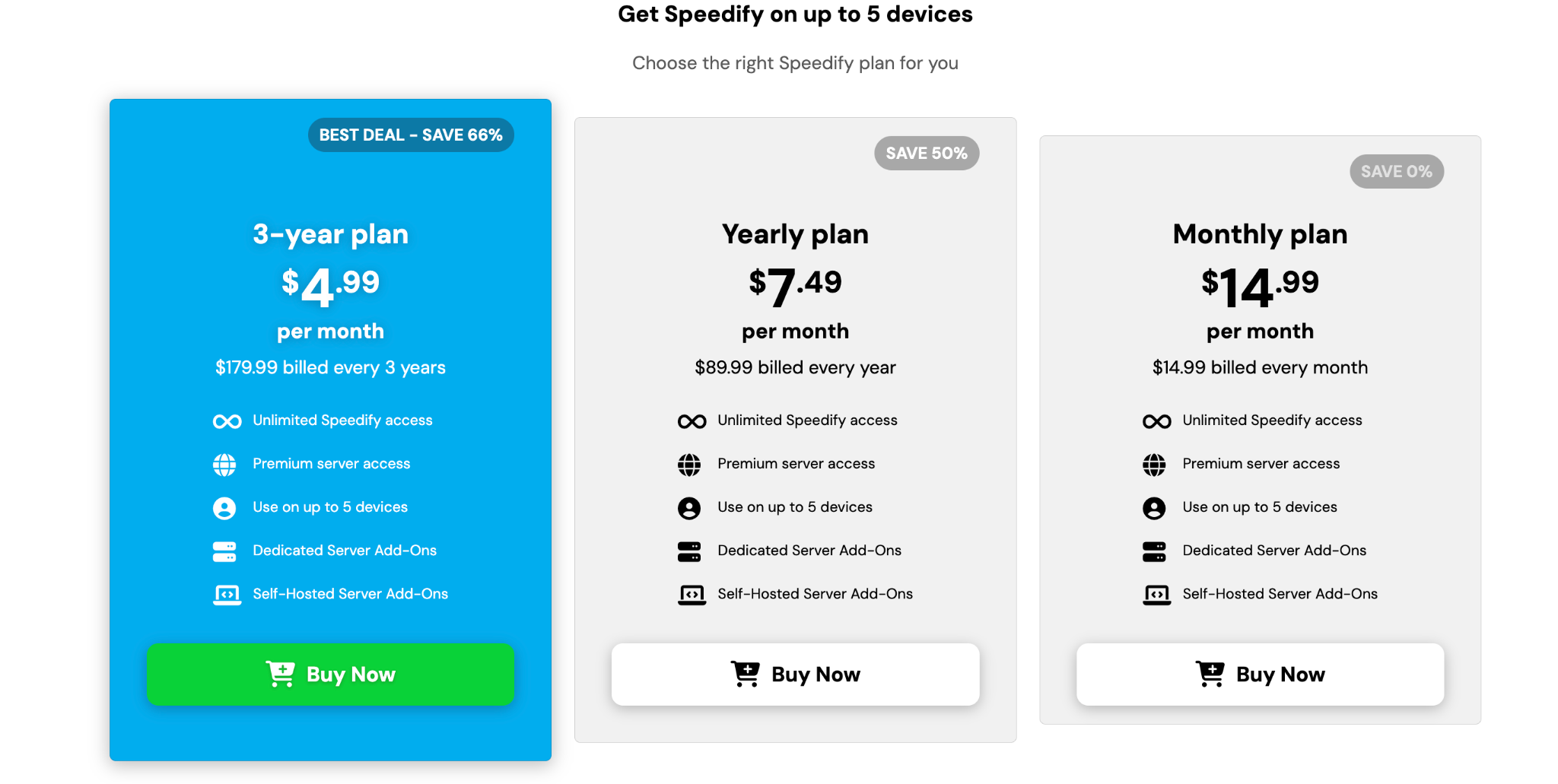
When you click ‘’Buy Now’’, you will be redirected to the online store to check out the service. you offered to choose a plan, being billed monthly or yearly and a dedicated server (extra monthly charge is required).
One may pay with debit or credit cards, Venmo or via PayPal order. It’s worth noting that a 30-day money-back guarantee is provided.
Info on servers in different countries
The server park of Speedify contains VPN servers in 37 countries around the world: Europe, Asia, both Americas, Africa, Australia, and Oceania.
The servers of Speedify are P2P-friendly, so one can connect to them to download torrents. Besides, Speedify users may be offered to perform connections via the nearest servers.
Functions of Speedify
What is Speedify? What are its functions? Have a look at what you get if you subscribe to the service:
☘ Unblocking of geo-restricted sites
With the help of Speedify VPN, you can unblock most of the geo-restricted streaming services, such as Netflix or Hulu.
☘ Data encrypting of military grade
The traffic passed through Speedify is encrypted with a 256-bit key, which is hard to crack, as it is believed to be military-grade.
☘ Channel bonding
The feature is helpful for better performance of Speedify network connections as regards speeds and reliability. The bandwidth is increased, and the latency is getting lower.
☘ Automatic Failover
Even if you are disconnected from the Internet, Speedify VPN helps you stay connected and protected online.
☘ No-logging
The provider strictly follows no-logging rules: no sites visited or IP addresses are gathered or kept.
☘ VPN speed test
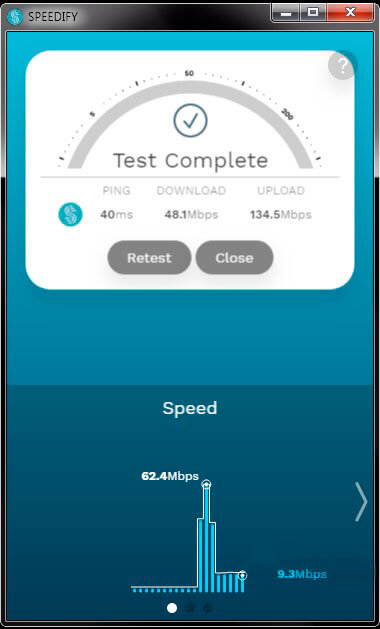
Having connected to Speedify servers, one can conduct a speed test of individual and combined connections.
Security and privacy
The provider of Speedify takes care of users’ security and privacy. As it was mentioned earlier, the information is cyphered with a very advanced encryption key (256-bit), which both keeps your data away from hackers and transfers data 3 times faster than other VPNs.
The developer claims that no traffic is logged when one makes use of Speedify services. That means the information about your online activities stay private and isn’t revealed to anyone.
Support service
In case a customer needs help or has a question about the service, it’s always possible to contact them via e-mail or find the article that may contain the answer to the question. Unfortunately, online chatting is unavailable at present. We hope that the provider will think of adding it to the website.
Client Account procedures
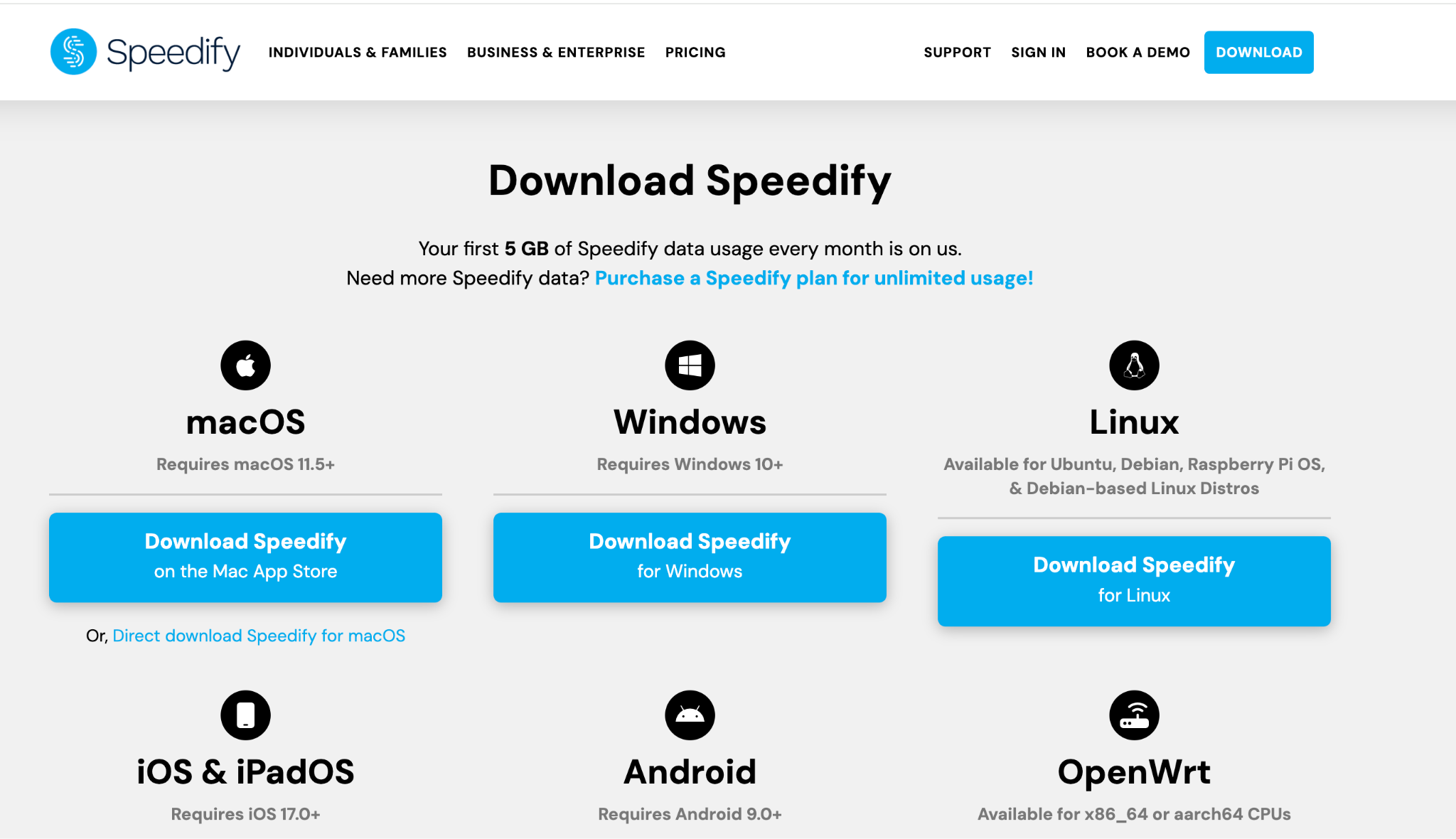
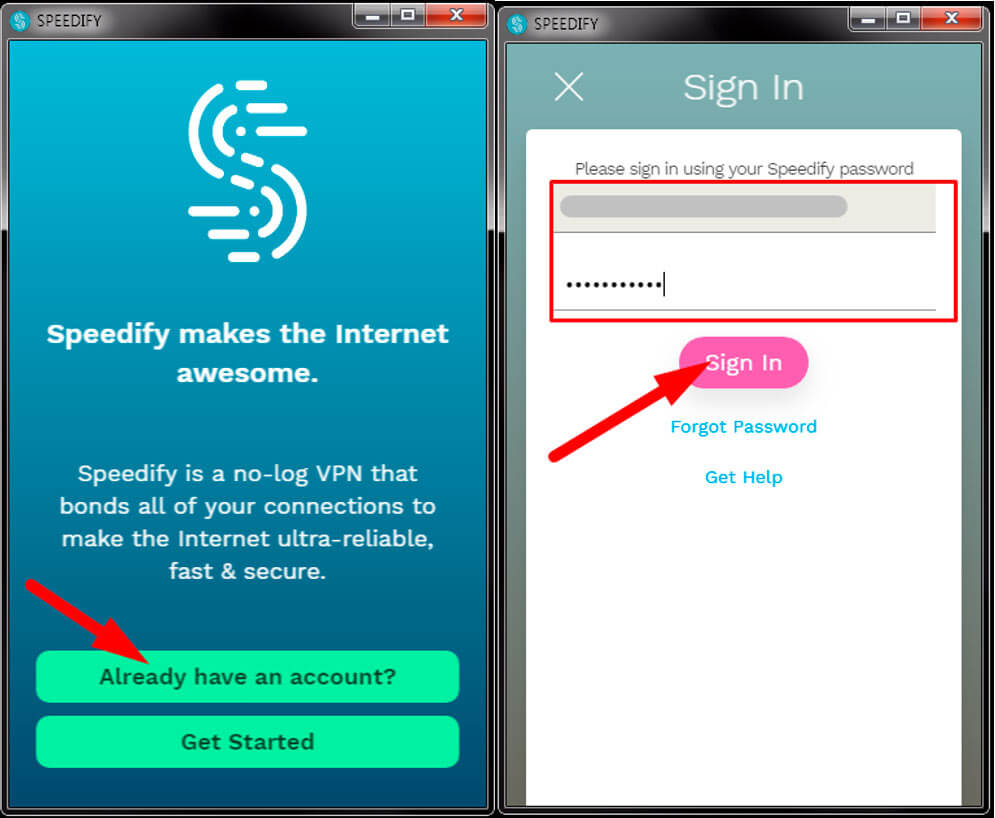
After you subscribe to Speedify VPN, you are to download the app compatible with your OS. We tested their PC client.
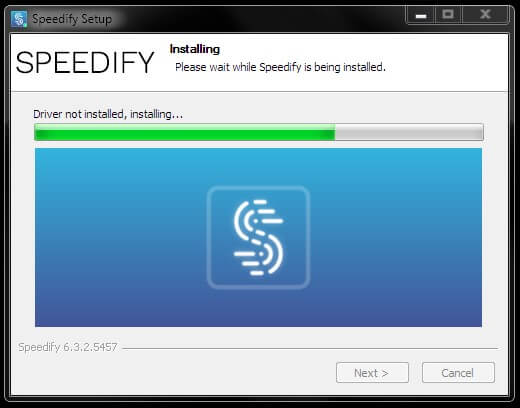
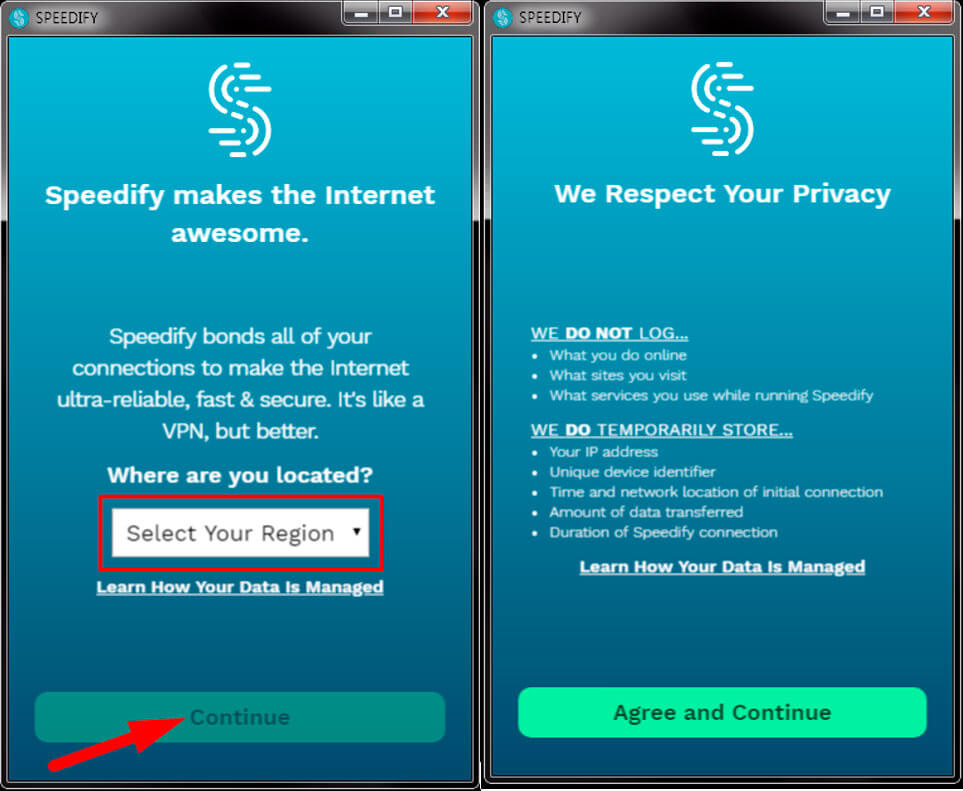
After the client is installed, you are to select your region, read Speedify Privacy Policy and type in your login and password to get started with the service.
Having connected to the server, you may estimate how fast is your Internet with Speedify.
Speedify is on (in-build function):
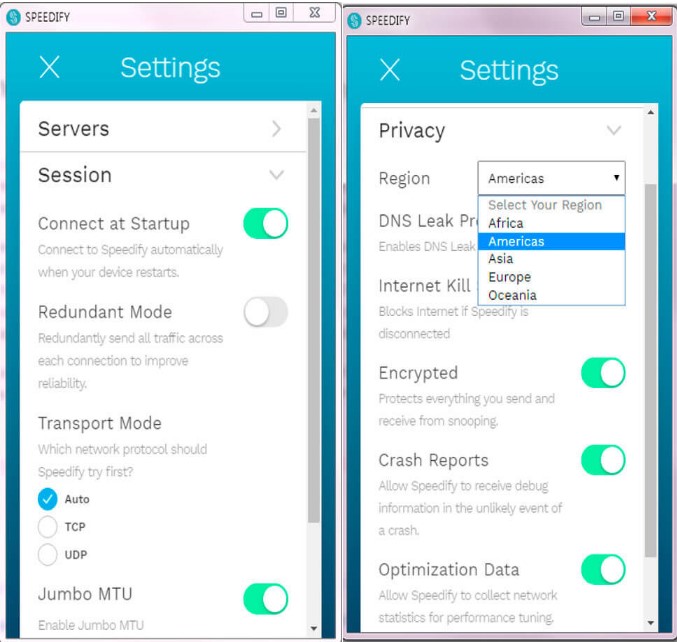
As you can see the settings are configured quite easily: just a few clicks.
Platforms
Does Speedify work on many platforms? Yes! It is compatible with 5 platforms: Android, Mac, Windows, Linux, and iOS. You can also install it on OpenWrt routers.
Summary
Thus, Speedify is worth trying for unblocking streaming services such as Netflix and Hulu. It offers plenty of VPN speedy servers, sustainable privacy, and security features. The only drawback is that the provider should think about how to make the service more affordable for individual users. Still, if the price doesn’t scare you, it’s worth trying. Why not?!
Have you tried it? Share your experience with us!