Best VPN for Netflix 2026
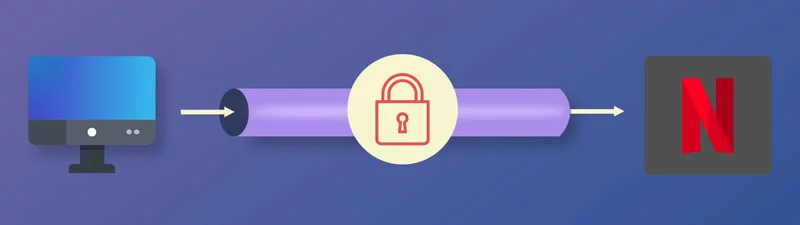
Netflix is one of the world’s leading streaming services, available in over 190 countries and regions. However, its catalog varies depending on where you watch, largely because licensing rights differ between countries.
A VPN can easily help you bypass these restrictions, and we’ll show you how to do that with the best VPNs for Netflix. From there, you’ll be able to expand your Netflix catalog within just a few seconds. All you’ll need to do is select a server in the country in which you want to access the content.
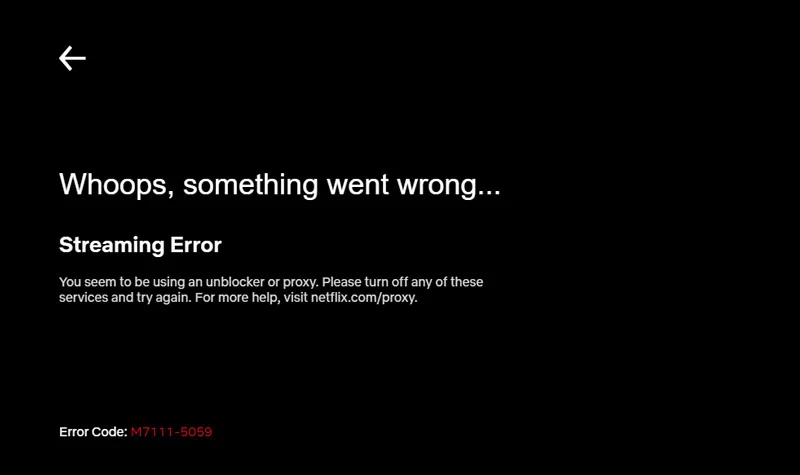
Unfortunately, many VPNs don’t work reliably with Netflix, as the platform detects and restricts VPN and proxy connections. You may encounter a proxy error or find that some titles are unavailable.
In this guide, we compare the 5 best VPNs for Netflix, looking at their streaming features, server coverage, pricing, and limitations to help you choose a service that suits your needs.
Can you use a VPN with Netflix?
Today, Netflix says that viewers connecting through a VPN may only see titles for which it holds worldwide rights. Some connections may trigger a message like “You seem to be using a VPN or proxy.” VPN viewing is also unsupported on Netflix’s ad-supported experience and during live events.
However, some VPNs have managed to stay ahead of the game for years. These VPNs regularly rotate their servers' IP addresses, which makes it difficult for Netflix to block them.
Best VPNs for Netflix
As regular Netflix users, we have thoroughly tested most of the top VPNs to find out the best VPN for Netflix. Selecting our top 5 VPNs wasn't easy, but we based our analysis on the most important aspects for streaming on Netflix and using a VPN in general. Apart from the VPN being able to unblock Netflix, here are the other factors that we considered:
- Extensive server network
- Good streaming speeds
- Strong privacy and security
- Compatibility with major operating systems and user-friendliness
- Money-back guarantee or free VPN trial
Below is our list of the best VPNs for Netflix.
ExpressVPN – Overall best VPN for Netflix

ExpressVPN is currently the best VPN for Netflix because it consistently works with the streaming service, offers extensive regional availability, and delivers fast speeds for streaming.
ExpressVPN doesn’t keep any connection or activity logs. Its security features include AES-256 encryption, an automatic kill switch, private DNS, the proprietary Lightway protocol for fast connections, and split tunneling on supported platforms.
ExpressVPN can be installed on many devices, and its apps are user-friendly. You can also use its Smart DNS service on devices that don’t support native VPN apps, such as LG and Samsung smart TVs and gaming consoles. This service is called MediaStreamer, and the ExpressVPN website has detailed guides for setting it up. However, note that MediaStreamer is not a VPN, does not encrypt your traffic, and does not let you change locations.
You can also configure your VPN at the router level on compatible routers. However, ExpressVPN’s dedicated app for third-party routers has reached the end of service.
ExpressVPN offers servers in 113 countries, so after configuring Netflix on any of your devices, you’ll be able to stream Netflix regions such as:
- United States
- Canada
- UK
- Germany
- France
- Australia
- Japan
- Italy
- The Netherlands
- South Korea
- India, and others
Due to Netflix blocking, not all servers will work with the streaming service. You can contact ExpressVPN’s 24/7 live chat support team for help with connection or streaming issues.
The VPN comes with a 30-day money-back guarantee for first-time customers who subscribe directly through ExpressVPN, which should let you test the VPN sufficiently. Purchases billed through the Apple App Store or Google Play are subject to those stores’ refund policies instead.
Pros
- Fast speeds
- User-friendly client apps
- Thousands of servers across 113 countries
- Reliably works with Netflix
- No activity or connection logs and strong security
- 24/7 live chat support
- Includes the MediaStreamer Smart DNS service
- 30-day money-back guarantee
Cons
- Simultaneous connections are limited to 10, 12, or 14 devices, depending on the plan
Check out our detailed ExpressVPN review
NordVPN – Best VPN for Netflix US
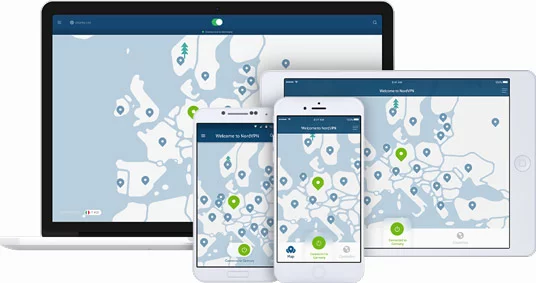
NordVPN is another great VPN for Netflix, especially if you want to watch US Netflix. NordVPN is based in Panama, a country with no mandatory data retention laws for VPN providers.
NordVPN has a SmartPlay feature that stands out for streaming on Netflix. This feature combines VPN protection with Smart DNS technology within the app. Everything happens seamlessly, so you don’t have to set up the feature or even know that it exists.
Due to Smart Play, all NordVPN servers work with Netflix. NordVPN has thousands of servers across 225 locations, and some of the covered regions include:
- United States
- Canada
- United Kingdom
- Japan
- Germany
- France
- Italy
To connect to your preferred region, choose a server in that country. If streaming does not work, try another server in the same country.
Apart from that, there’s also a SmartDNS option that lets you watch supported streaming services on devices that don't allow VPN apps to be installed. This service is easy to set up on your streaming device, and NordVPN provides guides to help you do so. However, SmartDNS does not encrypt your traffic, so stick to SmartPlay where possible.
Additional features that you’ll get with NordVPN include a kill switch, double VPN and Onion Over VPN servers, and DNS and IP leak protection. Feature availability varies by platform. A single subscription allows up to 10 simultaneous connections, and purchases come with a 30-day money-back guarantee, subject to the applicable terms.
Pros
- Fast streaming speeds
- Keeps no logs of your online activity or VPN connections
- Has thousands of servers in 225 locations worldwide
- Up to 10 simultaneous connections
- Offers SmartDNS
- 24/7 live chat support
- 30-day money-back guarantee
Cons
- Free trial available for Android only
Check out our detailed NordVPN review
CyberGhost – Cheapest long-term subscription
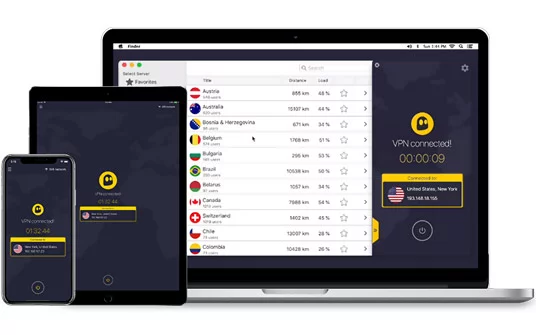
CyberGhost is one of the biggest names in the VPN world, and despite being owned by Kape Technologies, it still operates under the laws of Romania, its country of registration. The VPN keeps no logs of your connection or usage activities.
One feature that makes CyberGhost a good VPN for Netflix is its dedicated streaming servers. These servers are grouped in a For Streaming section in supported apps and are optimized for various streaming services in different countries.
These servers are labeled to make it easy to find a particular catalog. For example, if you want to stream Netflix US, you can choose a US server labeled as optimized for Netflix. Available Netflix server locations currently include:
- United States
- France
- Germany
- United Kingdom
- Canada
- Brazil
- The Netherlands
- South Korea
- Spain
- Sweden
- Switzerland and others
CyberGhost can be installed on Windows, macOS, Linux, Android, and iOS. Its apps are user-friendly, although features vary by platform. Available security features include a kill switch and DNS and IP leak protection. A single account supports up to 7 simultaneous connections. Longer subscriptions come with a 45-day money-back guarantee, while monthly subscriptions have a 14-day guarantee.
Pros
- 1-day free premium trial on Windows and macOS, a 3-day trial on Android, and a 7-day trial on iOS
- Keeps no connection or activity logs
- 7 simultaneous connections
- Dedicated streaming servers
- 45-day money-back guarantee on longer subscriptions
- 24/7 live chat support
Cons
- Monthly subscriptions have a shorter, 14-day money-back guarantee
Check out our detailed CyberGhost VPN review
IPVanish – Superfast VPN for Netflix US
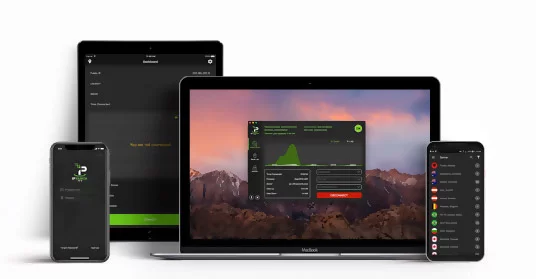
IPVanish is known for being one of the few VPNs that own and operate their entire server network. The VPN is based in the US, which may concern privacy-conscious users, but its current no-logs policy has been independently audited.
IPVanish supports Netflix streaming, although access to specific catalogs and servers can vary. You can contact the VPN’s 24/7 live chat support team for help finding a suitable server.
IPVanish is also one of the fastest VPNs on the market, so you’ll be able to stream HD content without buffering. You can also use the VPN to unblock other streaming services, such as Hulu, Spotify, and Amazon Prime.
IPVanish supports Windows, macOS, Android, iOS, Linux, and Fire TV devices. The VPN allows unlimited simultaneous connections, and yearly and two-year plans come with a 30-day money-back guarantee if it doesn’t do the trick for you.
Pros
- Independently audited no-logs policy
- Fast speeds
- Owns and operates its network
- Unlimited simultaneous connections
- User-friendly apps
- Kill switch on supported platforms
- 30-day money-back guarantee on yearly and two-year plans
Cons
- Based in the US
- No Bitcoin payment option
Check out our detailed IPVanish review
VyprVPN – Great Netflix VPN for Restrictive Networks
VyprVPN was previously operated by Switzerland-based Golden Frog but is now owned and operated by Certida, a US company based in Texas. The VPN adopted a no-logs policy in 2018 and states that it does not keep records of your connections or online activities.
VyprVPN advertises support for the following Netflix catalogs:
- United States
- United Kingdom
- Canada
- Germany
It’s important to note that access to a particular Netflix catalog is not guaranteed. You may need to try different servers in those countries or contact the VyprVPN support team via its live chat.
VyprVPN can also help you access other streaming services and blocked content in highly censored networks. Its proprietary obfuscated protocol, Chameleon, disguises VPN traffic to help bypass VPN blocking and censorship. You can test VyprVPN using its 30-day money-back guarantee.
Pros
- Owns and operates its server network and infrastructure
- Multiple VPN protocols
- Over 300,000 IP addresses
- Live chat support
- 30-day money-back guarantee
Cons
- Based in the US
- No Bitcoin payment option
Check out our detailed VyprVPN review
Top 5 Netflix VPNs: Head-to-Head Comparison
All the above VPNs work seamlessly with Netflix. However, some are better than others, and we’d like to give you a quick comparison of the five to help you make your decision.
Netflix locations
Netflix catalogs vary by country, so Netflix US may lack movies and TV shows that are available in other regions. It’s therefore useful for a VPN to support multiple Netflix regions.
ExpressVPN and NordVPN both support Netflix streaming, but their server-country totals should not be treated as counts of supported Netflix libraries. CyberGhost offers servers explicitly labeled for particular Netflix regions, including the US, France, Germany, and the UK. VyprVPN advertises support for Netflix US, UK, Canada, and Germany. IPVanish also supports Netflix streaming, but access can vary by server and region.
Privacy
ExpressVPN and NordVPN both maintain no-logs policies and offer features designed to prevent DNS and IP leaks. NordVPN operates under Panama’s jurisdiction.
CyberGhost is based in Romania and maintains a no-logs policy. The VPN was acquired by Crossrider, now Kape Technologies, in 2017. Crossrider previously operated in advertising technology before shifting its focus to cybersecurity and changing its name in 2018.
VyprVPN, on the other hand, previously collected connection logs but adopted a no-logs policy in 2018. It is no longer operated by Switzerland-based Golden Frog: Certida, a US-based company, now owns and operates the service. VyprVPN continues to state that it does not retain users’ connection or browsing activity.
IPVanish is also based in the US and maintains a no-logs policy backed by independent audits. Its US jurisdiction may concern some users, but that alone does not establish that it logs activity or can be “easily manipulated.
Security
All the Netflix VPNs listed here offer modern encryption and security features. The encryption algorithms and available protocols vary by device and connection method. Here’s a summary of each.
1.ExpressVPN
ExpressVPN offers strong encryption, but the exact encryption and authentication settings depend on the protocol used. Its current protocol options include:
- Lightway
- WireGuard on supported platforms
- OpenVPN UDP and TCP
- IKEv2 on supported platforms.
ExpressVPN recommends Lightway for most connections, with OpenVPN and IKEv2 also available as alternatives.
2.NordVPN
NordVPN offers several modern VPN protocols:
- NordLynx, its WireGuard-based protocol
- OpenVPN UDP and TCP
- NordWhisper, designed for restrictive networks
- IKEv2 through supported manual configurations.
NordVPN uses AES-256-GCM with its OpenVPN implementation, while NordLynx uses WireGuard’s cryptography. Protocol availability varies by platform.
Apart from that, NordVPN offers Double VPN, which routes your connection through two VPN servers instead of one. This adds another layer of protection. Onion Over VPN adds Tor routing, which can reduce speeds.
3.CyberGhost
CyberGhost offers strong encryption, with the algorithms varying depending on the selected protocol. For example, WireGuard uses ChaCha20 encryption rather than AES.
The VPN offers three main protocols, depending on the platform:
- OpenVPN
- WireGuard
- IKEv2.
CyberGhost also offers a kill switch and additional privacy and security features on supported platforms, so these vary by app.
4.VyprVPN
VyprVPN offers modern VPN protocols, including WireGuard, OpenVPN, IKEv2/IPsec, and its proprietary Chameleon protocol, depending on the platform. The encryption settings depend on the selected protocol.
Chameleon is primarily intended to help users overcome VPN blocking and censorship. It scrambles OpenVPN packet metadata, making VPN traffic harder to identify through deep packet inspection.
5.IPVanish
IPVanish offers strong encryption through several modern protocols. Its current protocol options include:
- WireGuard
- OpenVPN
- IKEv2.
The available protocols vary by device. The variety of protocols allows you to balance compatibility, security, and speed depending on the task you want to accomplish.
Servers
The number of servers and locations provided by a VPN is important. A larger network gives you more connection options, but server capacity, congestion, distance, and protocol also affect performance. Here’s a quick server network rundown for each provider:
- ExpressVPN offers an undisclosed number of servers in 113 countries.
- NordVPN has thousands of servers across 225 locations.
- CyberGhost has coverage in over 100 countries. Supported apps group servers into categories, including streaming and torrenting.
- IPVanish offers more than 3,650 servers across 150 locations. Its apps also distinguish physical and virtual server locations.
- VyprVPN offers more than 700 servers and over 70 server locations worldwide, with more than 300,000 IP addresses. The company states that it owns and operates its server network.
Compatibility
All five providers support Windows, macOS, Android, and iOS. Linux support and setup methods vary.
IPVanish offers Fire TV support, and CyberGhost also advertises Netflix-optimized options for Fire Stick and Android TV. Installation methods and app availability should be checked for your particular device.
When it comes to router installation, ExpressVPN’s old dedicated app for third-party routers has reached the end of service. Thus, router compatibility depends on the router’s firmware and the VPN protocols it supports. IPVanish supports compatible VPN-enabled routers, and VyprVPN also provides router connection options. Check the provider’s current setup instructions before choosing a router or installation method.
Customer support
ExpressVPN
ExpressVPN provides setup guides, troubleshooting information, and 24/7 live chat support. Response times can vary.
NordVPN
NordVPN provides troubleshooting guides, how-to articles, and an extensive support center. Live chat and email support are also available.
CyberGhost
CyberGhost provides written setup and troubleshooting guides, along with 24/7 live chat and email support.
IPVanish
IPVanish provides installation and troubleshooting information and 24/7 live chat support. Phone assistance is included with its Complete and Advanced plans.
VyprVPN
VyprVPN provides written guides to help users install and troubleshoot its VPN apps. Its support information directs users to its 24/7 Customer Success Team.
Pricing
VPN pricing varies by subscription length, plan tier, promotion, and renewal terms. Here’s a quick breakdown of the providers’ current offers:
- IPVanish’s Essential plan costs $14.99 on monthly billing. Its introductory yearly plan costs $3.89 a month, billed at $46.68 for the first year, while its two-year introductory plan costs $2.19 a month, billed at $52.56. Both longer plans subsequently renew at $99.99 a year.
- NordVPN’s Basic plan costs $14.99 on monthly billing. Its current one-year offer includes three extra months and costs $4.99 per month, with a total of $74.85 for the first 15 months. Its two-year offer includes three extra months and costs $3.49 per month, with a total of $94.23 for the first 27 months. Both offers list renewal at $139.08 a year.
- ExpressVPN now offers Basic, Advanced, and Express Pro tiers, with monthly, annual, and two-year subscription options. Its current Basic two-year offer includes four extra months and costs $2.99 a month, billed at $83.72 for the first 28 months. It then renews at $99.95 a year.
- VyprVPN’s pricing starts at $3.00 per month on a 2-year subscription, or $10.00 per month on a monthly plan.
- CyberGhost costs $12.99 on monthly billing. Its six-month plan costs $6.99 a month, billed at $41.94 every six months. Its current two-year offer includes four extra months and costs $2.19 per month, billed at $61.32 for the first 28 months, then renewed at $61.32 per year.
Head-to-Head Comparison Winner: ExpressVPN
ExpressVPN remains our overall pick in this comparison, with broad server coverage, multiple VPN protocols, and a range of subscription options. It now offers long-term subscriptions that allow for bigger savings, and the best value will depend on your devices, preferred Netflix region, and renewal price.
Why Netflix has Geo-restrictions
Although Netflix is available in over 190 countries and regions, its library varies by country. The main reason for this is licensing agreements with content producers and distributors.
Though the streaming giant produces original content, it also licenses movies and TV shows from other rights holders. These agreements determine where Netflix can show particular titles.
This happens because Netflix isn’t the only player in the TV and movie business. If another network or streaming service has exclusive rights to a particular show in the UK, Netflix may not be able to offer it on Netflix UK. However, not all licensing agreements are exclusive, so content can sometimes appear on more than one service in the same country.
To implement these restrictions, Netflix determines your apparent location and offers the library available there. Using a VPN can affect this: Netflix may show only titles for which it has worldwide rights.
How Netflix Blocks VPNs
Streaming services restrict VPN and proxy connections to help enforce regional licensing agreements. Hulu began blocking commonly used VPN IP addresses in 2014, before Netflix announced stronger proxy detection in January 2016.
Netflix’s 2016 statement did not announce a blanket ban on all VPN use. Instead, it explained that the company was strengthening measures against proxies and unblockers used to access titles outside a viewer’s territory. Today, Netflix says VPN users may only see titles available worldwide. VPNs are not supported on its ad-supported experience.
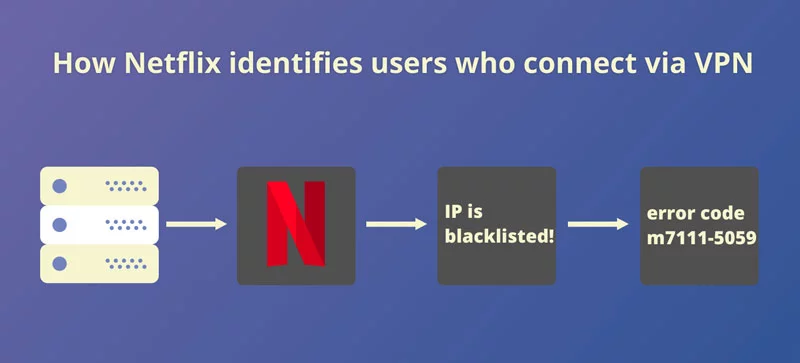
Netflix doesn’t publicly disclose the full details of its VPN-detection system. However, when Netflix does detect that your connection is using a VPN or proxy, it may restrict the titles available or display a message asking you to turn off the service. A proxy error does not necessarily mean that Netflix access is completely blocked.
Can I unblock Netflix using a smart DNS proxy?
Smart DNS services change how requests for selected domains are handled and may route some service-related traffic through proxy servers. This can help with access to supported streaming services. However, unlike a VPN, Smart DNS generally does not encrypt your traffic.
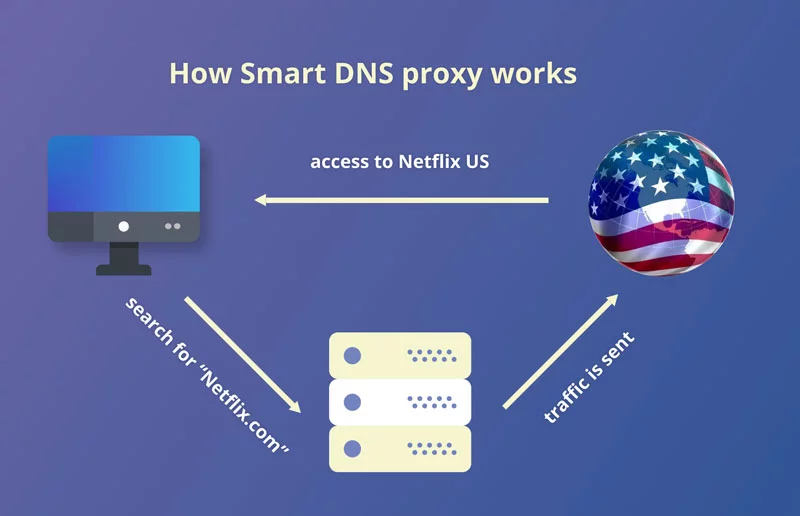
Smart DNS can be useful on devices that do not support native VPN apps, such as some smart TVs and gaming consoles. However, Netflix access depends on the Smart DNS provider, the service it supports, and Netflix’s detection measures. It should not be treated as a guaranteed way to access Netflix US or another regional library.
For example, ExpressVPN’s Smart DNS service is called MediaStreamer. It can be configured on compatible devices without a VPN app, but it does not provide VPN privacy or security, and you cannot use it to switch between locations.
How to fix the Netflix proxy error
There’s nothing more frustrating than choosing a title and getting the Netflix proxy error.
This error means Netflix believes your device or network is connecting through a VPN or proxy. It does not necessarily prove that a particular IP address has been permanently blacklisted. Netflix recommends turning off the VPN or proxy and trying again. Here are some other fixes you can try.
Check your VPN connection
If you want to keep using a VPN, check your provider’s current Netflix troubleshooting instructions. Some providers recommend trying another server in the same country, but this does not guarantee access to a particular catalog.
Contact customer support
If you have one of the VPNs in this list and are still getting the error, contact its support team for current connection advice. Not every provider uses explicitly labeled Netflix-optimized servers; some instead recommend suitable locations through customer support.
Alternatively, try another server in the same country and reopen Netflix. If the error persists, turn off the VPN and try again. If Netflix still detects a VPN when none is active, follow its connection-checking instructions and contact your internet service provider if necessary.
Can I use a VPN to watch Netflix in China?
China has extensive internet censorship implemented through the Great Firewall. Many popular services, including Google, Facebook, and YouTube, are generally blocked on standard internet connections in mainland China. Netflix does not officially offer its service there.
A VPN that successfully connects to a server outside mainland China may allow access to Netflix, but this is not guaranteed. Both China’s restrictions on VPN connections and Netflix’s own VPN detection can affect access.
The Great Firewall uses traffic analysis and other detection techniques to identify and block circumvention tools. Encryption alone does not guarantee that a VPN connection will avoid detection.
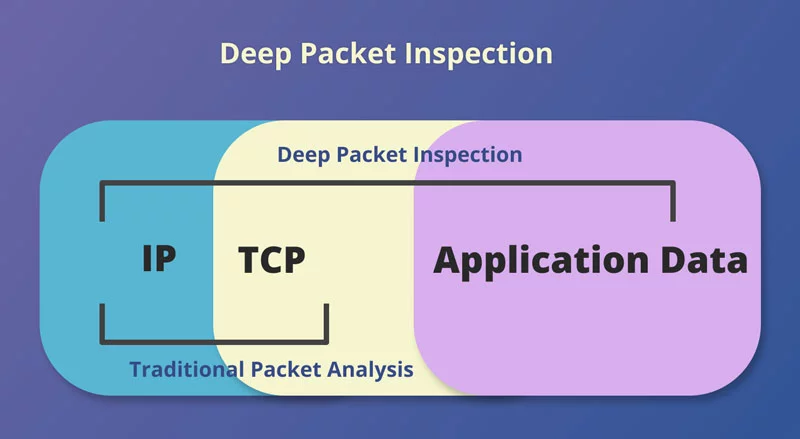
Obfuscation features disguise the characteristics of VPN traffic, making it harder to identify. Some imitate ordinary HTTPS traffic, while others use different techniques. These features are not limited to OpenVPN; many providers today offer custom obfuscation protocols, such as NordVPN’s NordWhisper and VyprVPN’s Chameleon.
If you plan to use a VPN in China, install and configure it before traveling, check the provider’s current connection guidance, and review applicable local rules. VPN websites and downloads may be difficult to access after you arrive. You can check out our best VPN for China guide for more information.
Free vs Premium VPNs for Netflix
Free VPNs let you gain some of the advantages of a VPN without paying. But can you use them to access Netflix?
Some free VPN connections may work with Netflix, but access can be inconsistent. Proton VPN, for example, allows streaming on its free servers but says Netflix frequently blocks its IP addresses and reserves optimized streaming access for paid plans.
Free plans may also have restrictions that make them less convenient for streaming.
Slow speeds and data limits
Free VPNs may offer fewer server choices, impose speed or data limits, or experience congestion. These restrictions can affect video quality and cause buffering.
However, limits are not universal. Proton VPN’s free plan, for example, has no data cap or artificial speed limit, although server load can still affect performance. Check the restrictions of the particular service rather than assuming that all free VPNs are the same.
Poor privacy and security
One of the main reasons to use a VPN is to improve privacy and protect traffic between your device and the VPN server. A trustworthy provider should use modern encryption and clearly explain its logging practices.
A free subscription does not automatically mean poor privacy or security. Some reputable providers fund their free plans through paid subscriptions and apply the same encryption and no-logs policy to both. However, others may use different business models, so review the provider’s privacy policy and funding model before signing up.
How do I set up a VPN for Netflix?
If you haven’t used a VPN before, it can seem hard to get started. However, that’s not the case, and you can unblock Netflix easily within a few clicks. Here’s how you can do that:
- Choose a VPN from the list above. Check that it supports your device, provides up-to-date Netflix connection guidance, and offers suitable refund terms.
- Visit the provider’s official website, choose a subscription plan, and create an account.
- Download the official VPN app for your device.
- Install the app and sign in using the method shown in the provider’s setup guide.
- Connect to a server in your preferred country. For ExpressVPN server recommendations, contact its support team.
- Open Netflix and sign in. From there, you can stream on Netflix without restrictions!
If you receive a proxy error, follow the troubleshooting steps above.

Best VPN for Netflix: Bottom line
Finding a VPN that works consistently with Netflix can be difficult. The five providers above offer streaming features and connection options, so our rating is a good starting point. Apart from streaming, a VPN can improve privacy by encrypting traffic between your device and its servers and masking your IP address from websites.
ExpressVPN remains our overall best pick for Netflix, thanks to its straightforward apps and streaming support. Check its current compatibility and refund conditions before subscribing rather than treating it as entirely risk-free.
Comments