How to Minimize VPN Speed Loss
Many VPN users notice a drop in internet speed after connecting. That’s because a VPN routes your traffic through an extra server and encrypts it before it reaches its destination.
How much this affects your connection depends on factors such as the VPN server’s location, your internet connection, and the protocol you use. With the right settings, you can often reduce the slowdown and keep browsing, streaming, or gaming smoothly.
| Top VPNs with fast connection speeds | — | — | — |
|---|---|---|---|
| 1 | ExpressVPN | 5.0 | |
| 2 | NordVPN | 4.9 | |
| 3 | Hide My Ass! | 3.0 | |
| 4 | VyprVPN | 4.8 | |
| 5 | IPVanish | 4.7 |
A VPN can affect your internet speed for several reasons:
- Encryption and processing. Your device and the VPN server encrypt and decrypt traffic as it travels through the tunnel. This uses some processing power, though modern devices and protocols can keep the overhead low.
- Extra data. VPNs add routing information to data packets. This creates a small amount of overhead, but it is usually not the main cause of a noticeable slowdown.
- Server distance and load. Traffic has to travel through the VPN server before reaching its destination. A distant or busy server can increase latency and reduce speed.
- Protocol and network conditions. The VPN protocol, your internet connection, and congestion along the route can also affect performance.
To reduce slowdowns, choose a VPN with nearby, well-performing servers and modern protocols such as WireGuard, IKEv2, or OpenVPN. If you need to connect through a specific country to access a service, try different servers in that location and compare their speeds. A free trial or money-back guarantee can give you time to test the service on your own connection. Server choice, network capacity, and reliable customer support are useful factors to consider when comparing VPNs.
Here are 5 best VPNs with fast connection speeds:
1 ExpressVPN – 1 winner
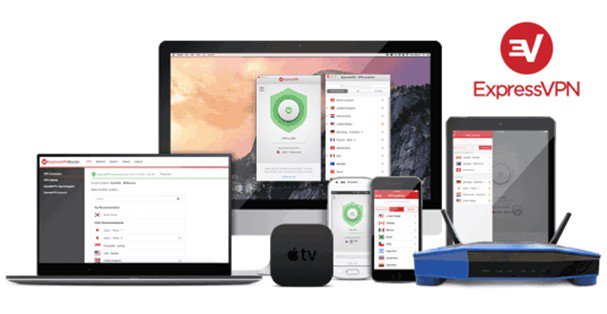
ExpressVPN focuses on keeping connections quick and stable with its Lightway protocol and Smart Location feature. Smart Location recommends a server based on factors such as download speed, latency, and distance, so you can get started without having to hunt through the server list. Its network spans 214 locations in 113 countries, and selected locations have upgraded 40 Gbps servers to handle high bandwidth demands.
You can also choose a server manually or let the app select a protocol automatically. For the best speeds, try a nearby server first; if you need to connect through a particular country, compare a few locations there. ExpressVPN subscriptions include unlimited bandwidth and server switching.
- Servers: Undisclosed
- Devices: 10–14
- Refund: 30 days
- Base: British Virgin Islands
2 NordVPN – 2 place
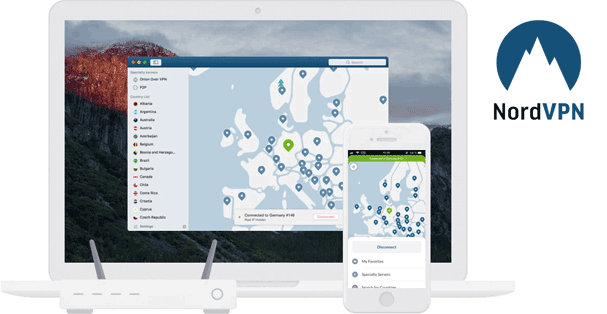
NordVPN is the fastest VPN on the market, offering the highest download and upload speeds on Windows and Android, as well as the shortest connection times. Its NordLynx protocol, based on WireGuard, is designed for high-speed connections. NordVPN’s network includes thousands of servers across 225 locations, giving you plenty of options when choosing a server for your connection.
The app can also recommend a server and protocol based on your connection, while unlimited bandwidth means there’s no data cap on your VPN use. NordVPN supports up to 10 simultaneous connections and has a kill switch that can cut internet access if the VPN disconnects. Its no-logs policy has been independently audited.
- Servers: 7,200+
- Devices: 10
- Refund: 30 days
- Base: Panama
3 Hide My Ass! – 3 place
HideMyAss Lightning Connect feature takes the guesswork out of finding a fast server. It automatically selects an optimal location based on your connection. If you’d rather choose manually, HMA includes a built-in speed test so you can compare servers and pick one that works well for you. Its global network gives you options to connect nearby or choose a specific location.
HMA supports OpenVPN on Windows and Android, and IPsec/IKEv2 on iOS and macOS. You can try the service with its seven-day trial and test how it performs on your own connection.
4 VyprVPN – 4 place
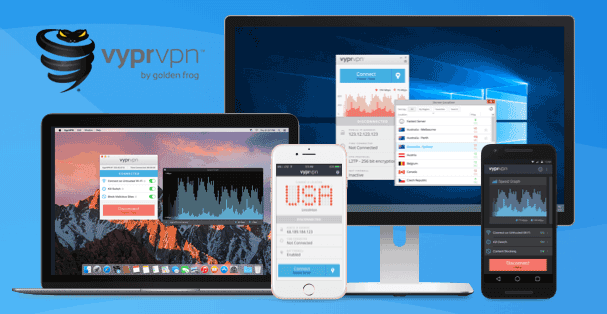
VyprVPN makes it easy to prioritize speed as its apps use WireGuard by default, while Quick Connect can select the server that offers the best connection. You can also check server ping times and manually select a different location if you want to compare performance. VyprVPN lists more than 70 server locations worldwide, giving you a range of routes to try.
WireGuard is a good first choice for everyday browsing, streaming, and other speed-sensitive tasks. If it doesn’t connect well on your network, VyprVPN also supports OpenVPN, IKEv2, and Chameleon, so you can switch protocols and see which works best for your connection.
- Servers: 700+
- Devices: 10
- Refund: 30 days
- Base: USA
5 IPVanish – 5 place
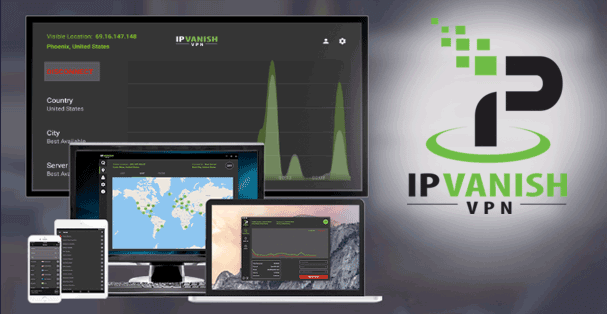
IPVanish is a good option to consider if connection speed is a priority. The service supports WireGuard, IKEv2/IPsec, and OpenVPN, and its network spans more than 150 locations. Connecting to a nearby server is a good place to start, but you can also try other locations to see which performs best on your connection.
IPVanish allows unlimited simultaneous device connections, so you can use it across your devices without managing a connection limit. For everyday browsing, streaming, or downloads, start with WireGuard and switch protocols if another option works better on your network.
- Servers: 3,400+
- Devices: Unlimited
- Refund: 30 days
- Base: USA
Using a VPN can affect your internet speed, but a premium VPN and the right settings can help keep the connection faster than you may think. Choose a service with modern protocols and a good selection of server locations, then try a nearby server or compare options to find one that performs well. If you want to access a site restricted to another region, connect through a server in that region. Take time to choose a VPN that fits how you use the internet.
Comments