Best VPNs for Kodi
Kodi is a free and open-source media player available for Android, Linux, FreeBSD, macOS, Windows, and other platforms. Its roots go back to the original Xbox, where its predecessor was known as Xbox Media Player, followed by Xbox Media Center (XBMC).
Kodi lets you organize and play videos, music, podcasts, and other media from your device, local network, or compatible online sources. It doesn’t come with streaming content or subscriptions; access to online services depends on available add-ons and each service’s requirements. Geographical restrictions may also apply, and services such as Netflix offer different content libraries depending on your location.
So, to access everything on Kodi, you may need to use a VPN. Here is the list of the 5 best VPN providers in 2026:
- ExpressVPN – top VPN provider to unblock and watch Kodi!
- NordVPN – reliable VPN for Kodi: kill switch is perfect for privacy!
- CyberGhost – cheap VPN service with 11,000 ultra-fast servers!
- VyprVPN – secure VPN to use for Kodi: Chameleon technology is great!
- IPVanish – awesome VPN for Kodi: 256-bit encryption!
What is Kodi?
The app performs a piece of media center software, which is compatible with numerous OSes and therefore runs on various devices, starting from your home PC and finishing with your Android-based phone.
It was initially released as XBMP, or Xbox Media Player, in 2002, and later renamed XBMC, or Xbox Media Center, in 2004. The tool was first designed for controlling all your media materials from a central hub in the home. At those times, you could run it on the first Xbox, providing that you hacked the console or had a modchip installer, as Microsoft didn’t authorize the independent program.
And only in 2014 was XBMC rebranded as Kodi by splitting support of its own software fork. The new brand name helped to conduct a strategically correct advertising campaign, as long as it wasn’t associated with Microsoft’s aged console, but presented an independently manufactured media center. Since then, Kodi has become one of the most in-demand home streaming tools around.
Kodi’s primary functionality
Having acquired the tool, you come up with numerous Kodi advantages, such as:
- All your connected home devices can become a part of a unique streaming hub while being united wirelessly over the network.
- The tool allows you to listen to music or watch video content on one device and listen to different music or watch something else on another device.The app supports recording live TV and electronic program guides.
- Having installed an additional app on your device, you can use your smartphone as a remote control.
- Providing that you buy video and music content from different online stores, you will be happy to know the tool is very resourceful, as long as it supports practically any file format:
Blu-ray Disc (unencrypted), CDs, DVDs, DVD-Video, Video CDs (including VCD/SVCD/XVCD), Audio-CD (CDDA), USB Flash Drives, and local Hard Disk Drives;
AirPlay/AirTunes, UPnP, SMB/SAMBA/CIFS, AFP, Zeroconf/Avahi/Bonjour, NFS, HTTP, HTTPS, FTP, RTSP (RTSPU, RTSPT), MMS (MMSU, MMST), Podcasting, TCP, UDP, SFTP, RTP, and RTMP (including RTMP, RTMPT, RTMPE, RTMPTE, RTMPS), DHCP, NTP, WebDAV;
AVI, MPEG, WMV, ASF, FLV, MKV/MKA (Matroska), QuickTime, MP4, M4A, AAC, NUT, Ogg, OGM, RealMedia RAM/RM/RV/RA/RMVB, 3gp, VIVO, PVA, NUV, NSV, NSA, FLI, FLC, DVR-MS, and WTV;
MPEG-1, MPEG-2, H.263, MPEG-4 SP and ASP, MPEG-4 AVC (H.264), H.265 (as from Kodi 14) HuffYUV, Indeo, MJPEG, RealVideo, RMVB, Sorenson, WMV, Cinepak.;
MIDI, AIFF, WAV/WAVE, AIFF, MP2, MP3, AAC, AACplus (AAC+), Vorbis, AC3, DTS, ALAC, AMR, FLAC, Monkey's Audio (APE), RealAudio, SHN, WavPack, MPC/Musepack/Mpeg+, Shorten, Speex, WMA, IT, S3M, MOD (Amiga Module), XM, NSF (NES Sound Format), SPC (SNES), GYM (Genesis), SID (Commodore 64), Adlib, YM (Atari ST), ADPCM (Nintendo GameCube), and CDDA.;
BMP, JPEG, GIF, PNG, TIFF, MNG, ICO, PCX, and Targa/TGA;
AQTitle, ASS/SSA, CC, JACOsub, MicroDVD, MPsub, OGM, PJS, RT, SMI, SRT, SUB, VOBsub, VPlayer;
APEv1, APEv2, ID3 (ID3v1 and ID3v2), ID666, and Vorbis comments for audio file formats, Exif and IPTC (including GeoTagging) for image file formats.
- In order to help you categorize the content, the tool is supplied with the TVDB and MusicBrainz.
- Being an open-source tool, Kodi is provided with numerous extensions you may find online, like dedicated YouTube, Video apps, IRC chat, weather forecasts, radios, etc.
Kodi’s compatibility
When thinking about what hardware is appropriate for Kodi, you should have a look at this pain-free Kodi installation manual:
- At first go, Kodi is compatible with a number of hardware devices, which have been developed for direct connection to a TV and do not require any additional hardware.
- Kodi supports:
Kodi for Android:
Kodi runs on compatible Android phones, tablets, TVs, streaming sticks, and set-top boxes.
- Android version: Kodi 21 Omega requires Android 5.0 or later. This is a minimum requirement; choose a device with a currently supported operating system and security updates.
- Processor: Download the build that matches your device. Kodi currently provides Android installers for 32-bit and 64-bit ARM processors.
- Controls and display: Kodi’s interface is designed for large screens and remote controls, but neither is mandatory.
- Video playback: Performance depends on the device’s hardware, supported video codecs, and the resolution of your content. Android compatibility alone doesn’t guarantee smooth 4K playback.
Android hardware compatibility
Check the exact model before buying a device for Kodi. Devices from the same manufacturer can use different operating systems and offer different playback capabilities.
Be particularly careful with Amazon Fire TV: Android-based Fire OS models and newer Vega OS models are different platforms. Kodi’s Android APK cannot be installed on Vega OS.
Older devices such as the Google Nexus Player, OUYA, and Razer Forge TV should not be presented as current buying recommendations. Likewise, Linux development boards need a compatible operating system and Kodi build; support should be checked for the specific board.
Before purchasing, consult Kodi’s official documentation and look for recent user reports covering your exact device and intended video formats.
Kodi for Apple TV, iPhone, and iPad:
Apple TV
- Apple TV 2: No longer supported by current Kodi releases.
- Apple TV 3: Not supported.
- Apple TV HD and Apple TV 4K: Kodi provides a tvOS version, but installation requires sideloading rather than downloading it from the App Store.
One installation method uses a Mac, Xcode, and iOS App Signer to sign and install Kodi’s tvOS package. Apple TV 4K connects to Xcode wirelessly; the Apple TV HD also supports a USB-C connection. With a free Apple developer account, the app generally needs to be signed and installed again every seven days.
iPhone and iPad
Kodi can run on compatible iPhones and iPads, but it isn’t available through Apple’s App Store. You need a suitable sideloading method or a compatible jailbroken device.
The official download page lists iOS 11 or later for Kodi 21.3 Omega and provides a 64-bit build. Older 32-bit devices in previous compatibility lists cannot run that build.
For installation instructions, use Kodi’s official guides and check the requirements for your device, operating system, and chosen installation method.
Kodi for Linux:
Kodi runs on Ubuntu and other Linux distributions. Use a currently supported distribution and check the requirements for your chosen Kodi package. Kodi’s official Linux download page offers installation through Flathub.
- Processor: Compatible x86/x86-64 or ARM hardware, depending on the operating system and Kodi build.
- Memory: Kodi’s documentation recommends at least 1GB of RAM for a dedicated media player and 2GB or more for a computer running other applications.
- Graphics: Compatible graphics drivers and hardware video decoding are important for smooth playback, particularly with high-resolution content.
- Hardware: Options include Linux PCs, supported Raspberry Pi models, and selected ARM devices or TV boxes with compatible Linux firmware. Check support for the exact model before installing or buying hardware.
Kodi for macOS:
- Operating system: Kodi 21.3 Omega requires macOS 10.14 Mojave or later.
- Processor: Separate installers are available for Intel (x86-64) and Apple Silicon (ARM64) Macs. Choose the version that matches your processor.
- Installation: Download the appropriate disk image from Kodi’s official website and follow its macOS installation guide. The installation process and hardware requirements differ from those for iPhones and iPads.
Kodi for Windows:
- Operating system: Kodi’s current hardware guidance lists Windows 10 as the minimum and recommends Windows 11.
- Processor: An x86 or x86-64 processor with SSE2 support. Both 32-bit and 64-bit Windows installers are available.
- Graphics: Your graphics hardware and drivers must meet Kodi’s requirements. Updating drivers may resolve compatibility problems, but it cannot add features that the hardware doesn’t support.
Download the appropriate installer from Kodi’s official website and follow the installation prompts. If you also need a VPN for Windows, check its system requirements separately.
VPNs for Kodi add-ons. Why do you need to use them together?
People who get used to streaming video through Kodi add-ons also use a VPN service. Why? Because many Internet providers deal with cable TV, their profit is decreasing when net users stream video content with Kodi add-ons. When connecting through a virtual private network, your true IP is hidden from your ISP, and it is not possible to guess it. A VPN will conceal what you perform online, allowing you to keep safe, private, and anonymous when connecting through Kodi add-ons.
Can I encounter geo-restrictions when using Kodi add-ons?
A VPN will help you to avoid blocks because in some countries, this web content is unavailable. It is necessary to choose a server located in another state and connect via this one. No one can see that it is you performing any internet activity, as the IP of that server will be visible on the web.
- Do I need a VPN for Kodi?
- How to choose the best VPN for Kodi?
- The best VPNs for Kodi
- What are the functions and the characteristics of the best VPN for Kodi?
How to use Kodi without any restrictions?
There is one technology that is able to help you with the problem, provided that you have a subscription to it. Of course, we are talking about a VPN for Kodi. A VPN-enabled router can solve all problems with geo-restrictions.
Do I need a VPN for Kodi?
Unfortunately, the answer is positive, as there is a set of problems Kodi users may face. The three main ones are presented below:
● Due to the limitations certain countries place on access to Kodi, the service is unavailable in some regions of the world.
● People living in censored places may download and install only some Kodi addons. Others will be impossible to use.
● Kodi is not resistant to hacking attacks. In this way, Kodi users may be targeted by fraudsters. Thus, there was a case when people were attacked via subtitles.
How to choose the best VPN for Kodi?
If you still doubt whether you need a VPN for Kodi, you should consider all the possibilities it gives one more time. When you know all the functions and necessary characteristics the best VPN for Kodi or Fire TV should have, you can choose the best VPN for Kodi on your own. As soon as you use Kodi Exodus P2P sharing, you need the best tool ever.
When choosing the best VPN for Kodi, you need to pay attention to its main characteristics:
⇒ a wide variety of server locations;
- The feature enables you to choose any US-based server to access Freeform, Netflix, etc., on Kodi. In case one of the servers is overloaded, you will be able to establish an internet connection through another server, which is faster in operation. Besides, while traveling all over the globe, you will be able to choose any network to connect to.
⇒ strong encryption protocols;
- The characteristics influence your network protection, as different protocol usage addresses various aspects of traffic security. Thus, when looking for a VPN for Kodi with a low average internet connection speed, you’d be better off choosing PPTP. Whereas for better traffic encryption, OpenVPN and L2TP/IPSec are highly recommended.
⇒ unlimited bandwidth and speed;
- Since Kodi is used for streaming media, you should pay attention to factors such as bandwidth and speed. If you have a VPN that offers limited bandwidth and speed, you will be unable to transfer heavy traffic without any lag or hitches.
⇒ a trial version or a money-back guarantee;
- Some companies provide their service with both functions. In such a manner, you will be defended from extra money expenses and able to test the service before subscribing to it.
⇒ support of different payment methods;
- When choosing a payment method, you shouldn’t forget that one of the most reliable and confident ways is to pay with cryptocurrency. In this case, a VPN provider will have nothing to collect and store on its servers. While paying via a credit card, your banking data is saved by the provider.
⇒ 24/7 professional technical group assistance;
- Being an average internet user, you need to have well-timed support, as long as any problem coming from a VPN service can be solved with the help of the team of professionals. However, many tech-savvy customers underestimate the support group and are at a loss when facing some difficulties outside their competence.
⇒ logging policy;
- It is vital for modern Internet users to use a VPN service, which is consistent with a zero-log policy, as it guarantees real anonymity and secure use of the Internet.
⇒ Built-in automatic kill switch;
- Although the VPN services for Kodi presented in this article are really reliable, the VPN connection may be lost for technical reasons. The feature of the automatic kill-switch prevents such troubles.
⇒ Simultaneous connections;
- The number of simultaneous connections should be considered if a person is interested in using a VPN for Kodi on multiple devices at once. There are VPN providers, whose prices depend on the number of devices a user is going to protect. However, the VPNs described here have fixed prices.
⇒ Operating system;
- The OS of a device is to be taken into account as well. Otherwise, one may find oneself in a predicament situation when the VPN a person has already paid for is not compatible with a tablet, laptop, or any other platform one possesses. For example, some VPNs for Windows devices do not work on Linux.
Who needs a VPN for Kodi?
Apart from the valid reasons to use a VPN service for Kodi, there are ones that may be less obvious. If we take into account cyber security attacks statistics, online protection is a necessity today.
Thus, let us sum up and list the main motives to subscribe to one of the best VPNs for Kodi:
Reason 1
The first reason is evident – restrictions! For those who live in a place where access to Kodi or its addons is blocked, a VPN is a magic tool that serves to change the IP and thus makes the app unblocked.
Reason 2
Another problem a person who lives in a restricted place may be reprimanded for accessing protected content. The example of such a country is Iran, where a person may be imprisoned or fined for accessing blacklisted websites or services.
Reason 3
The last but not least important reason to subscribe to a VPN for Kodi is speed. Unnecessary apps appear as soon as one loads a browser and opens a page. A reliable VPN provider for Kodi blocks such pop-ups, preventing the reduction of speed.
Have you found a reason to open this page?
Then study the brief VPN reviews and find the VPN service that would meet all your requirements:
What are the functions and the characteristics of the best VPN for Kodi?
A VPN for Kodi, or a virtual private network, is an up-to-date technology that fulfills five main functions:
- Privacy: the best VPN for Kodi or free VPN for Fire TV Stick, hides your real IP address and gives you the possibility to choose any virtual location you like. Besides, the best VPN for Kodi should offer IPv6 leak protection and DNS leak protection for better performance with Kodi.
- It’s highly important that the best VPN for Kodi has many server locations. If the VPN for Kodi you’ve selected has many server locations in different countries, that means you can choose as many streaming resources as possible. What is more, the best VPN for Kodi should supply you with boosted speed servers hosted independently by the company. In this case, you will be deprived of lags, hits, and bugs when watching any streaming video content in high quality.
- Security: the best VPN for Kodi uses the latest VPN protocols for creating a secure tunnel. Passing through the tunnel, all your sensitive data is encrypted, thus inaccessible to all adversaries. The best VPN for Kodi should offer the latest protocols and long-bit keys for traffic protection. With a wide range of protocols, you can choose the most suitable option for the best possible protection or the fastest operation.
- The best VPN for Kodi should use the latest protocols, such as WireGuard, NordLynx OpenVPN, and others. They are more up-to-date, so they manage to provide their users with the best service. Besides, it is beneficial for VPN subscribers when a VPN supports multiple tunneling protocols, as it allows for various functions.
- Anonymity: the best VPN for Kodi provider must be reliable. The best VPN service for Kodi should guarantee logoless operation and store no metadata on its clients that could be passed to any interested party. Besides, when choosing a payment method for the service, you need to pay attention to cryptocurrency. Providing that you have the possibility to pay for it with Bitcoin, you’d better subscribe to it, as long as such a method doesn’t require a service to collect and save your banking card credentials.
However, having paid with cryptocurrency and stayed dissatisfied, which resulted in a money-back guarantee request, you will be paid in USD. This can translate into some currency devaluation.
- How to set up ExpressVPN for Kodi?
- How to set up NordVPN for Kodi?
- How to set up CyberGhost for Kodi?
- How to set up VyprVPN for Kodi?
- How to set up IPVanish for Kodi?
- The best VPNs for Kodi conclusion
How to set up ExpressVPN for Kodi?
Follow the steps below and install ExpressVPN for Kodi:
#1 Go to the official ExpressVPN website.
#2 Find the section on plans and choose the one that suits you best.
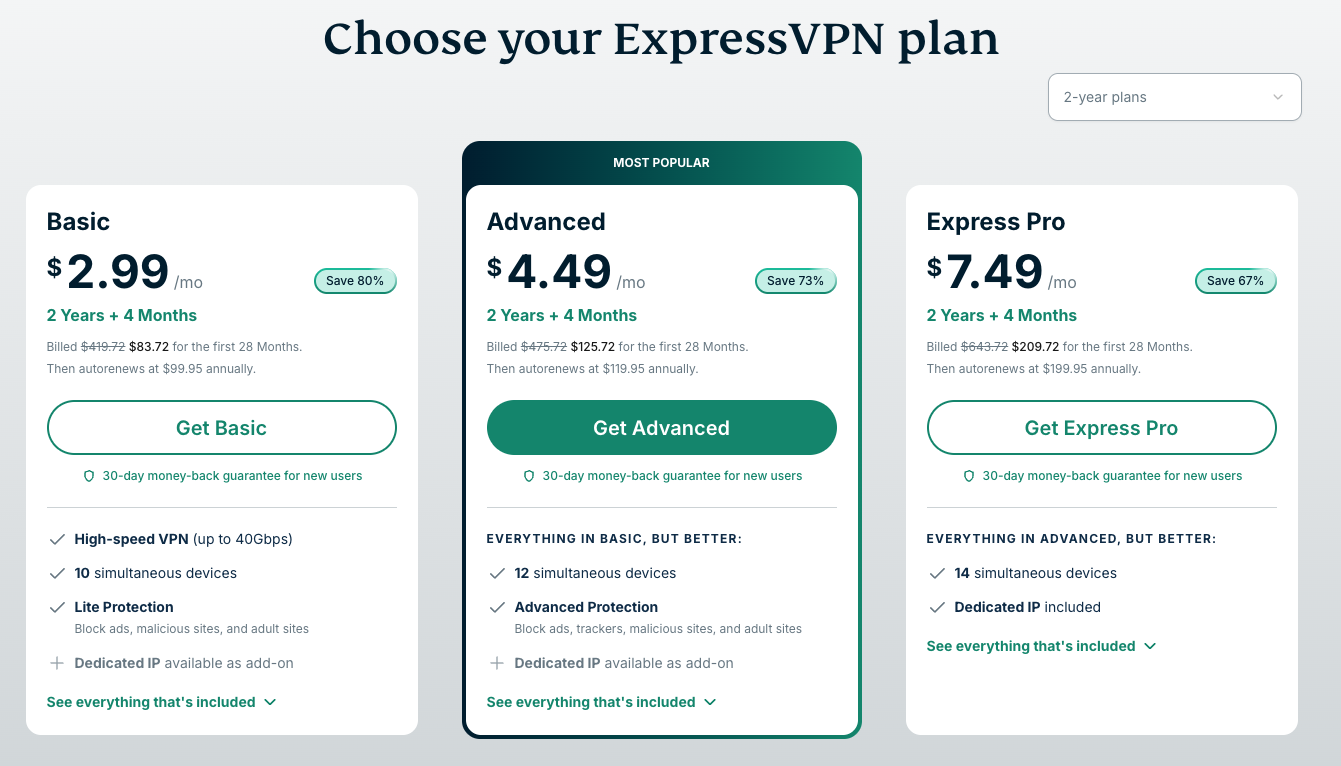
#3 Then subscribe for the chosen plan.
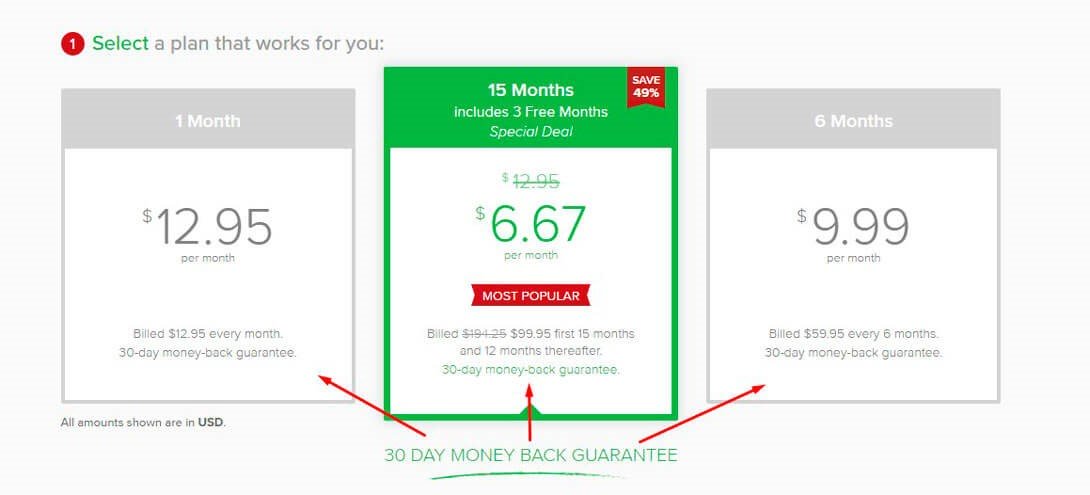
You need to create an account and choose how you will pay.
#4 Download the app compatible with your device.
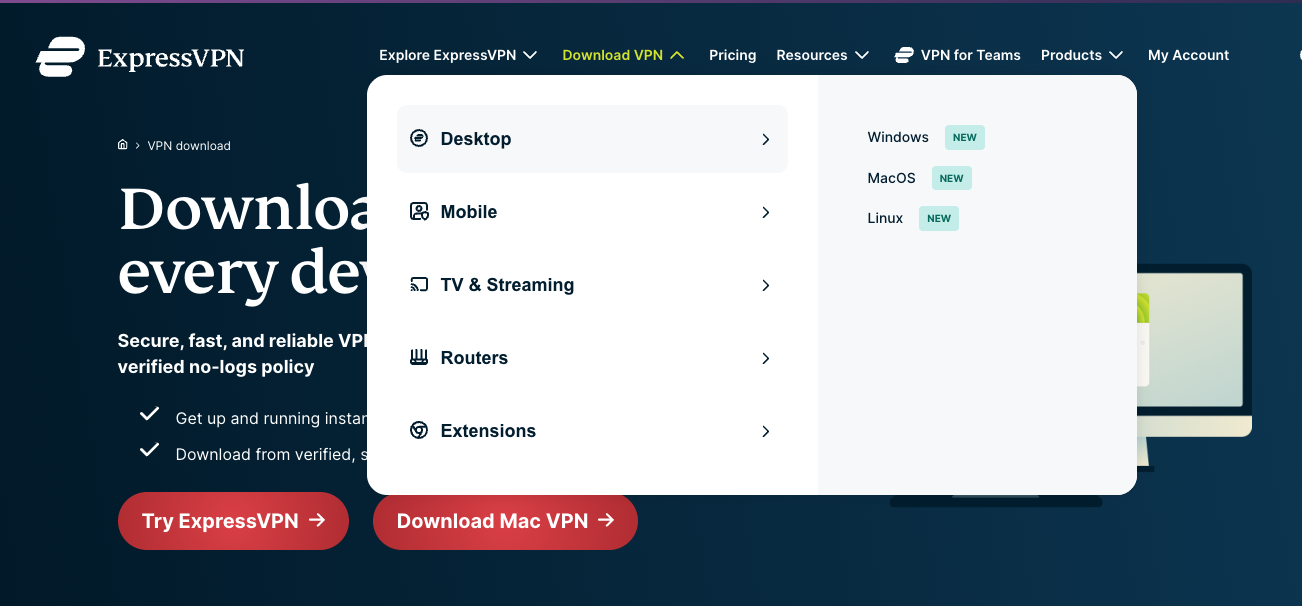
#5 Set up the downloaded ExpressVPN app and be ready to use it for Kodi.
How to set up Nord VPN for Kodi?
If you have chosen the service for watching Kodi, you should know the service is the most appropriate solution for the issue, as long as the process of a VPN installation, as well as usage, is very straighforward.
#1 The first step you need to take is to enter the official NordVPN website and choose one of the three main packages:
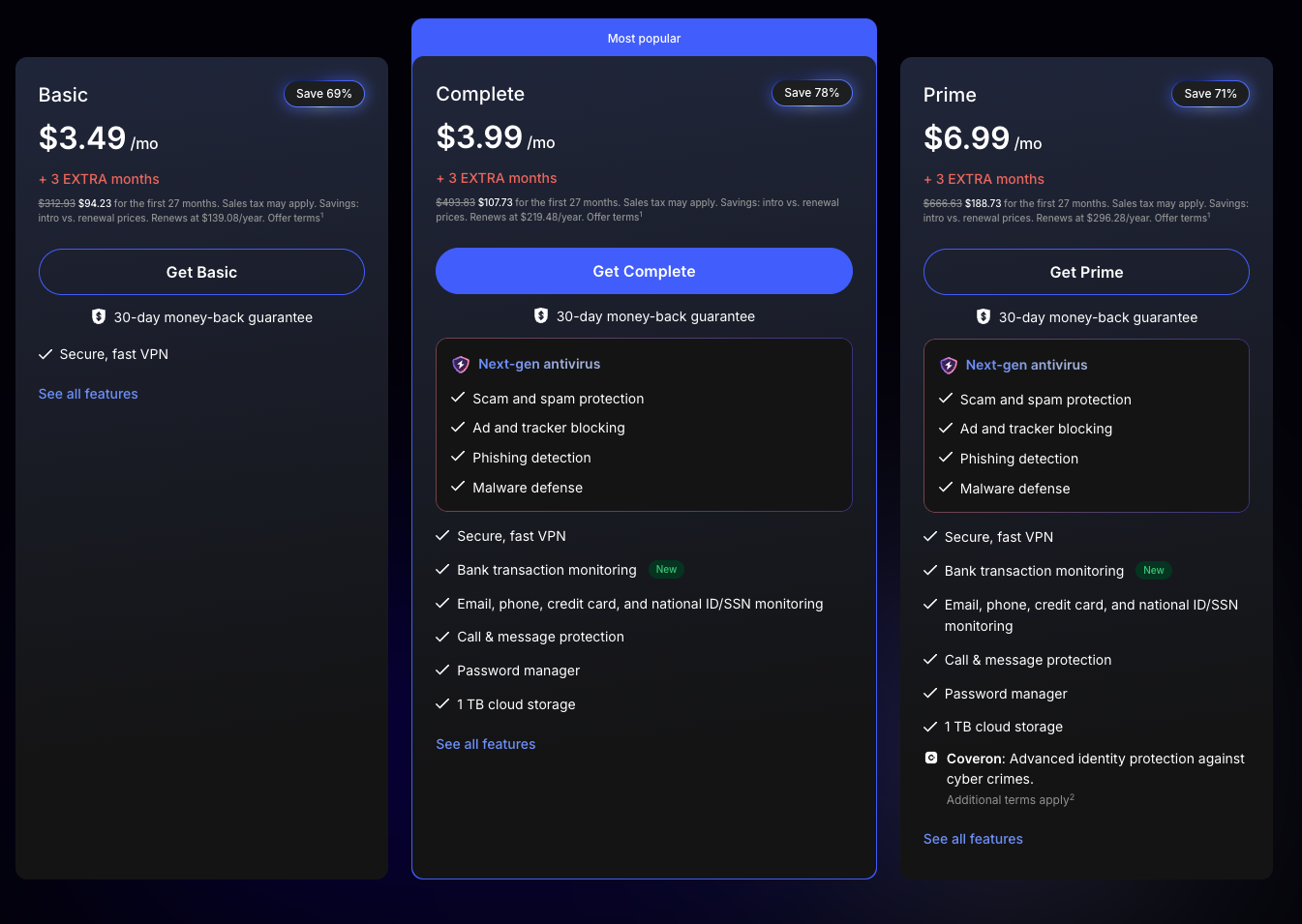
#2 Then you need to fill in the subscription form here and choose the most suitable payment method:
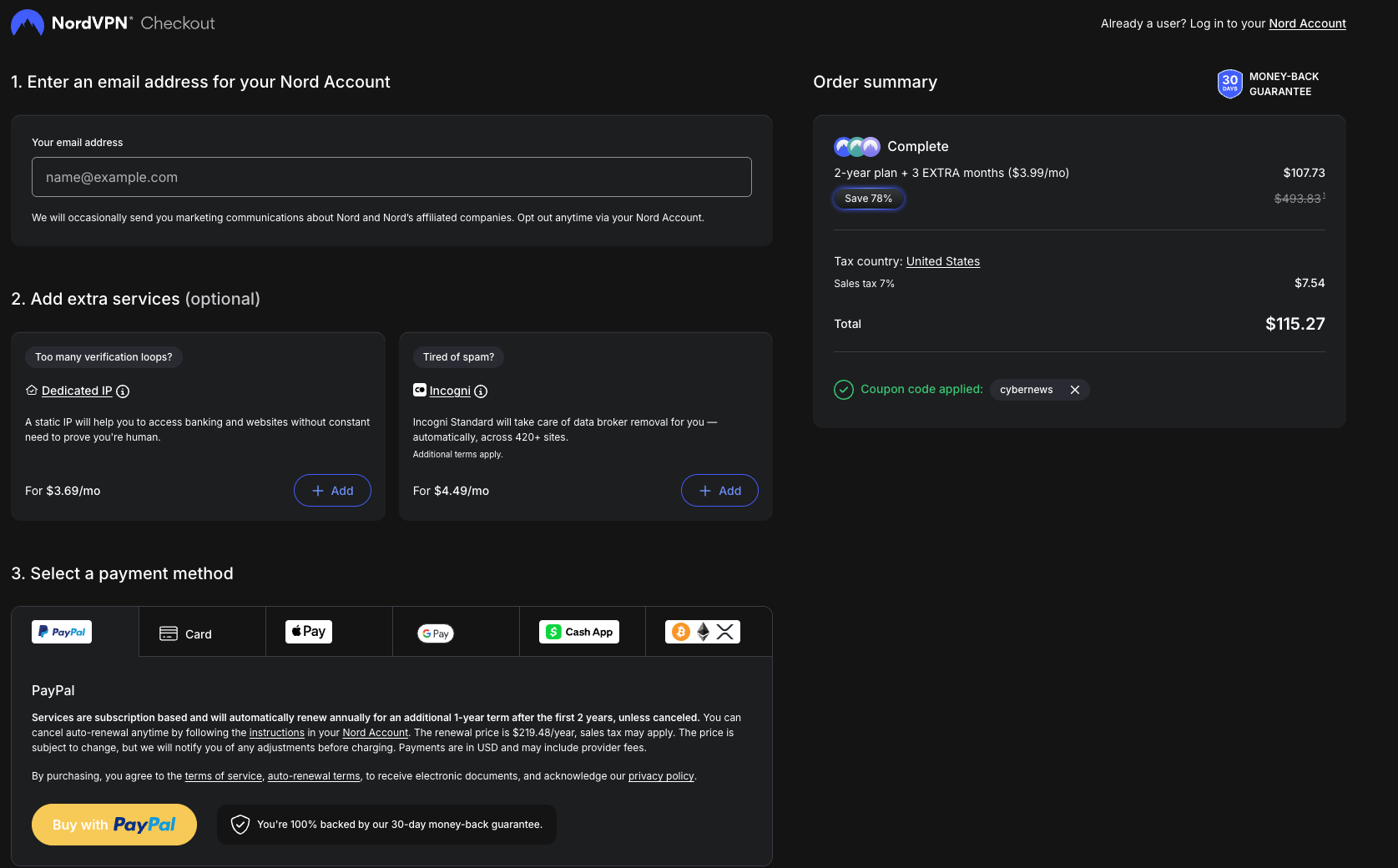
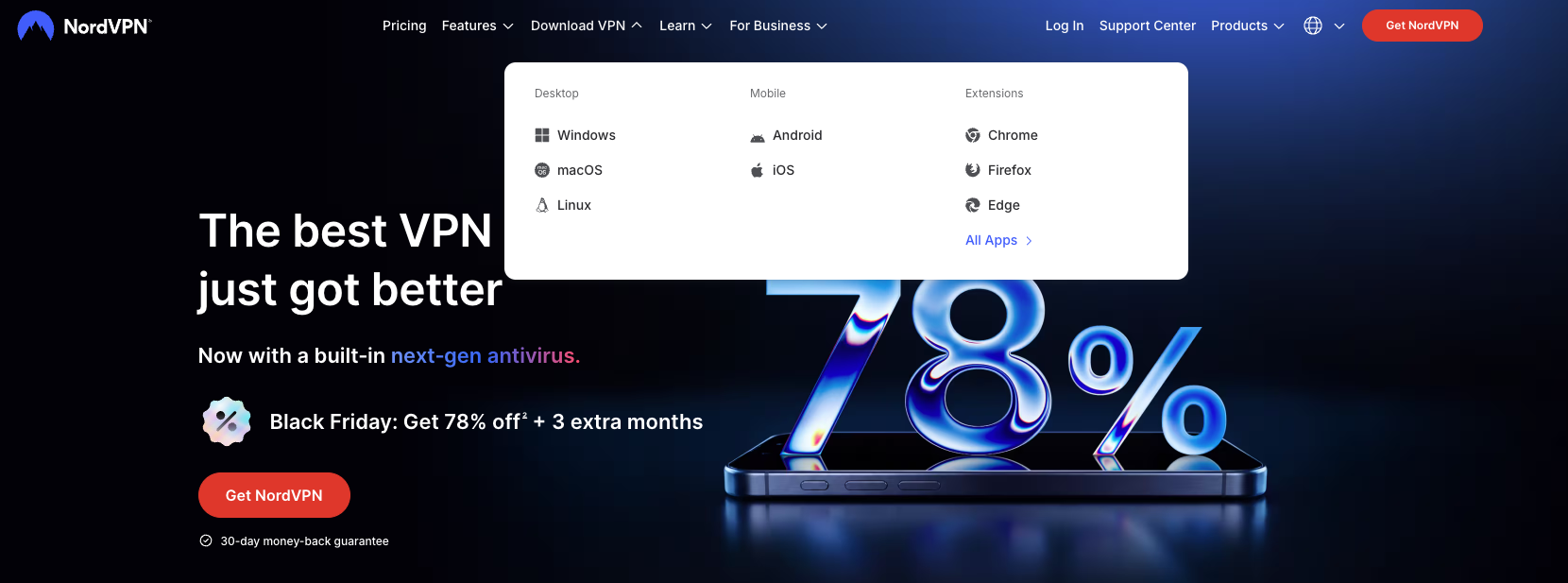
#3 After you have received an email with your account credentials, you need to download and install an app.
And you will be redirected to the page from where you will be able to download the app you need.
#4 Then you will have to see how to work with the app and all the functions it offers:
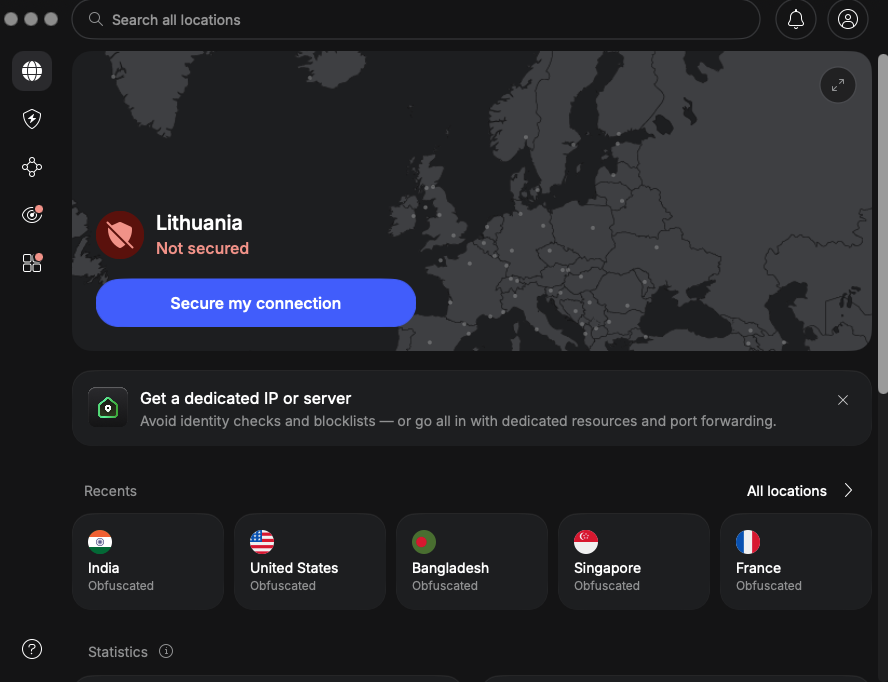
The app is simple to run and has a modern interface.
With the use of NordVPN for Kodi, you can stay absolutely protected from any interference in your private life and online affairs.
How to set up VyprVPN for Kodi?
If you want to subscribe to VyprVPN for watching Kodi and protect your data against hackers, you need to visit the official website and choose one of the main packages.
#1 Choose an appropriate package:
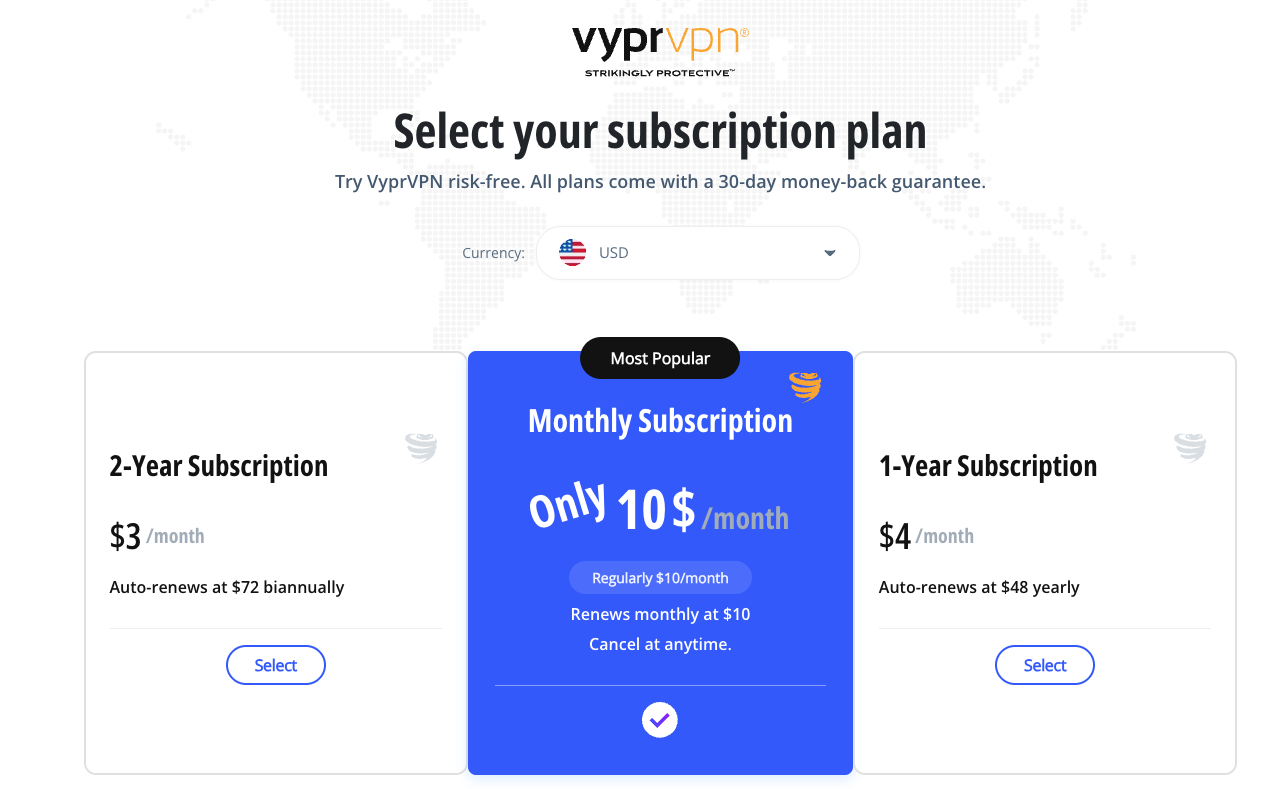
There are two versions of VyprVPN. The premium version gives more facilities, while the basic VyprVPN is cheaper.
#2 Fill in the order form and choose the most suitable payment method:
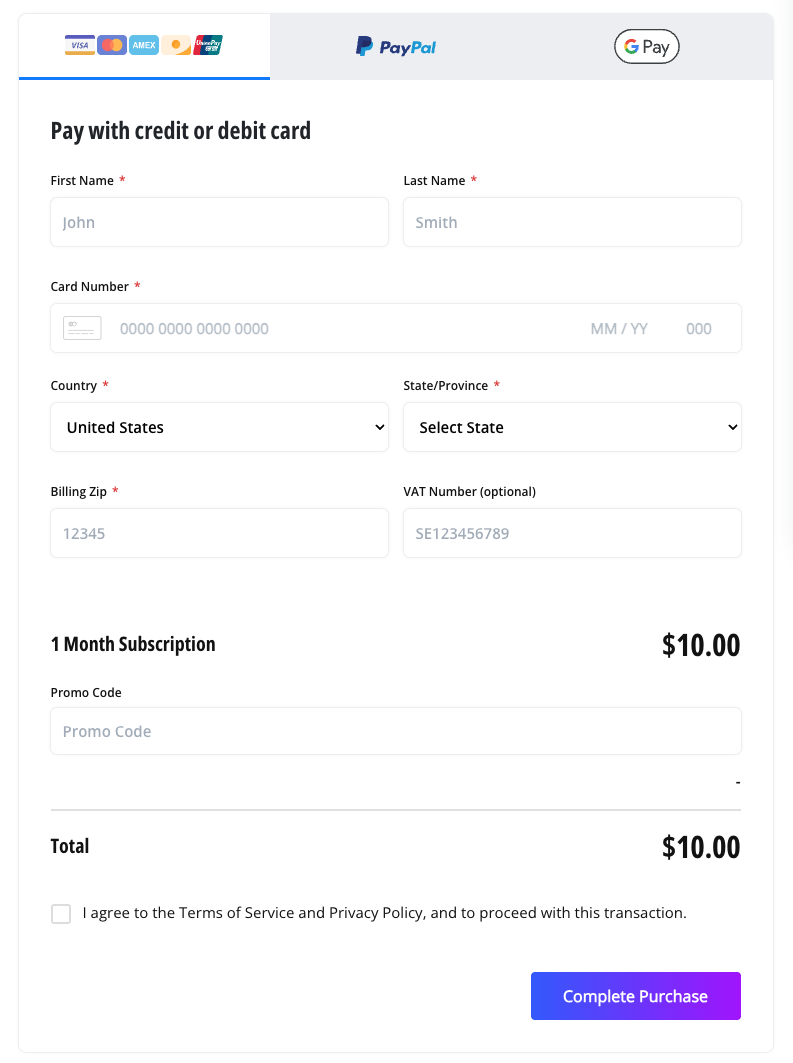
#3 After that, it’s time to download the right app for your system’s version and watch Kodi without limits.
#4 Having downloaded the app, you should open it, choose a suitable server, and watch Kodi while bypassing any geo-blocking.
How to set up CyberGhost for Kodi?
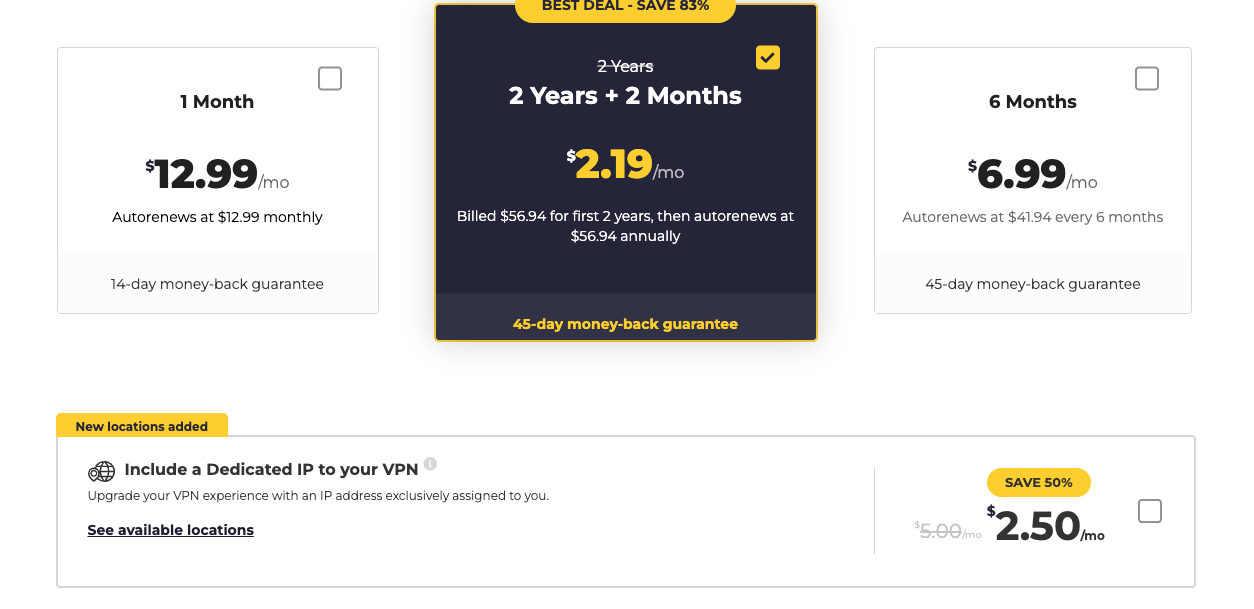
#1 If you have decided to subscribe to the service to use it for watching Kodi from any part of the world, you will have to choose an appropriate package, payment method, and fill in the order form:
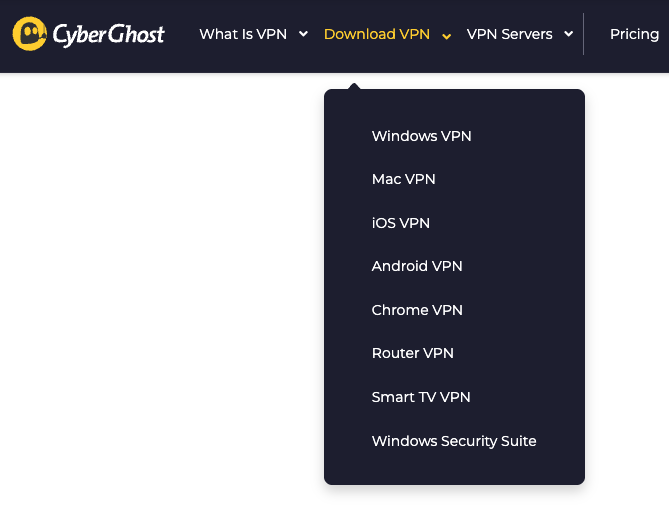
#2 Then you need to create your personal CyberGhost account and download a suitable VPN app, for example:
#3 After you have downloaded and installed the app, you will be able to run the app through the easy-to-use interface.
Having entered all the needed credentials and chosen a suitable US-based server, you are free to watch any of the video content presented on Kodi.
How to set up IPVanish for Kodi?
If your choice is IPVanish for Kodi, you should follow these steps to set it up on your device.
#1 The first step will be to select the plan: one month, one year, or two years. With the 2-year plan, you can save more money than with the two other packages.
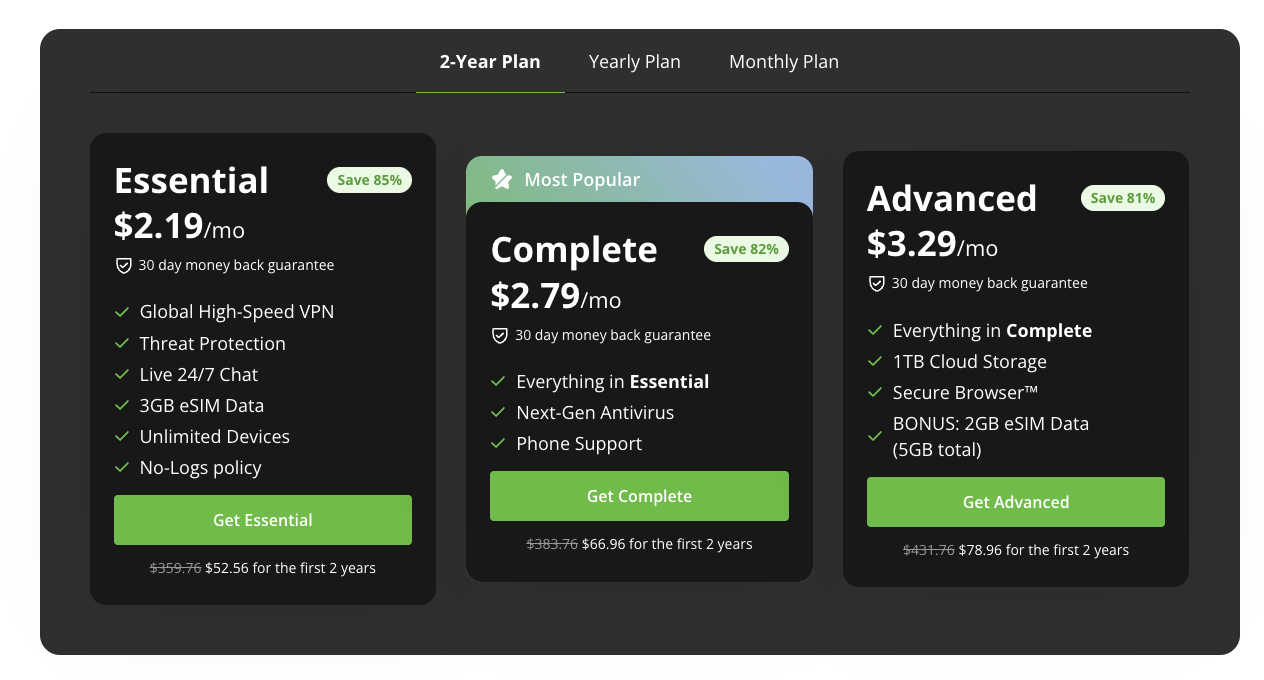
#2 Then you have to click on the plan you’ve chosen and you will be prompted to choose how you to pay for the service.
#3 Having selected a payment method, you need to provide the email and password for the account.
#4 After you pay for the service, download the IPVanish app for your operating system or platform and install it on your gadget.
The best VPNs for Kodi’s conclusion
Kodi is one of the most in-demand media players. However, the service is blocked in some regions with censorship. Therefore, having decided to go somewhere on vacation or for business, you may be deprived of the possibility to watch your favorite streaming channels or TV shows.
No geographical limits
The measures called ‘geo-filtering’ have been implemented by many European and American streaming services, as long as giving people a possibility to watch the video content without a subscription does not infringe the author's rights. Besides, being illegally entered into the services loses profit, but they have to invest in new video projects for their keen followers.
IP masking
However, the IP-filtering system has influenced average customers concerned about their online protection too, as long as you have changed your address while traveling somewhere or connecting to some IP-protective service, even if you are licensed, you will be deprived of access to the source.
Therefore, many privacy-seeking customers have been excluded from using the service, as well as from all the streaming content they’ve streamed on Kodi.
Streaming without restrictions
For this very reason, we have decided to show you a possibility of how to get your favorite streaming channels back on Kodi. One of the most usable and proven ways is to subscribe to a reliable VPN service.
Having established an internet connection through one of the US-based servers, you are able to get access to all the ‘home’ streaming services you are subscribed to and used to.
Traffic protection
Besides, all your generated traffic is to be thoroughly encrypted and encoded with the use of up-to-date protocols, which are to create a secure tunnel between your connected device and a VPN server in use.
While passing through the tunnel, all the traffic is encoded and thus unavailable for all the prying eyes. However, it will be of high use if a service offers a NAT firewall pre-installed on its servers, as long as in this case any outgoing traffic trying to get access to your connected device won’t have such a possibility.
Enhanced privacy
What is more, the service is highly anonymous and keeps your identity safe even when running Kodi in such censoring countries as China, India, Iran, and so on.
Therefore, being one of the most popular media players that offer various opportunities, Kodi can lack services due to some geo-restrictions. That’s why, to enjoy all the possibilities suggested by Kodi usage, one should think about a VPN subscription.
The best VPN for Kodi hides your real IP address and location and gives you the possibility to choose any virtual location and enjoy geo-restricted services you want, whether it’s Netflix, Freeform, BBC, or others. Moreover, the best VPN for Kodi encrypts all your traffic, thereby protecting it from interference.
Comments