Needless to say how vulnerable our sensitive information on the network is. These days, cases of data leakage are neither surprising nor shocking. Moreover, the identification complexity of malefactors makes online crime even more frequent. In this regard, special attention is devoted to Internet safety.
A cautious netizen understands the importance of having a good VPN on his or her device. We’re going to offer you a Hoxx VPN review to see if the provider is secure for staying anonymous online.
- Tariffs and prices of Hoxx VPN
- Functions of Hoxx VPN
- Security and Privacy
- Info on servers in different countries
- Support service
- Client Account procedures
- IP Leak test and speed test for Hoxx VPN
- Platforms
- Summary
Tariffs and prices of Hoxx VPN
One of the main advantages of the provider is that it can be used as a completely free VPN. The provider runs more as a proxy service than a full VPN. Its main aims are to protect your personal data while using public Wi-Fi and unblock geo-restricted websites. The free-of-charge version includes:

- No bandwidth limits;
- Zero configuration setup;
- Static IP addresses;
- Unlimited server switching;
- Malicious website filtering;
- and others.
However, if you are not satisfied with the limited speeds and support of the free plan, it’s better to pay for the premium plan. The price depends on the period of time you are going to use the service, but the pricing starts at $1.99/month, which is affordable.

As for payment methods, the choice is really wide. Hoxx VPN supports PayPal, credit cards, cryptocurrencies, FasterPay, Neosurf, Alipay and others.
Moreover, the provider assures a 7-day money-back guarantee.
Functions of Hoxx VPN
Have a look at the benefits the premium account offers its customers:
- No quota restrictions;
- Premium servers are available in more countries;
- Advanced malicious website filtering;
- Blocks advertising networks from tracing your habits;
- Premium support.
These are far from all the differences between the Premium tariff and a free Hoxx VPN account. Let’s see if Hoxx VPN is safe to use.
Security and Privacy
Still on the subject of the difference between two Hoxx VPN tariffs, attention should be drawn to the methods of encryption. The fact that the provider offers 1024-bit and 4096-bit encryption raises some questions. Researchers were able to crack 4096-bit RSA with a microscope and a couple of e-mails in 2013. It goes without saying how outdated such methods of encoding are.
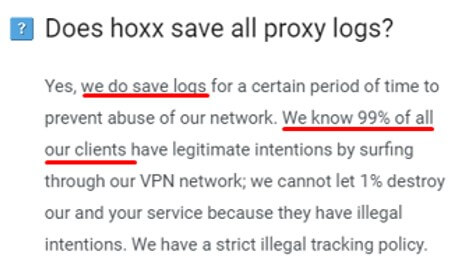
Sadly, unreliable ciphering is not the only one thing that makes Hoxx VPN unsafe. If you read a privacy policy of the provider carefully, you’ll find that it keeps logs. Bear this in mind before using the VPN for bypassing geo-blocking or other purposes.
Here and now, OpenVPN is considered to be the best VPN protocol. However, Hoxx VPN uses utterly out-of-date protocols: HTTP tunneling for browser add-ons and Shadowsocks for Android or desktop applications. Just so you know, Shadowsocks is not even a VPN protocol at all; it’s merely a proxy.
As you can see, in terms of security and privacy, Hoxx is one of the worst VPN providers.
Info on servers in different countries
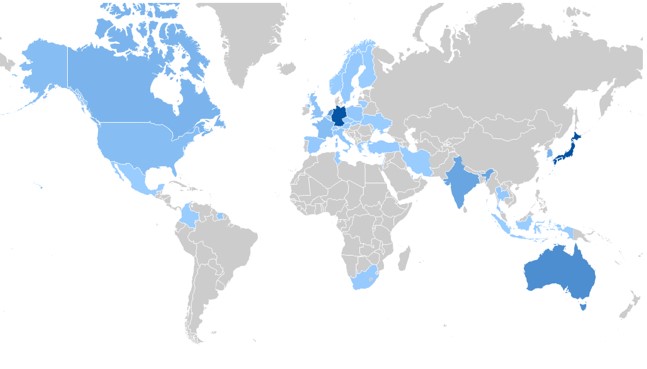
As of today, the service owns more than 50 locations worldwide. These locations vary from time to time. The provider also tries to add new countries every week.
Support service
You can contact the Hoxx VPN support team mainly via email, which you can find on the page.

Unfortunately, the provider doesn’t offer live chat, which would be extremely useful for customers.
Client Account procedures
We’ve installed a free VPN extension for Chrome. However, you can download Hoxx VPN for a desktop or mobile device. The process of registration and installation is dead easy.
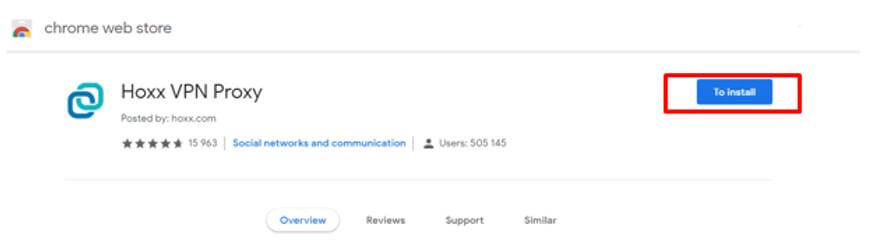
- Go to the Chrome Web Store and click “Add to Chrome” button:
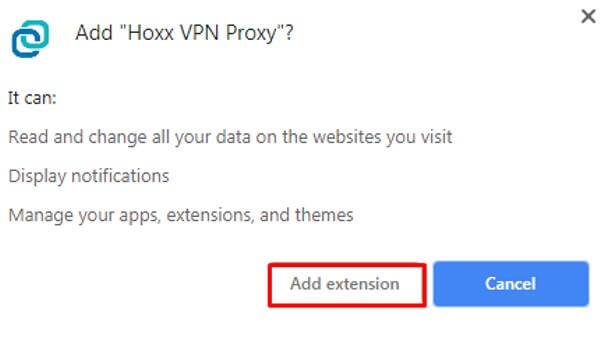
- Tap “Add extension”:
- Now you have to create an account. For this, just enter your e-mail address and the password will be sent to you.
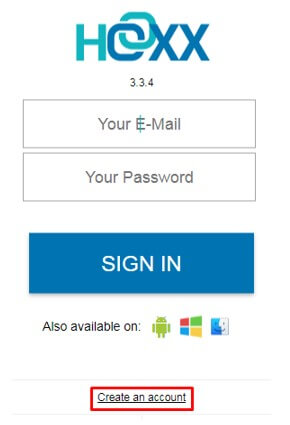
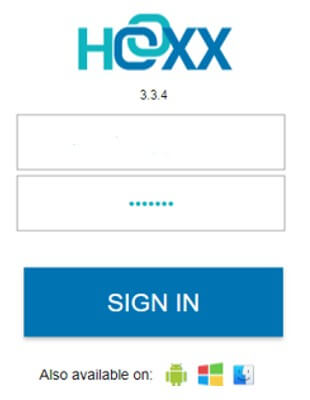
- Enter your e-mail (it’s your Hoxx VPN login) and password, click “sign in” button. That’s it.
IP Leak test and speed test for Hoxx VPN
We’ve tried two Hoxx VPN servers: in Australia and Japan. Let’s see if any IP leaks were revealed while using them.
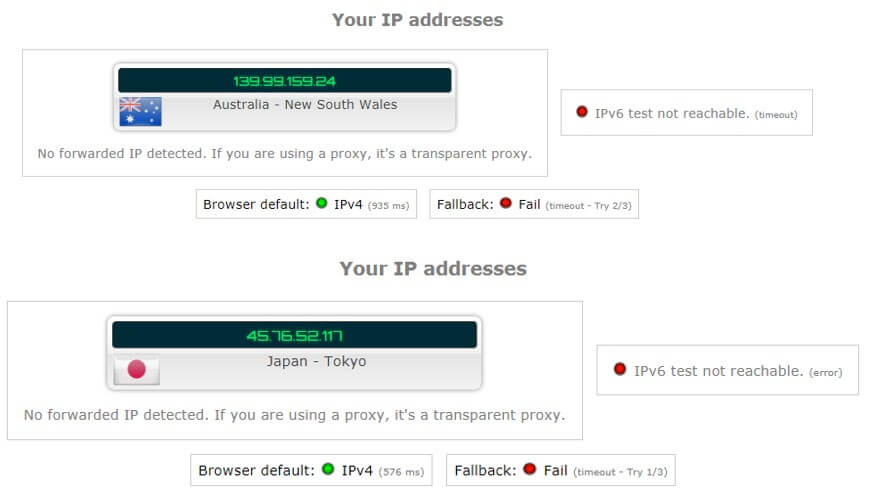
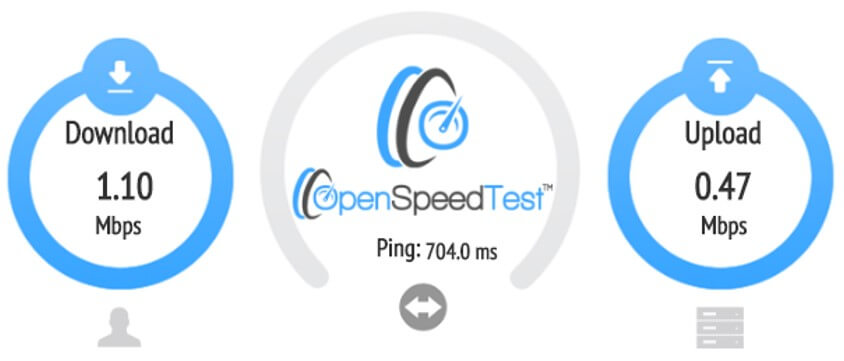
You can observe that the tests are successful. However, speed results are not so impressive. Hoxx VPN has reduced the speeds significantly, so it was inconvenient just surf the Internet, not speaking about watching movies or downloading files.
The speeds with the Australian server:
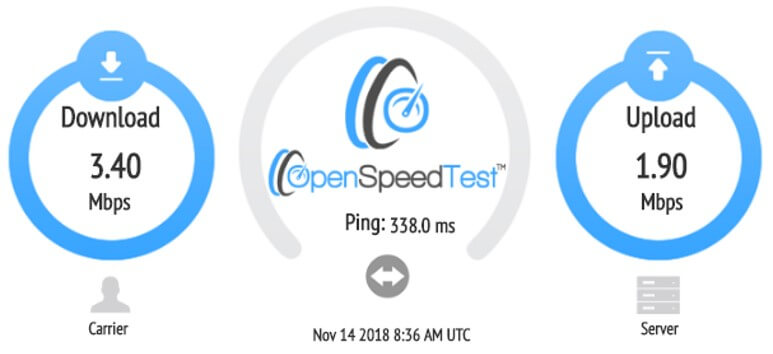
With the server in Japan:
Platforms
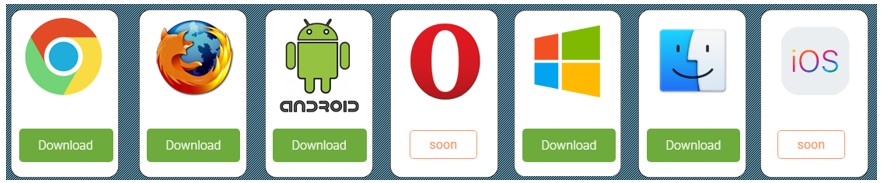
You can get free Firefox VPN after downloading the add-on for your browser. Hoxx VPN is available for Google Chrome as well. Paid and free desktop VPN software is compatible with Windows, Android, and Mac OS platforms.
Hoxx VPN for Opera and iOS is coming soon.
Summary
Will we recommend you to use Hoxx VPN? Of course not! In spite of the broad range of servers and a simple account procedure, Hoxx VPN service is untrustworthy and definitely isn’t worth using.
At a time when people suffer from numerous data breaches, a reliable VPN is needed. A provider with a no-logging policy, robust encryption, and protocols.
Furthermore, Hoxx VPN is the worst choice for unblocking restricted websites in the USA. The speeds are too limited for unblocking Project Free TV or other American services.
We’re completely disappointed with the service. Let’s see its advantages and disadvantages in brief:
Pros:
- Decent server park;
- Free VPN for Chrome and other platforms;
- 7-Day Money-back guarantee.
Cons:
- Out-of-date protocols;
- Untrustworthy methods of encryption;
- Keeps logs;
- Lessens Internet connection;
- Inappropriate for Netflix or torrenting.