3 Ways VPN Adds Extra Privacy Using Google Chrome
Chrome continues to receive security updates as new vulnerabilities are found and fixed. Its November 9, 2026, Stable release included nine security fixes, another reminder to keep the browser up to date. A VPN adds another layer of privacy while you browse. Here are three ways it can help:
- VPN masks your IP address. Websites you visit see the VPN server’s IP address instead of your regular public IP. Connecting through servers in different countries can also help you access services available there.
- It encrypts your connection to the VPN server. Your internet traffic travels through an encrypted tunnel, helping protect it from people who might be monitoring the network, which is particularly useful when you’re using public Wi-Fi.
- VPN gives you more control over your browsing privacy. Reputable VPN providers explain what information they collect and how they handle it. Look for a clear privacy policy and, ideally, an independently audited no-logs policy.
When choosing a VPN for Chrome, consider the server locations, connection speeds, supported protocols, and whether you want a browser extension or a full VPN app. Extensions may cover Chrome traffic, and an app can also protect connections from other apps on your device. A trial or money-back guarantee, flexible payment options, and responsive customer support can also help you decide whether the service suits your needs.
Here are the 5 best VPNs for Google Chrome browser protection:
1 ExpressVPN – 1 winner
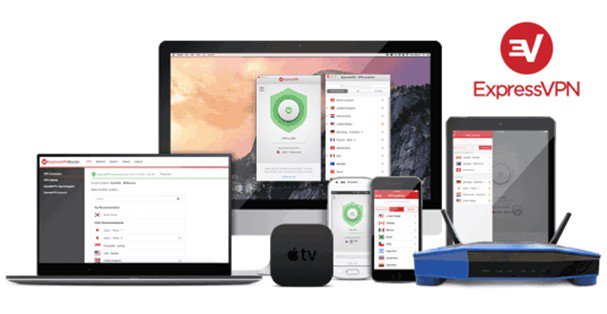
ExpressVPN is one option to consider if you want to add privacy and security features to Chrome. Its network spans 214 locations across 113 countries, offering unlimited bandwidth and server switching. ExpressVPN’s apps support protocols including Lightway and OpenVPN, with options varying by device. The company is based in the British Virgin Islands and has an independently audited no-logs policy. Its Chrome extension also includes Web Protection, which can block known malicious, phishing, and scam sites.
An ExpressVPN subscription supports up to 14 simultaneous connections, and apps are available for Windows, Android, and other major platforms. You can use the Chrome extension to control the VPN app and protect your device’s traffic, or use its proxy mode to cover browser traffic. ExpressVPN subscriptions include a 30-day money-back guarantee for risk-free purchasing.
- Servers: Undisclosed
- Devices: 10–14
- Refund: 30 days
- Base: British Virgin Islands
2 NordVPN – 2 place
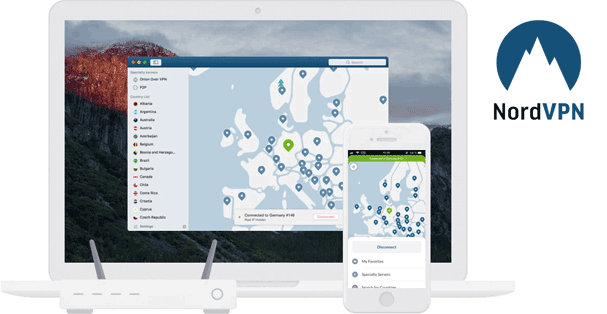
NordVPN is another option for adding privacy and security features to Chrome. Its network includes thousands of servers across 225 locations, and its Double VPN feature routes traffic through two VPN servers for an extra layer of encryption. NordVPN also has an independently audited no-logs policy and a kill switch that can stop browser traffic if the connection drops.
NordVPN’s Chrome extension includes WebRTC leak protection and real-time protection against ads and unsafe websites. It can also route your browser traffic through a VPN server, while NordVPN’s app protects traffic from other apps on your device. One subscription supports up to 10 simultaneous connections, and NordVPN offers 24/7 customer support, several payment methods, and a 30-day money-back guarantee.
- Servers: 7,200+
- Devices: 10
- Refund: 30 days
- Base: Panama
3 PureVPN – 3 place
PureVPN adds privacy and browser protection features that may suit Chrome users. Its network includes more than 6,000 servers in 65+ countries, and the service supports modern VPN protocols and AES-256 encryption. The Chrome extension routes browser traffic through a proxy server and includes WebRTC leak protection, which helps prevent websites from seeing your regular IP address through browser connections. For coverage beyond Chrome, you can use PureVPN’s app on your device.
PureVPN supports up to 10 simultaneous device connections and has had its no-logs policy independently assessed. All new customers can request a refund within 31 days of purchase.
- Servers: 6,000+
- Devices: 10
- Refund: 31 days
- Base: British Virgin Islands
4 Hide My Ass! – 4 place
HideMyAss VPN can add privacy to Chrome by routing your device’s internet traffic through a VPN server, masking your IP address and encrypting the connection. HMA lists more than 3,400 servers in 100+ locations, and its apps include AES-256 encryption, DNS and IP leak protection, and a kill switch. Its no-logs policy has also been independently reviewed.
HMA offers apps for Windows, macOS, Android, and iOS. Connect through the app and Chrome’s traffic is covered along with other internet activity on the device. Although HMA does not have a Chrome extension, you can still use it by installing the app on your device.
5 IPVanish – 5 place
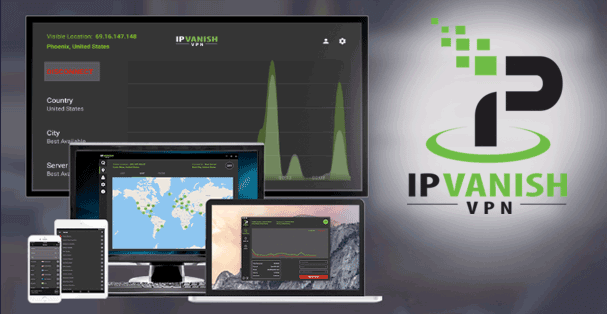
IPVanish combines VPN privacy features with a separate browser security tool. Its VPN network has more than 3,400 servers across 112 countries, supports WireGuard, IKEv2/IPsec, and OpenVPN, and uses AES-256 encryption. IPVanish also has a no-logs policy independently audited by Schellman.
For Chrome users, the Advanced plan includes IPVanish Secure Browser, a cloud-based browser session that keeps browsing activity and downloaded files off your device and clears session data when you close the browser. It’s designed to add protection against malicious links, malware, and tracking. IPVanish supports unlimited simultaneous VPN connections, and eligible long-term plans include a 30-day money-back guarantee.
- Servers: 3,400+
- Devices: Unlimited
- Refund: 30 days
- Base: USA
A VPN can add privacy while you browse with Chrome by masking your IP address and encrypting your connection to the VPN server. To choose one, look at its server locations, privacy policy, supported protocols, and whether it offers a Chrome extension or an app for your device. Then connect and browse with an extra layer of privacy.
Comments