How VPNs Can Help With Online Restrictions
Governments can restrict access to websites, apps, and online information, though the rules and their enforcement vary from country to country. Freedom House’s 2026 report found that global internet freedom had declined for the 16th consecutive year.
A VPN is a useful cybersecurity tool that can help you access websites blocked by your government or a restrictive network, or access services available in other regions. A VPN routes your traffic through a VPN server and encrypts the connection between your device and that server. The sites you visit see the VPN server’s IP address, which can make your connection appear to come from a location where the site is available.
A VPN can offer several useful features:
- IP address masking. Websites see the VPN server’s IP address instead of your usual public IP. Choosing a server in another region may also change which location-specific content is available.
- Connection encryption. The VPN encrypts traffic between your device and its server, limiting what your local network can see about your connection.
- Added privacy: Your traffic passes through the VPN provider, so check its privacy policy and how it handles user data.
- Access to some blocked sites. Connecting through another server may get around certain network restrictions. Some governments also block VPN services, so access can vary.
When comparing VPNs, look at their server locations, supported protocols, privacy policies, and independent audits. A VPN can help with some restrictions and add privacy to your connection, but which features matter most depends on how you plan to use it.
Here are the 5 best VPNs to bypass online restrictions:
1 ExpressVPN – 1 winner
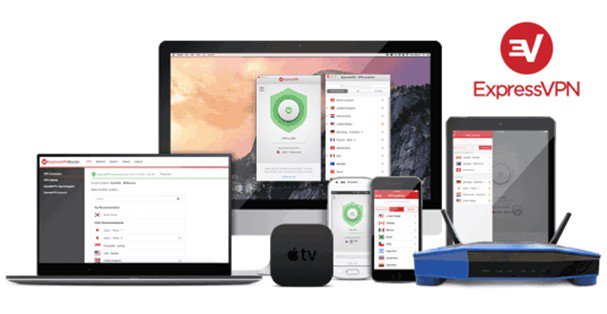
ExpressVPN can help when a website or service is unavailable because of your location or the network you’re using. Its network spans 214 server locations in 113 countries, so you can connect through a server in a region where the site is available and switch locations when needed. Subscriptions include unlimited bandwidth and server switching. Supported protocols include Lightway, WireGuard, OpenVPN, and IKEv2, though availability varies by app.
ExpressVPN has apps for Windows, Android, and other platforms. Depending on the plan, you can connect up to 14 devices with one account. The company also adheres to a strict no-logs policy, and first-time subscribers can request a refund within 30 days. These features make ExpressVPN a good option when looking for a VPN to access region-restricted websites.
- Servers: Undisclosed
- Devices: 10–14
- Refund: 30 days
- Base: British Virgin Islands
2 NordVPN – 2 place
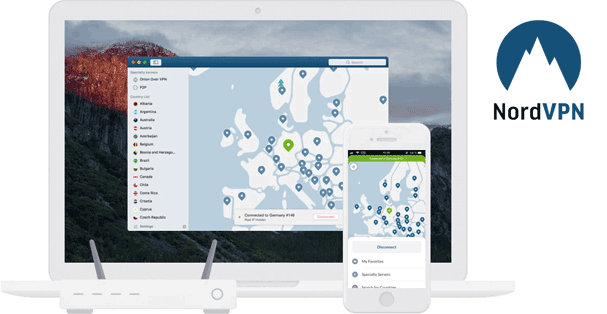
NordVPN has thousands of servers across 225 locations, so you can connect through a region where a website or service is available. For networks that block VPN connections, it also offers obfuscated servers and the NordWhisper protocol designed to make VPN traffic harder to identify. These features can help with some location-based restrictions and network blocks.
NordVPN’s apps support major operating systems, and one account allows up to 10 simultaneous connections. They include a kill switch and support protocols such as NordLynx and OpenVPN. NordVPN maintains a no-logs policy for online activity, which has been independently audited, and provides 24/7 customer support through live chat and email.
- Servers: 7,200+
- Devices: 10
- Refund: 30 days
- Base: Panama
3 PureVPN – 3 place
PureVPN, launched in 2007, now offers more than 6,500 servers across 70+ countries and 88+ locations. By connecting through a server in another country, you can access most websites and services that are restricted based on your location. PureVPN also offers obfuscated servers, designed to make VPN traffic harder for networks to identify and block. These features can help when a network restricts VPNs or a service blocks VPN connections.
PureVPN uses AES-256 encryption and has an independently assessed no-logs policy. It offers a 7-day trial and a 31-day money-back guarantee, though trial-based renewals are non-refundable.
- Servers: 6,000+
- Devices: 10
- Refund: 31 days
- Base: British Virgin Islands
4 VyprVPN – 4 place
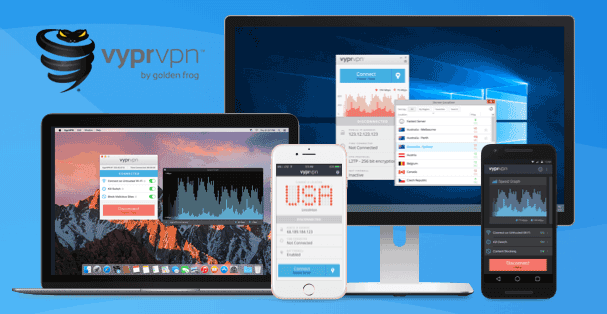
For users facing VPN blocks, VyprVPN’s main draw is its Chameleon protocol. It scrambles OpenVPN metadata to make VPN traffic harder to identify through deep packet inspection, which can help on networks that block VPN connections or restrict access to certain sites. VyprVPN also lets users connect through servers in other locations, which can help access content that is geographically restricted.
VyprVPN also supports WireGuard, OpenVPN, and IKEv2/IPsec, with apps for Windows, Mac, iOS, and Android. New customers can use the 30-day money-back guarantee if they are unsatisfied with VyprVPN.
- Servers: 700+
- Devices: 10
- Refund: 30 days
- Base: USA
5 Hide My Ass! – 5 place
If you need a VPN to access sites or services restricted on your network or in your region, HideMyAss offers servers in more than 100 locations across 65+ countries. Connecting through another location changes the IP address websites see, which can help with some location-based blocks. HMA has apps for Windows, Android, iOS, and macOS, with OpenVPN on Windows and Android and IPsec/IKEv2 on Apple devices. It uses AES-256 encryption and offers a seven-day free trial.
HMA plans allow five simultaneous connections, or up to 10 with the Family Plan. New customers can also request a refund within 30 days.
Governments may restrict online content and VPN use to control access to information. These measures can limit what people are able to read, watch, and share online. A VPN can enhance the privacy of your connection and may help you access sites blocked by your network or location. Now that you know what the technology can offer, it’s up to you to decide whether a VPN is right for you.
Comments